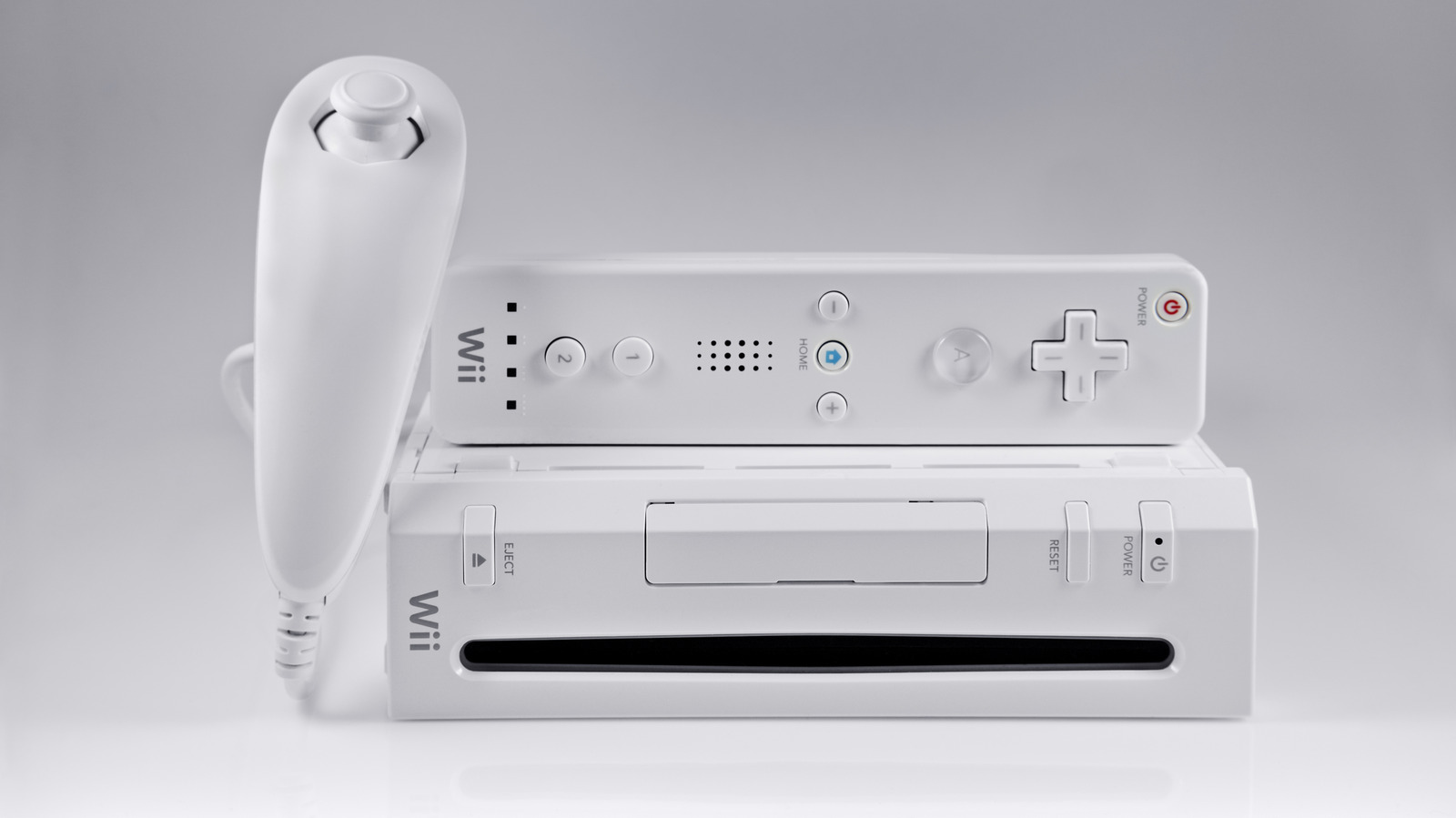
Quick Facts
- Compatibility King: Only the original RVL-001 model supports native GameCube discs.
- Visual Indicator: Look for the hidden hinged door on the top (vertical) or side (horizontal) of the console.
- Accessory Requirement: You must use a physical GameCube memory card; the Wii console cannot save GameCube data to its internal flash memory.
- Logo Alignment: Vertical Wii logos usually indicate compatibility, while horizontal logos often mean the ports were removed.
- Model Revision: The 2011 Family Edition and the 2012 Wii Mini officially discontinued native support for older hardware.
- Market Dominance: Most of the 101.63 million units sold globally are the original backwards-compatible models.
Does your Wii support GameCube games? The short answer is that the original Nintendo Wii (Model RVL-001) features full wii backwards compatibility, allowing it to play GameCube discs natively via its internal hardware and four dedicated controller ports. While the console was a massive success, later hardware revisions removed these features, making it essential to identify your specific unit before you start hunting for old discs.
Identifying Your Model: RVL-001 vs. RVL-101
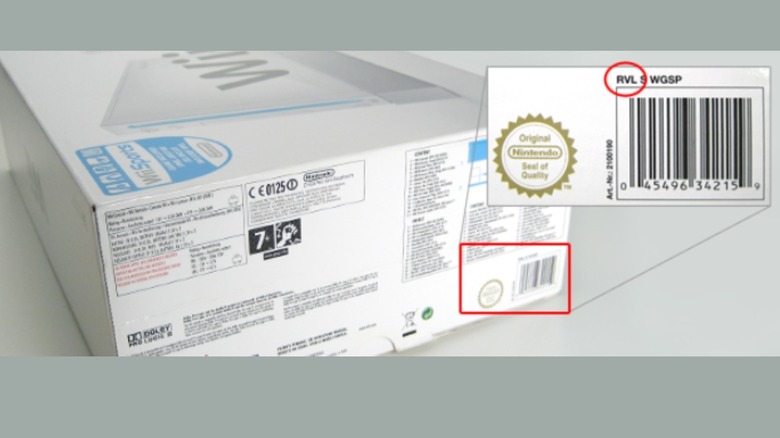
When you are looking at a stack of consoles at a thrift store or digging through your attic, the most accurate way to check for compatibility is the model number. Every Wii console has a sticker on the bottom (when placed horizontally) or the side (when placed vertically) that lists its technical specifications.
The original launch model, designated as RVL-001, is the unit you want. This version was produced from the 2006 launch until late 2011. It contains the necessary optical drive components to accept the smaller 8cm GameCube discs and the physical internal connections for legacy controllers. In October 2011, Nintendo launched the Wii Family Edition (model RVL-101), which officially discontinued native support for GameCube discs and accessories. This was a cost-cutting measure, as the GameCube was already two generations old by then.
Finally, there is the RVL-201, better known as the Wii Mini. This red-and-black top-loader is a stripped-back version of the console. The wii mini gamecube compatibility guide is very short: it has none. It lacks the controller ports, memory card slots, and even the ability to connect to the internet. If you have a Wii Mini, your only option for playing GameCube titles is through unofficial homebrew methods.
Physical Markers: Ports, Doors, and Orientation
If the sticker on your console is scratched or missing, you can use visual cues to determine if your wii model numbers gamecube compatible. The most obvious indicator is the presence of the expansion doors. On an RVL-001, if you look at the console while it is standing vertically, the top panel consists of two hinged doors. Flipping these open will reveal four GameCube controller ports and two slots for memory cards.
The orientation of the Wii logo on the front of the machine also provides a subtle hint. Because the original RVL-001 was designed to sit vertically in its included grey plastic cradle, the Wii logo is printed so that it reads correctly when the console is upright. When Nintendo shifted to the Family Edition, they intended for the console to sit horizontally. Consequently, the Wii logo on these non-compatible units is rotated 90 degrees to be readable while the machine is lying flat.
| Feature | RVL-001 (Original) | RVL-101 (Family Edition) | RVL-201 (Wii Mini) |
|---|---|---|---|
| Launch Year | 2006 | 2011 | 2012 |
| Physical GC Ports | Yes (4 Controller, 2 Memory) | No | No |
| Disc Compatibility | 12cm Wii & 8cm GC | 12cm Wii Only | 12cm Wii Only |
| Standard Orientation | Vertical | Horizontal | Horizontal |
| Internet Access | Built-in Wi-Fi | Built-in Wi-Fi | None |
This wii rvl-001 vs rvl-101 gamecube support distinction is the most common point of confusion for gamers today. If you see a Wii that lacks the top flaps, it is almost certainly a Family Edition. If the wii gamecube controller ports location is missing, the internal disc drive will also lack the software and physical alignment needed to pull in and read a GameCube disc. If you try to force a small disc into a non-compatible Wii, you risk jamming the drive mechanism.
Serial Number Proof: The Ultimate Verification
If you want 100% certainty without even opening the doors, the serial number label on the back of the machine provides the final word. This is particularly helpful when buying consoles online where the photos might be blurry.
Most RVL-001 units with wii backwards compatibility feature serial numbers starting with the LU or LB prefix. These prefixes are almost always associated with the early hardware revisions that include the GameCube controller ports. Conversely, serial numbers starting with KU or KB are typically assigned to the Family Edition revisions that removed the legacy support.
For the hardcore enthusiasts who might be dealing with a console that has been repaired or had its shell swapped, there is a "motherboard revision" check. Some older boards have a specific screw location for the internal clock battery that differs between the 2006 and 2011 versions. However, for 99% of users, checking for the serial number LU prefix is the gold standard for verification. You should also look for a small circular battery door near the fan exhaust; most GameCube-compatible units have this user-replaceable CMOS battery, while later "un-compatible" units integrated it differently.
Essential Accessories for GameCube Gameplay
Knowing is wii backwards compatible with gamecube is only half the battle. You cannot play these games with a standard Wii Remote or Nunchuk. Since the Wii essentially "becomes" a GameCube when you insert a legacy disc, it requires the original input hardware.
To play, you must have an original GameCube controller or a high-quality third-party equivalent. These must be plugged into the integrated ports under that hidden flap. One of the most common mistakes new owners make is thinking they can use the Classic Controller that plugs into the bottom of the Wii Remote. While that works for Virtual Console games, it does not work for physical GameCube discs.
The second essential accessory is a physical memory card. The Wii has plenty of internal storage for its own save files and WiiWare, but it cannot "see" that storage when running in GameCube mode. To save your progress in games like Super Smash Bros. Melee or The Legend of Zelda: The Wind Waker, you must plug a GameCube memory card into the slots located next to the controller ports.
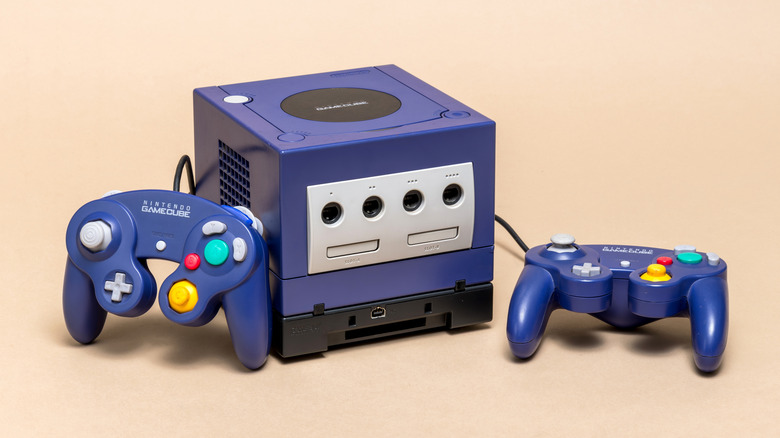
When inserting your games, notice the 8cm GameCube discs are significantly smaller than standard DVDs. Because the Wii uses a slot-loading drive, you don't need an adapter. Just slide the small disc into the center of the slot. The drive's internal rollers are designed to grab the smaller circumference and center it automatically. Just make sure the label is facing away from the power and reset buttons if your Wii is standing vertically.
Modern Setup and Technical Gaps
Once you confirm your wii backwards compatibility gamecube setup, you might face a modern challenge: connecting an analog console to a 4K television. The Wii outputs a maximum resolution of 480p. While this looked great on old tube TVs or early flat screens, it can look blurry on a 65-inch OLED.
If you are serious about your GameCube library, I highly recommend getting a Wii-to-HDMI adapter or, better yet, a set of high-quality component cables. Using the original RVL-001 with component cables is actually one of the most cost-effective ways to play GameCube games with high visual clarity, often rivaling the expensive HDMI solutions for the original GameCube console itself.
For those who find themselves with a newer model and want to know how to play gamecube games on wii without ports, there is a solution in the homebrew community. The Nintendont Loader is a piece of software that allows users to run GameCube games on almost any Wii or Wii U. It works by emulating the controller inputs, meaning you could potentially use a USB controller or a Wii Pro Controller. This also answers the question: can wii play gamecube games off sd card? Yes, but only if you have modified your console's software to bypass the physical disc drive restrictions. This is a great "Plan B" if your disc drive laser eventually dies, which is a common failure point for consoles from that era.
The Difference Between Wii and Wii Family Edition GameCube
The difference between wii and wii family edition gamecube support isn't just about the discs. It also affects specific Wii games that used the GameCube ports for peripherals. For example, several versions of Dance Dance Revolution for the Wii require the "Mario Mix" style dance pads that use GameCube plugs. If you have any of these "active" games, they will not function on the RVL-101 or the Wii Mini.
When looking at a wii backwards compatibility list, you will find that the RVL-001 is nearly 100% compatible with the entire GameCube library. There are only a handful of obscure accessories, like the GameCube Modem Adapter or the Game Boy Player, that do not work on the Wii due to the physical shape of the console. For everything else—from Donkey Konga Bongos to the Action Replay—the original Wii remains the definitive way to experience the 128-bit era.
Buying a Wii in 2026 is still a smart move for retro enthusiasts. Because Nintendo produced so many of these machines, they remain much more affordable than original GameCube consoles. As long as you keep an eye out for the RVL-001 model number and the serial number LU prefix, you are getting two legendary consoles for the price of one.
FAQ
Which Wii models are backwards compatible?
Only the original model, RVL-001, is natively backwards compatible. This model features the hidden controller and memory card ports under a top flap. Later models, like the RVL-101 (Family Edition) and RVL-201 (Wii Mini), removed this hardware support.
Can Wii run GameCube discs?
Yes, but only if you have the RVL-001 model. The slot-loading drive on these units is specifically designed to accept both standard 12cm Wii discs and the smaller 8cm GameCube discs. You do not need any special adapters; the drive will center the small disc automatically.
What can I play my old Wii games on?
Your old Wii games can be played on any revision of the Wii (RVL-001, RVL-101, or Wii Mini) as well as the Wii U. The Wii U includes a "Wii Mode" that perfectly replicates the original console’s environment, though it does not play GameCube discs.
Will a Wii work on a modern TV?
A Wii will work on a modern TV, but you will likely need an adapter. Most modern TVs lack the old composite (yellow/white/red) or component (red/blue/green) inputs. Using a Wii-to-HDMI adapter is the simplest way to connect to a 4K display, though it does not upscale the resolution beyond 480p.
Is it worth buying a Wii in 2026?
Absolutely. The Wii remains one of the best "bang-for-your-buck" consoles in the retro market. For a relatively low price, an RVL-001 gives you access to the massive Wii library and the entire GameCube catalog. It is a compact, reliable, and versatile machine for anyone looking to build a physical game collection.