If you have ever felt like your smartphone is a sieve for power, you are certainly not alone. We have all been there—watching the percentage drop while the phone sits seemingly idle on a desk. But for those of us deeply embedded in the Google ecosystem, especially with the forward-looking capabilities of the upcoming Tensor G5 silicon, the solution is already living inside your settings. It is often described as an invisible assistant, a layer of intelligence that works behind the scenes to ensure your device survives the workday and beyond.
Quick Facts
- Efficiency Boost: This feature can improve overall smartphone battery life by up to 30%.
- The 5 Buckets: Apps are organized into categories: Active, Working Set, Frequent, Rare, and Never.
- Hardware Base: Currently optimized by the Tensor G5 chip for private, on-device machine learning.
- Calibration Period: Requires a learning phase of approximately 14 days to stabilize.
- Extreme Mode: A supplementary setting that can extend runtime to 100 hours by pausing most non-essential apps.
- Longevity Focus: While it manages software, it works in tandem with hardware features to maintain long-term battery health.
Adaptive battery is an Android feature that uses on-device machine learning to analyze your app usage patterns. It organizes applications into standby buckets from active to rare, limiting background activity for less-frequently used apps. This resource management ensures that power is prioritized for the tools you need most, reducing unnecessary drain while your phone is idle.
The Dynamic Bucket System: How AI Categorizes Your Apps
The magic of how your Pixel stays alive during a long commute or a back-to-back meeting schedule lies in a concept called App Standby Buckets. In the past, Android took a relatively blunt approach to background activity; either an app was running, or it was killed. Today, the approach is surgical. By using on-device machine learning, your phone monitors how often you open specific software and sorts them into five priority levels.
The "Active" bucket is reserved for the things you are using right now or apps that are performing a visible task, like playing music or tracking a workout. These apps have zero restrictions on background activity. Moving down the line, we have the "Working Set" and "Frequent" buckets. These are for the apps you use often but perhaps not every hour—think of your favorite news reader or a social media app you check during lunch. The system allows these apps to run occasionally in the background so your feed is fresh when you open it, but it pulls back the reins just enough to save a few milliwatts.
The real heavy lifting happens in the "Rare" and "Never" buckets. These are for the apps you downloaded for a specific flight or a one-time event three months ago. The system identifies these as low-priority and essentially puts them into a state of app hibernation. They are not allowed to wake up the processor unless you manually open them or they receive a high-priority push notification. This is crucial because modern mobile applications can consume up to 45% of the total battery life on new devices simply by polling servers or refreshing data while the screen is off. By managing these usage patterns automatically, the adaptive battery android system ensures that a rogue weather app doesn't murder your charge by 3 PM.
Hardware Synergy: Why the Tensor G5 Makes the Difference
While the software logic is impressive, it requires a robust foundation to run without actually consuming more power than it saves. This is where the integration of the Tensor G5 chip becomes a game-changer for the Pixel 10 and beyond. Traditional chips often have to send data to the cloud to perform complex AI calculations, which is both a privacy risk and a power hog. The Tensor G5, however, is designed specifically for on-device machine learning.
The logic of automatic optimization is processed locally on the chip’s dedicated TPU (Tensor Processing Unit). This means the calculations required to determine if you are likely to open Instagram at 6 PM are done with incredible CPU efficiency and minimal thermal impact. Because the chip is "AI-first," it can handle the constant shifting of apps between buckets without the user ever feeling a stutter in performance optimization.
Furthermore, this hardware-software synergy allows the phone to predict your energy needs for the next few hours. If the Tensor G5 predicts you are heading into a "Rare" usage window—like when you are typically asleep—it can lower the system's power state even further. This level of granular control is why many users find that their Pixel actually gets better with age, at least in the first year of ownership, as the model becomes more attuned to their specific lifestyle.
Managing the Calibration Phase: Why Battery Life Might Dip Initially
One of the most common questions I get as an editor is "is adaptive battery good or bad?" and usually, this question stems from the first week of owning a new phone. When you first unbox a Pixel, the system has no data on you. It doesn't know if you check your email 50 times a day or if you only use your phone for Spotify.
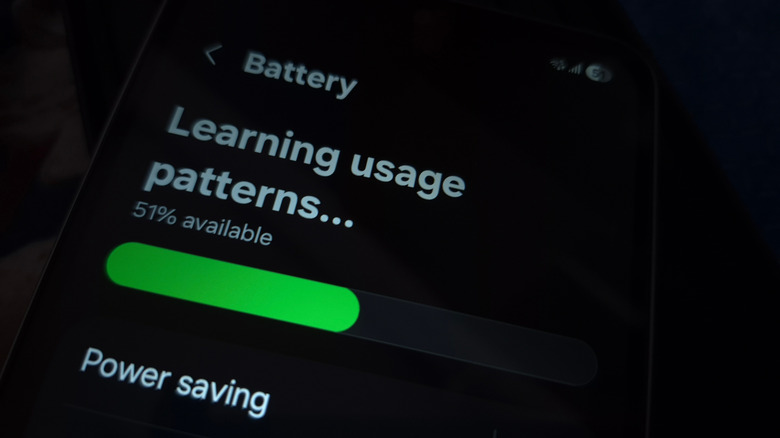
During this initial phase, the phone is in a high-intensity algorithm learning mode. Essentially, the AI is taking notes on everything you do. Because the system hasn't had the time to categorize apps into their buckets yet, it often defaults to a more permissive state, which can lead to higher-than-expected drain.
It is important to understand that how long does adaptive battery calibration take is usually about 14 days of regular use. During this fortnight, you might see the battery percentage drop faster than you'd like. This isn't a defect; it is the system collecting the data it needs to eventually save you those 30% gains. Once the calibration is complete, the background activity is throttled according to your real-world habits, and you will notice the daily longevity start to climb.
Adaptive Battery vs. Adaptive Charging: Know the Difference
It is easy to get these two terms confused, but they serve very different roles in the life of your device. Think of it this way: one manages the "fuel" you have for the day, while the other protects the "gas tank" for the next three years.
| Feature | Primary Function | Primary Benefit | Logic Basis |
|---|---|---|---|
| Adaptive Battery | Software & app resource management | Extends daily usage time | AI-driven usage patterns |
| Adaptive Charging | Hardware & power intake management | Preserves long-term battery health | Alarm settings and sleep habits |
The adaptive battery manages how apps consume power while you are using the phone. In contrast, adaptive charging regulates the hardware's power intake while the device is plugged in. If you plug your phone in at 11 PM and have an alarm set for 7 AM, adaptive charging will quickly charge the phone to 80%, then pause or slow down significantly, reaching 100% just before you wake up. This is vital for battery longevity because keeping a lithium-ion battery at 100% for eight hours while it is hot from the charger causes chemical stress. By waiting to top off the last 20%, you preserve the chemical health of the cell.
Custom Control: When to Set Manual Overrides
For 95% of users, the "set it and forget it" approach is the best way to handle these settings. However, there are scenarios where you might want to intervene. Some users ask about adaptive battery on or off pixel because they notice that certain apps—perhaps a specific work chat or a niche home automation app—are sending notifications late.
If you find that the AI is being a little too aggressive with a critical app, you don’t need to disable the entire feature. Instead, you can navigate to the pixel adaptive battery settings android 14 (and newer) path: Settings > Battery > Battery Usage. From there, you can select a specific app and change its settings from "Optimized" to "Unrestricted." This tells the AI to never put this specific app into a rare or frequent bucket, essentially giving it a permanent VIP pass to run in the background.
Conversely, if you are wondering "should I turn on adaptive battery?" the answer is almost always a resounding yes. Disabling it forces the Android OS to treat every app with equal priority, which is the fastest way to experience idle drain. Keeping adaptive battery on or off is a choice between a phone that manages itself or a phone that requires you to manually close apps—a habit that actually uses more power when the apps have to be cold-started again.
FAQ
What is adaptive battery?
It is a machine-learning feature built into Android that monitors your app usage to prioritize power for the tools you use most while limiting background activity for apps you rarely touch. Over time, it creates a custom power profile that can significantly extend your daily battery life.
Should I turn on the adaptive battery on my phone?
Yes, for the vast majority of users, this feature should remain enabled. It prevents background apps from unnecessarily draining system resources and helps the operating system manage the heavy power demands of modern software without requiring manual intervention.
How do I turn on an adaptive battery?
Open your device Settings, then tap on Battery. Look for Adaptive Preferences (or Battery Saver in some versions) and toggle the switch for Adaptive Battery to the on position. On Pixel devices, this is usually enabled by default during the initial setup.
Which is better, adaptive charging or 80%?
While a hard 80% cap is great for people who plan to keep their phones for five years or more, adaptive charging offers a more balanced approach for the average user. It gives you the benefit of a full 100% charge for your day while still protecting the battery's health by limiting the amount of time the battery spends at a high voltage overnight.
Is adaptive charging really worth it?
Absolutely. Slowing down the final 20% of the charge cycle reduces the heat and chemical stress on your battery. Since heat is the primary enemy of battery lifespan, this simple AI-driven tweak can be the difference between a battery that holds a great charge after two years and one that starts to degrade prematurely.
Keeping your Pixel running efficiently doesn't require a degree in computer science. By letting the AI handle the heavy lifting of app categorization and charging schedules, you can spend less time staring at your battery percentage and more time actually using your device. Whether you are rocking the latest Tensor G5 hardware or an older model, these adaptive features are your best defense against the "low battery" anxiety of the modern world.