Quick Facts
- Latency: Fiber offers ultra-low latency between 10 and 20 milliseconds, while 5G generally ranges from 20 to 50 milliseconds.
- Deployment: Fiber often requires weeks for professional installation; a 5G router offers instant deployment within minutes.
- Symmetry: Fiber provides symmetrical speeds (identical upload and download), whereas 5G is typically asymmetrical and download-heavy.
- Reliability: Fiber uses physical broadband infrastructure immune to weather; 5G can suffer from signal interference and congestion.
- Infrastructure: Fiber is accessible to approximately 60% of U.S. households, while 5G covers roughly 90% of the population.
- Cost: Fiber involves fixed contracts and installation fees; 5G often features "plug-and-play" simplicity with flexible data plans.
Choosing between a 5g router for home and traditional fiber broadband depends on your location and speed needs. A 5g router uses cellular networks to provide internet, offering instant deployment and portability, whereas fiber relies on physical cables for symmetrical speeds and lower latency. Fiber generally provides higher bandwidth throughput and more stable performance for high-demand activities, but 5g routers serve as excellent alternatives in rural areas or as a 5g router as redundant backup for small business operations.
The Technical Divide: Fiber Optics vs. 5G Radio Waves
When we talk about high-speed internet in 2026, we are really talking about two different ways of moving data. Fiber optic technology uses pulses of light sent through strands of glass. This physical connection is the gold standard for stability because it is not affected by electromagnetic interference or heavy rain. Because the line is dedicated to your home, the bandwidth throughput is consistent, regardless of how many people in your neighborhood are online.
On the other side of the fence, a 5g router captures radio waves broadcast from nearby cellular towers. These devices utilize two main frequency bands: Sub-6GHz and mmWave technology. Sub-6GHz is what gives 5G its impressive range, allowing it to penetrate walls and cover large areas. However, for those seeking the highest possible speeds, mmWave technology provides massive capacity over short distances, though it struggles with signal interference from trees or even window glass.
As of early 2026 reports, fiber broadband infrastructure is accessible to approximately 60% of U.S. households, whereas 5G wireless networks cover roughly 90% of the total population. This gap makes the 5g home internet router the only viable high-speed option for millions of users who are stuck outside the reach of the glass cable.
Speed and Latency: Why the Symmetry Matters
For the average user, download speed is the headline number. In the fourth quarter of 2024, the median 5G standalone download speed in the United States reached 388.44 Mbps, reflecting a steady increase from 305.36 Mbps in the previous year. While 388 Mbps is more than enough for 4K streaming and bulk file downloads, it tells only half the story.
Fiber internet is sought after primarily for its symmetrical speeds. If you have a 1 Gbps fiber plan, you often get 1 Gbps for both downloading and uploading. This is a game-changer for content creators who upload large video files to YouTube or professionals who spend their day on high-definition video calls. Most 5G connections are heavily weighted toward downloads, with upload speeds often lingering between 20 and 50 Mbps.
Then there is the issue of network latency. Fiber optic internet connections typically deliver ultra-low latency between 10 and 20 milliseconds. If you are looking for the best 5g router for gaming, you have to accept that your ping will be slightly higher, generally ranging from 20 to 50 milliseconds. For competitive shooters or fast-paced Twitch streaming, those extra milliseconds can make the difference between a win and a loss. Furthermore, 5G users must be aware of data throttling, where an ISP might slow down your connection during peak hours if the local tower becomes congested.
Hardware Essentials: Choosing the Right 5G Device
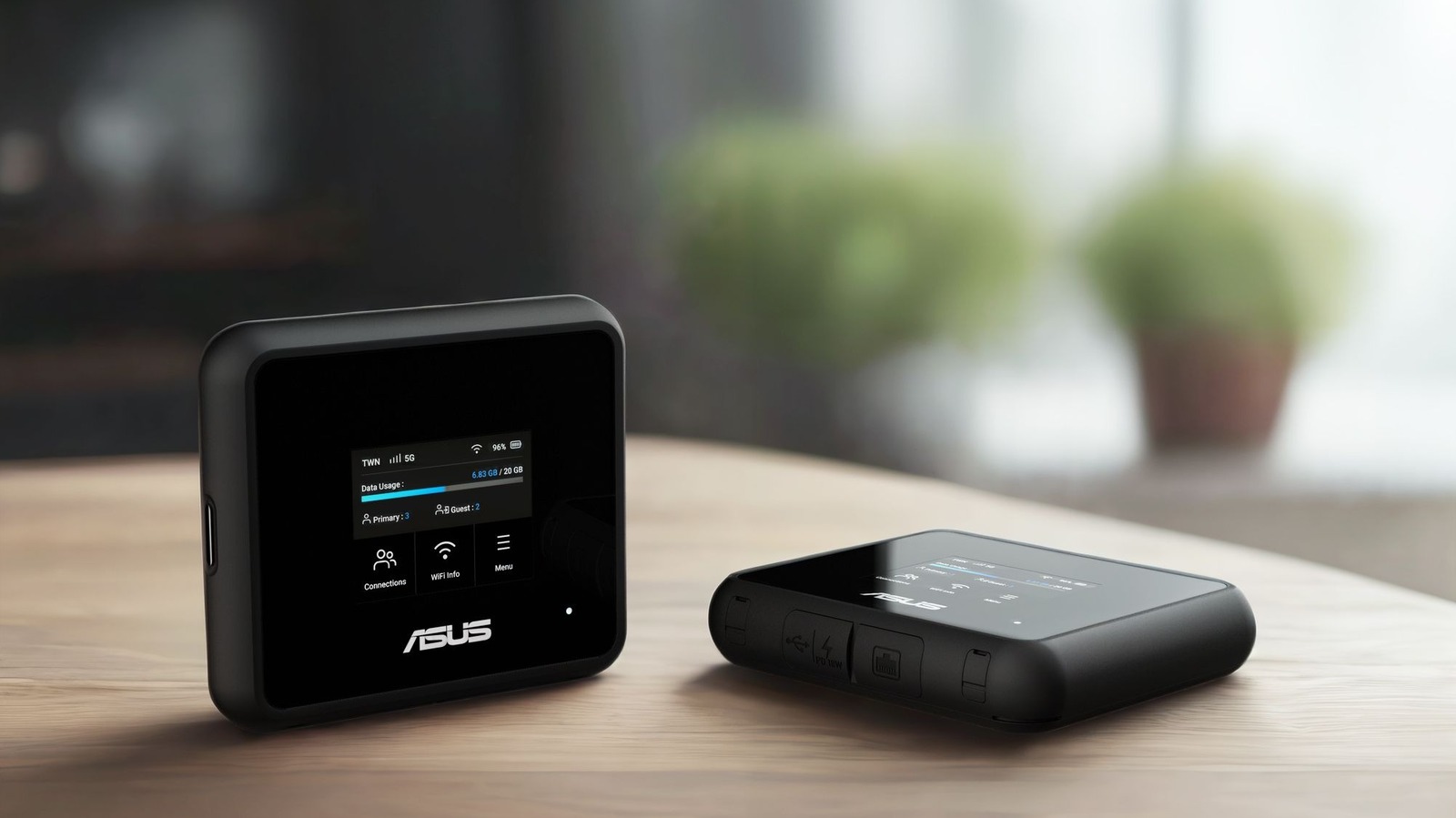
If you decide that the flexibility of cellular is right for you, finding the best 5g router involves looking at specific hardware capabilities. Unlike a standard Wi-Fi router, a 5g router for home must act as both a modem and a broadcast hub.
Essential Features to Consider
- SIM Card Integration: The most versatile models include a 5g router with sim card slot, allowing you to swap carriers easily if one provider offers better signal strength in your specific zip code.
- Physical Connectivity: Look for a 5g router with ethernet ports (specifically 2.5GbE ports) to ensure that your wired desktop or gaming console can actually utilize the full speed of the 5G signal.
- Antenna Support: For users in rural areas, external antenna ports are a must-have. These allow you to mount a high-gain antenna on your roof to pull in a signal from a distant tower that the internal antennas might miss.
- Internal Logic: Modern units should support both Sub-6GHz and mmWave to ensure future-proofing as carriers continue to upgrade their local infrastructure.
Beyond basic connectivity, a high-end 5g home internet router should support mesh networking. If you live in a large house, a single router might not be enough to push a signal through multiple walls. Combining a 5G gateway with mesh nodes ensures that you have consistent coverage from the basement to the attic.
Practical Scenarios: When to Choose 5G Over Fiber
While fiber represents the peak of performance, it isn't always the most practical choice. In my years testing hardware, I have found several scenarios where a 5g router vs fiber for home ends with 5G coming out on top.
The Renter's Solution
If you are a student or a professional on a short-term lease, you probably don't want to deal with an ISP Drilling holes in your walls or signing a two-year contract. A 5G setup is truly "plug-and-play." You plug the device into a wall outlet, and you are online. When you move, the internet moves with you.
Business Failover and Continuity
For a 5g router vs fiber for small business comparison, the answer is often "both." Many modern enterprise routers use a 5g router as redundant backup. If a construction crew down the street accidentally cuts your fiber line, the router automatically switches to the 5G network. This prevents downtime for credit card processing and cloud-based POS systems, making it a critical piece of infrastructure for retail and hospitality.
Rural and Remote Locations
In many parts of the country, the broadband infrastructure simply hasn't arrived yet. If your choices are aged DSL with 10 Mbps speeds or a modern 5G signal, the choice is clear. A 5g router for rural areas can provide a massive quality-of-life upgrade, enabling remote work and education where it was previously impossible. Digital nomads also benefit from a 5g travel router, which provides a secure, private hotspot that is far more reliable than public hotel Wi-Fi.

Making the Final Decision
| Feature | Fiber Optic | 5G Router |
|---|---|---|
| Max Speed | Up to 10 Gbps | Up to 1 Gbps (Typical 300-500 Mbps) |
| Latency | 10-20ms | 20-50ms |
| Setup Time | 1-2 weeks | 5 minutes |
| Symmetry | Symmetrical | Asymmetrical |
| Mobility | None (Fixed) | High (Portable) |
| Weather Impact | Zero | Minimal to Moderate |
Choose Fiber if... You are a hardcore gamer, a professional video editor, or a household with 10+ people all streaming simultaneously. The reliability and symmetrical nature of the connection make it the superior choice for high-demand, fixed locations.
Choose a 5G Router if... You value flexibility, live in a rental, or are located in an area where fiber hasn't been laid yet. It also serves as the best 5g router as redundant backup for anyone who cannot afford even an hour of internet downtime.
FAQ
Is it worth getting a 5G router?
Yes, especially if you live in an urban area with strong signal coverage or a rural area where fiber and cable are unavailable. It provides a much faster and more modern experience than DSL or satellite, with the added benefit of being portable. It is also worth the investment as a secondary connection for remote workers who need a failover option.
Can a 5G router replace my home internet?
For many households, the answer is a definitive yes. With median speeds approaching 400 Mbps, a 5g home internet router can easily handle 4K streaming, Zoom calls, and general web browsing. However, if your household does heavy gaming or frequent large file uploads, you may miss the lower latency and symmetrical speeds of fiber.
Which 5G router is best for home?
The best 5g router for home use is one that supports both Sub-6GHz and mmWave frequencies and features Wi-Fi 6 or Wi-Fi 7 for internal distribution. Models that include a 5g router with sim card slot are preferable because they are not locked to a single carrier, giving you the freedom to switch to whichever provider has the best local tower.
What is the downside of 5G WiFi?
The primary downsides are signal interference and potential data throttling. Because the signal travels through the air, it can be weakened by physical obstructions or heavy weather. Additionally, cellular networks are "shared" environments; if everyone in your neighborhood is using the same tower at 7:00 PM, your speeds may dip.
Does 5G Wi-Fi go through walls good?
The 5G cellular signal (specifically Sub-6GHz) is quite good at penetrating walls, but the higher-frequency mmWave signals are easily blocked by bricks, concrete, and even double-paned glass. For the Wi-Fi signal broadcast by the router inside your home, performance is similar to any other router, though using a mesh network can help overcome dead zones in larger buildings.