Quick Facts
- Critical Support Date: The Mavic 2 Pro is scheduled for service suspension on August 31, 2026.
- Maintenance Benchmark: Hardware should undergo a deep service every 200 flight hours to ensure structural integrity.
- Battery Longevity: Intelligent Flight Batteries generally require replacement after reaching 200 cycles or showing signs of swelling.
- Market Context: DJI holds a dominant 70% to 80% of the global civilian drone market, making secondary parts markets highly active.
- Economic Scale: The drone repair industry is surging, with the global drone servicing and repair market projected to hit $29.81 billion in 2024.
- Operational Strategy: Shifting legacy units to low-risk training roles helps preserve newer fleet assets for critical missions.
When you find yourself operating unsupported DJI drones, you must transition from manufacturer-led maintenance to an independent lifecycle strategy. While the aircraft will continue to fly, you will no longer receive official repairs or firmware updates, necessitating a move toward third-party technicians and the proactive sourcing of proprietary spare parts to maintain airworthiness.
The DJI Suspension of Service List: Is Your Drone Affected?
In the world of imaging technology, there is a distinct difference between a product being discontinued and reaching its end-of-service status. When a drone is discontinued, it simply means DJI has stopped manufacturing new units. However, when a model lands on the DJI Suspension of Service list, the manufacturer officially terminates all technical support, including hardware repairs and firmware patches. This transition represents a significant shift in product lifecycle management for photographers and enterprise operators alike.
As of late 2025, DJI has identified 111 product models that have reached or are rapidly approaching this terminal phase. This list includes iconic workhorses that defined the modern aerial photography era. Understanding where your gear stands is the first step in protecting your investment against asset depreciation.
| Model Series | Support Status | Estimated End of Service |
|---|---|---|
| Mavic Air (Original) | Unsupported | Reached |
| Phantom 4 Advanced | Unsupported | Reached |
| Mavic Mini (Original) | End of Life | Late 2025 |
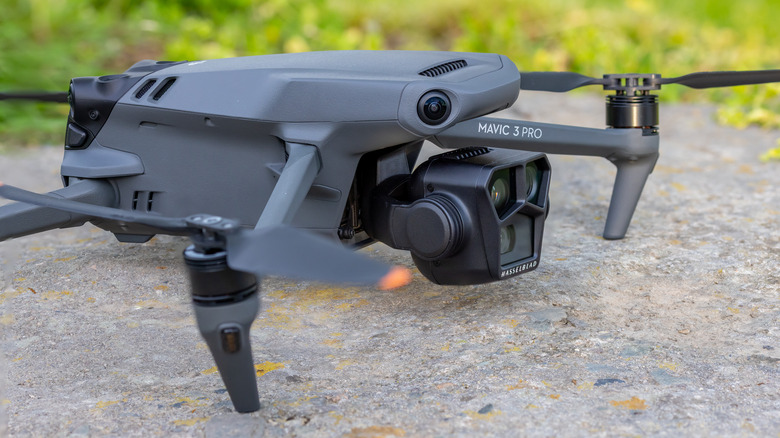
| Mavic 2 Pro / Zoom | Approaching EOS | August 31, 2026 |
| Inspire 2 | Active Support | TBD 2026/2027 |
For the individual creator, an unsupported drone is a manageable hurdle. For industrial fleets, however, the loss of official support introduces a strategic risk regarding reliability and regulatory compliance. If your aircraft is on the DJI Suspension of Service list 2026, the countdown has already begun for you to secure the components necessary to keep that bird in the air.
Hardware Continuity: Maintenance for Legacy DJI Drones
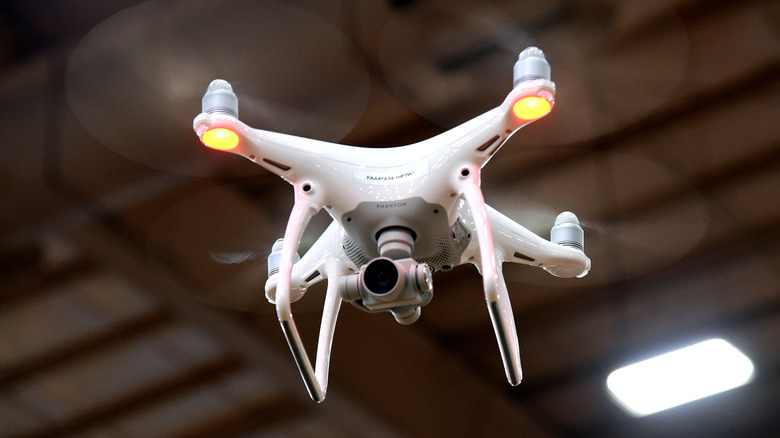
Just because DJI won't fix it doesn't mean it won't fly. To maintain airworthiness for unsupported DJI drones, you need to adopt a more rigorous, quantitative approach to legacy DJI drone maintenance. In my years testing camera gear, I’ve found that the best way to extend the life of any mechanical tool is to follow the data, not just wait for a failure.
Most DJI manuals for professional gear suggest a maintenance interval of every 200 flight hours. When official support ends, these benchmarks become your bible.
- Propeller Integrity: Inspect for micro-cracks or leading-edge erosion every 20 flight hours. Replace the full set every 200 hours regardless of visual appearance to prevent motor bearing strain.
- Vibration Dampers: The rubber gimbals and dampers lose elasticity over time. If you notice "jello" in your footage, it’s a sign that these components are failing.
- Motor Health: Manually rotate each motor to check for grit or resistance. A motor that feels "crunchy" is a precursor to an in-flight failure.
- Sensor Calibration: Monitor your IMU sensor bias. If the bias consistently exceeds the 0.05 limit, recalibrate immediately. For legacy hardware, keeping the aircraft on a perfectly level surface during this process is critical.
Firmware stability is another pillar of post-service life extension. Once a drone reaches the end-of-life (EOL) status, stop looking for updates. In fact, if your drone is flying perfectly on its current version, avoid "forced" updates that might occur through the mobile app. Many operators of older Phantom and Mavic units prefer to use dedicated, offline tablets to ensure that a sudden software "improvement" doesn't brick a perfectly functional camera system.
Sourcing Spare Parts and Third-Party Repair Advice
The end of official support often triggers a gold rush for proprietary accessories. The most vulnerable component is the Intelligent Flight Battery. Unlike propellers or landing gear, DJI batteries contain complex circuitry that makes third-party alternatives risky. If you are serious about Mavic 2 Pro maintenance after service suspension, you should start stockpiling batteries now.
Once official inventory is exhausted, you will likely see a 30% to 50% price hike on secondary markets like eBay or specialized drone forums. To avoid these premiums, look for "salvage" units—drones with crashed gimbals or broken arms that still have functional internal boards and motors.
When a DIY fix is beyond your skill level, seeking third-party drone repair advice is your best path forward. The benefits of third party DJI drone repair often outweigh official channels once a drone is old. These specialized repair technicians are frequently more willing to perform board-level repairs—replacing a single capacitor or ribbon cable—whereas DJI's official service centers typically opt for the more expensive route of replacing the entire module.
Before sending your gear off, verify the technician's experience with legacy hardware. Ask if they have a "donor" inventory of parts for your specific model. A reputable shop will have a graveyard of older units that can provide the obscure internal components no longer found in a factory box.
Regulatory Compliance and Fleet Diversification
Operating unsupported DJI drones in 2026 and beyond isn't just a hardware challenge; it’s a legal one. As global aviation authorities tighten Remote ID compliance requirements, older hardware may struggle to keep up. While many legacy DJI drones received firmware updates to enable Remote ID, once support ends, there will be no more "fixes" if a future software update to your phone or tablet breaks that functionality.
For commercial operators, the strategy should shift toward fleet diversification. You don't necessarily need to retire your older Mavic or Phantom units, but you should transition them to lower-risk tasks, such as site scouting or internal training. This allows you to reserve your newer, supported models for high-stakes missions where manufacturer backing and insurance compliance are non-negotiable.
The industry is seeing a massive shift, as the drone repair market is projected to grow by over 50% annually. This growth is driven by operators who refuse to let perfectly good glass and sensors go to waste just because a support date has passed.
If you find that the cost of maintaining your legacy fleet is beginning to outweigh the benefits, it may be time to look at newer alternatives. Transitioning to a mixed-fleet strategy ensures that you aren't left grounded if a critical component on your legacy unit finally gives up the ghost.
FAQ
What happens when a DJI drone reaches end of support?
When a drone reaches this status, DJI officially stops offering repair services, providing spare parts, or releasing firmware updates. While the drone remains functional for flight, any hardware failure or software bug becomes the owner's responsibility to solve through independent means or third-party services.
Can I still fly a DJI drone that is no longer supported?
Yes, you can absolutely still fly the aircraft. End-of-service refers only to the manufacturer's obligation to provide support. As long as the hardware is airworthy and you remain compliant with local aviation regulations like Remote ID, the drone can continue to be a productive tool in your kit.
Which DJI models are currently on the end-of-life list?
As of late 2025, over 100 models are on the list, including the original Mavic Air, the Spark, the Phantom 3 series, and various iterations of the Phantom 4. The Mavic 2 Pro and Zoom are among the most recent high-profile additions scheduled to lose service support in August 2026.
How do I get repairs for an unsupported DJI drone?
You must look toward the independent repair market. Specialized third-party technicians often have the expertise and the "donor" parts needed to fix legacy hardware. You can also perform many repairs yourself by sourcing salvaged components from discontinued units sold on secondary marketplaces.
Will the DJI app still work with discontinued models?
In most cases, yes, but there is a risk. As mobile operating systems (iOS and Android) update, older versions of the DJI Go or DJI Fly apps may become unstable. It is often recommended to use a dedicated, non-updated mobile device to ensure continued compatibility with your legacy drone’s software.
Where can I buy replacement batteries for older DJI drones?
Official stock usually dries up quickly after the service suspension date. You can search for remaining new-old-stock at local hobby shops, or look to reputable secondary markets. Be cautious of third-party, non-brand batteries, as they may lack the sophisticated battery management systems (BMS) required for safe flight.
Conclusion & Next Steps
Facing the reality of what to do with a DJI drone that is no longer supported doesn't have to mean the end of your aerial creativity. By shifting your mindset from consumer to maintainer, you can keep these high-quality imaging tools operational for years.
Start by auditing your current gear against the DJI Suspension of Service list. If your primary drone is on it, begin sourcing a "care package" of spare propellers, at least two fresh batteries, and a set of replacement gimbal dampers. Establish a relationship with a local third-party technician before you actually need a repair.
The "Right to Repair" movement is particularly relevant here; as users, our ability to keep legacy tech alive is a testament to the build quality of these machines. Whether you’re a hobbyist capturing sunsets or a professional managing a fleet, the end of official support is simply the beginning of a more independent, hands-on phase of your photography journey. Keep your firmware stable, your batteries healthy, and your eyes on the horizon.