Quick Facts
- Price: Approximately $45
- Maximum Resolution: 1080p output at a 60Hz refresh rate
- Latency: Estimated between 0.01ms and 60ms depending on environment
- Connectivity: Peer-to-peer transmission (no Wi-Fi network required)
- Compatibility: Universal OS support including Windows, macOS, iOS, Android, and Samsung DeX
- Key Hardware Feature: One-click privacy protection mode button
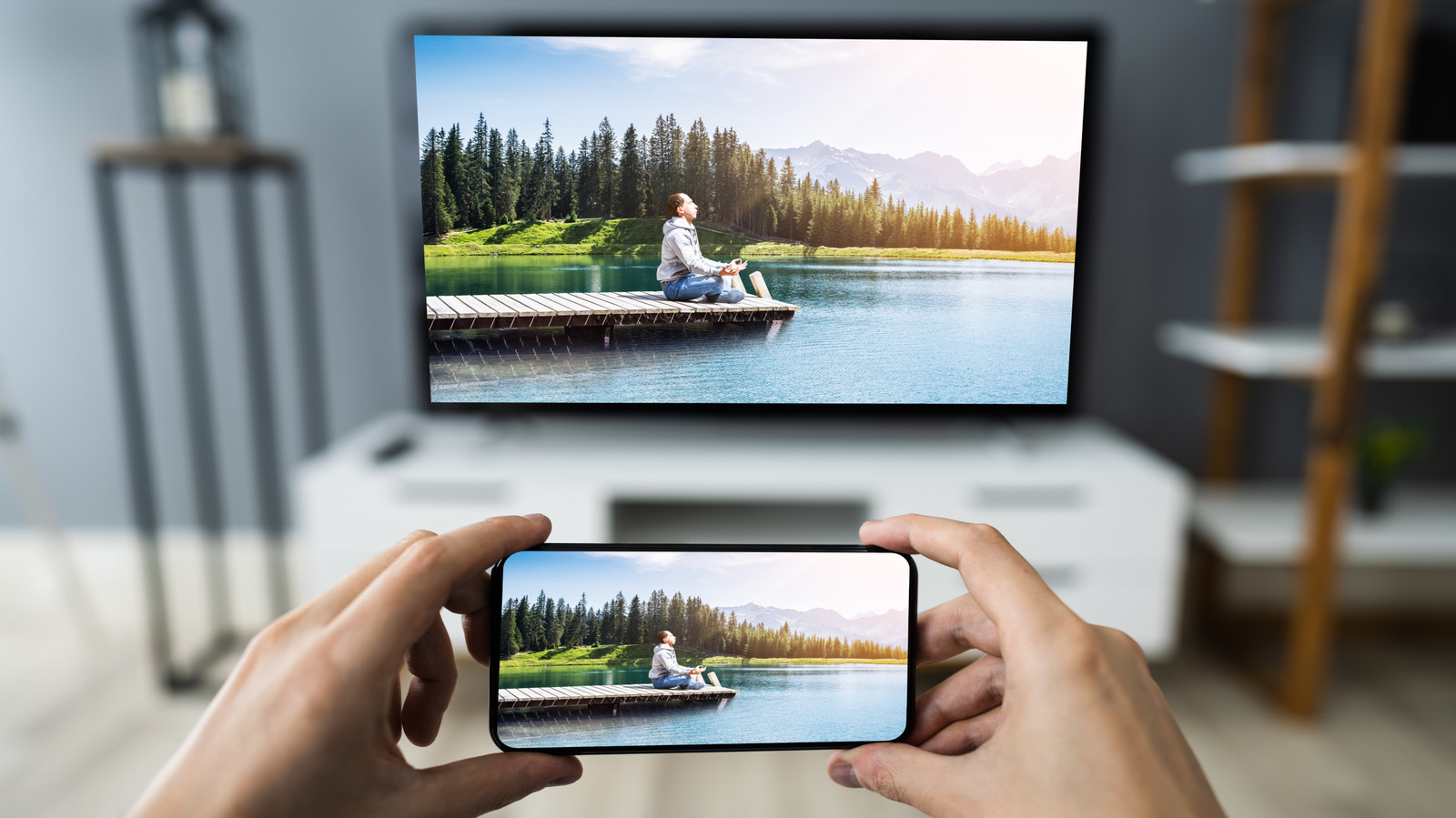
A wireless HDMI adapter uses peer-to-peer transmission to connect devices directly without an external Wi-Fi network. These plug-and-play dongles create a dedicated wireless link between a smartphone, tablet, or laptop and a TV, enabling low-latency screen mirroring or display extension even in hotels or remote locations.
As a PC editor, I spend a lot of time looking at high-end hardware, but I am often more impressed by the small, affordable gadgets that solve specific workflow headaches. One of the most common complaints I hear from professionals and travelers is the frustration of trying to get a laptop or phone screen onto a TV in a hotel or a client's conference room. Standard software-based casting is often blocked by restricted Wi-Fi networks or suffers from unbearable lag.
The solution is not a software update, but a hardware-based wireless HDMI adapter. For under $50, these devices bypass local network restrictions entirely. By creating their own dedicated 5GHz wireless link, they allow you to turn your TV into a wireless monitor without fumbling with IP addresses or logging into "Guest Wi-Fi" portals that never seem to work.
The $45 Solution: Meet the Braidol Wireless HDMI Dongle
In the world of computing hardware, we often talk about the "sweet spot"—the price point where performance and value intersect. For wireless display technology, that spot is currently around $45. The Braidol wireless HDMI adapter is a prime example of this category. It is a kit consisting of a transmitter and a receiver, designed to be a plug and play screen mirroring adapter for iPhone, Android, and PC users alike.
Unlike cheaper single-dongle solutions that rely on your home Wi-Fi and AirPlay or Miracast protocols, this hardware kit acts like an invisible HDMI cable. You plug the receiver into the TV and the transmitter into your source device. Because it handles the encoding and decoding on dedicated silicon, it does not tax your laptop’s CPU or your phone’s processor as heavily as software mirroring does.
One feature that stands out for the professional user is the physical privacy protection mode button. In a corporate setting, there is nothing worse than having your private messages or sensitive data pop up on a 65-inch screen during a presentation. A quick tap on the transmitter button instantly cuts the video feed while maintaining the connection, allowing you to navigate to your next slide or document in private. It is a simple, hardware-level solution to a very human problem.
Technical Realities: Resolution, Latency, and HDCP
When you are looking for the best wireless HDMI adapter under $50 for TV use, you have to understand the technical compromises. As an editor, I believe in transparency: you aren't getting a zero-latency 4K gaming rig for forty-five bucks. You are getting a highly efficient productivity and media tool.
The internal chipset in these budget-friendly devices typically supports 4K video decoding capability, but it scales that signal down for a 1080p output. This is a crucial distinction. While the device can process a 4K file from your phone, the image hitting the TV will be Full HD. For presentations and streaming YouTube or home movies, 1080p at a 60Hz refresh rate is perfectly crisp.
Latency is another factor. These adapters operate with millisecond latency, usually in the range of 60ms. For a PowerPoint presentation or watching a movie, this is imperceptible. However, this is why I generally do not recommend a low latency wireless display adapter for streaming video games that require twitch reflexes. If you are playing a fast-paced shooter, you will feel the slight delay between your controller input and the on-screen action. For everything else, the peer-to-peer transmission is impressively stable.
| Feature | Budget Wireless Adapter ($45) | Professional Wireless HDMI ($200+) |
|---|---|---|
| Output Resolution | 1080p @ 60Hz | Native 4K @ 30/60Hz |
| Transmission Range | Up to 50-100 feet (line of sight) | Up to 500+ feet |
| HDCP Support | Limited (No Netflix/Hulu) | Full Support |
| Connectivity | USB-C or HDMI Transmitter | High-gain External Antennas |
| Latency | 60ms - 100ms | <1ms (Near Zero) |
A significant "dealbreaker" for some will be HDCP content protection. High-bandwidth Digital Content Protection is a protocol used by streaming services like Netflix, Disney+, and Hulu to prevent piracy. Most budget wireless HDMI adapter units cannot bypass this. If you try to stream a Netflix movie from your phone via the adapter, you might see a black screen with audio. For professional work, personal videos, and web browsing, this isn't an issue, but for a "Netflix and Chill" night in a hotel, you might be out of luck unless you use a browser-based workaround.
Setup Guide: No Wi-Fi? No Problem
One of the greatest strengths of a portable wireless display dongle for hotel TV use is that it functions independently of the environment. You could be in a remote cabin or a high-security office with no internet, and it will still function perfectly.
Here is how to use wireless HDMI adapter without Wi-Fi:
- Power the Receiver: Plug the HDMI receiver into an open port on your TV. Most units require power via an included USB cable. You can usually plug this into the TV’s own USB port for a clean setup.
- Connect the Transmitter: Plug the transmitter into your laptop’s HDMI port or your smartphone’s USB-C port. If your phone supports USB-C DisplayPort Alt Mode, it will automatically begin sending the signal.
- Wait for the Handshake: The two devices will automatically hunt for each other using a dual-band frequency (usually 5GHz for speed). Within about 10 seconds, your screen will appear on the TV.
- Adjust Display Settings: On a Windows laptop, press
Win + Pto choose whether you want to duplicate your screen or use the TV as a second, extended monitor.
This is a true plug and play screen mirroring adapter for iPhone and Android. For older iPhones with Lightning ports, you will need a basic Lightning-to-HDMI adapter to connect to the transmitter, but for the newer iPhone 15 and 16 series, the USB-C transmitter works natively.
Best Use Cases: From Hotel TVs to Samsung DeX
The versatility of a portable HDMI transmitter for travel cannot be overstated. The global wireless display market, which includes hardware such as adapters and streaming sticks, was valued at $5.40 billion in 2023 and is projected to reach $13.73 billion by 2032. This growth is largely driven by the "mobile office" trend.
For the mobile professional, the most powerful application for this gadget is acting as a wireless HDMI transmitter for Samsung DeX monitor setups. If you own a high-end Samsung Galaxy phone, plugging in the transmitter activates DeX mode, turning the hotel TV into a full desktop computer interface. You can pair a Bluetooth mouse and keyboard to your phone and work on documents or emails on a large screen without ever unpacking a laptop.

In a corporate environment, this device is a lifesaver. According to market data, the hardware segment of the wireless display market accounted for 53.5% of total industry revenue in 2023, largely due to the increasing adoption of wireless adapters in meeting rooms. Instead of passing around a tangled HDMI cable that might not be long enough to reach the end of the table, you simply pass the small transmitter dongle. It creates a cleaner, more professional presentation environment.
Beyond the office, I have used this to turn an old TV into wireless monitor for a temporary kitchen setup, allowing me to follow complex recipes on a large screen without keeping my expensive laptop near the stove. The travel-friendly form factor means it fits in a pocket of a laptop bag, making it much more convenient than carrying a 15-foot HDMI cable.
FAQ
Do wireless HDMI adapters need Wi-Fi to work?
No, most hardware-based wireless HDMI adapter kits do not require an external Wi-Fi network or a router. They establish a direct, peer-to-peer transmission between the transmitter and the receiver. This makes them ideal for use in hotels, outdoors, or in secure offices where you cannot connect to the local network.
Is wireless HDMI good for gaming?
It depends on the game. For casual titles like card games, puzzles, or slow-paced simulations, it works fine. However, because budget adapters have a millisecond latency of around 60ms, they are not recommended for competitive gaming, first-person shooters, or rhythm games where timing is critical.
Do wireless HDMI adapters have lag?
Yes, all wireless video transmission introduces some level of lag compared to a physical cable. While modern adapters use 5GHz frequencies to minimize this, there is still a slight delay while the hardware encodes and decodes the video signal. For video playback and presentations, this lag is usually not noticeable.
What is the difference between wireless HDMI and screen mirroring?
The main difference is the connection method. Standard screen mirroring (like AirPlay or Chromecast) usually happens over your home Wi-Fi network and relies on software protocols. A wireless HDMI adapter is a hardware-to-hardware solution that uses a dedicated wireless link, meaning it works without a router and often provides a more stable connection with less setup.
Does wireless HDMI support 4K video?
Many budget-friendly adapters can handle 4K video decoding capability, but they typically output at 1080p to the TV to maintain a stable 60Hz refresh rate over the wireless link. High-end professional models that support native 4K transmission exist, but they are significantly more expensive, often costing $200 or more.
Conclusion
The ability to turn your TV into a wireless monitor for $45 is a testament to how far display technology has come. While professional-grade zero-latency kits still command a premium, these budget-friendly dongles provide incredible value for 90% of users. Whether you are a traveler looking to bypass hotel Wi-Fi restrictions, a professional who wants a cleaner presentation setup, or a Samsung user looking to leverage the mobile desktop experience of DeX, a wireless HDMI adapter is a must-have tool in your tech bag.
The trade-offs—namely the 1080p resolution cap and the HDCP limitations for streaming apps—are minor when compared to the convenience of a truly portable HDMI transmitter for travel. For the price of a few fancy lunches, you can eliminate cable clutter and enjoy the freedom of a wireless workspace anywhere you go.