Quick Facts
- Primary Choice: MaideSite Dual Motor Electric Standing Desk (300 lbs capacity)
- Ergonomic Winner: HP 960 Ergonomic Split Keyboard
- Productivity Multiplier: 49-inch Samsung Odyssey G9 Ultrawide Monitor
- Connectivity Hub: CalDigit TS4 Thunderbolt 4 Docking Station
- Security Essential: CyberPower CP1500PFCLCD UPS
- Storage Standard: SanDisk Extreme Portable SSD (1,050 MB/s)
Essential home office gadgets focus on improving ergonomics, connectivity, and productivity. Key items include an electric standing desk for posture, a high-resolution 2K webcam for professional video calls, and an ultrawide monitor to replace distracting dual-screen setups. Additionally, uninterruptible power supplies and portable SSDs ensure data security and equipment protection during remote work.
The Foundation: Sit-Stand Workstations and Support
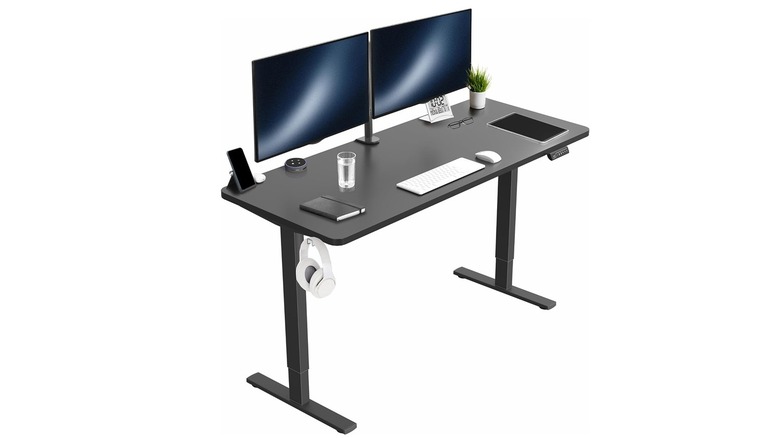
Building a high-performance workspace starts with the surface you work on and the chair you sit in. As a computing editor, I’ve seen countless setups where enthusiasts spend thousands on a rig but neglect the very furniture that supports their physical health. The MaideSite Dual Motor Desk is the current gold standard for price-to-performance in the sit-stand category. With a 300 lbs lifting capacity and a whisper-quiet motor system, it allows you to transition between heights without rattling your monitor arms or spilling your coffee.
Integrating a sit-stand routine isn't just a lifestyle trend; it is a technical necessity for long-term health. According to the Human Factors and Ergonomics Society, employees working in an ergonomically designed environment experience a 15% increase in productivity. When you switch to a standing position, you engage core muscles and improve blood flow, which can sharpen cognitive focus during that mid-afternoon slump. For the seating side, I recommend the Herman Miller Sayl. It’s a long-term investment backed by a 12-year warranty, designed to provide 3D Intelligent suspension that mimics the human spine.
Utilizing an ergonomic chair as a workspace tool can increase productivity by 15% to 20% while reducing distractions and providing physical and mental benefits. When you aren't adjusting for lower back pain every twenty minutes, you are staying in the "flow state" longer. This setup guide for electric standing desks in home offices starts with the understanding that the desk and chair are the chassis of your entire productivity machine.
Visual Mastery: Ultrawide Displays and Mounting Solutions
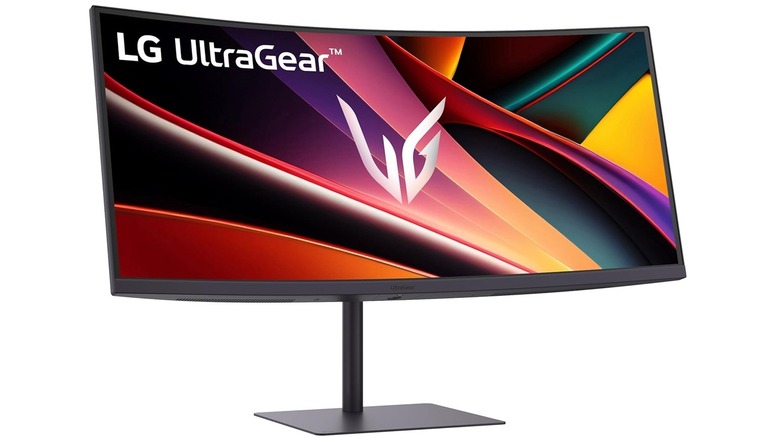
The era of the dual-monitor setup is slowly ending, replaced by the streamlined efficiency of the ultrawide display. Research indicates that using a secondary display in a home office setup can enhance productivity levels by as much as 42%, but the bezels of a dual-monitor configuration create a visual break that hinders focus. The Samsung G9, with its 5120 x 1440 resolution, offers the equivalent of two 27-inch 1440p monitors without the annoying gap in the middle.
Maximizing screen real estate for productivity allows you to have your primary IDE or document in the center while keeping Slack, email, or system monitors on the periphery. However, these massive panels require serious support. You cannot rely on the flimsy stands included in the box. I recommend the Atdec AWMS-2-BT75 heavy-duty mount. It provides the structural integrity needed for 49-inch panels while freeing up valuable desk space underneath. This is particularly important when considering essential work from home tech gear for small spaces where every square inch of the desktop is premium real estate.
Input Precision: Ergonomic Keyboards and Mice
Your primary interface with your PC—the keyboard and mouse—are often the leading causes of repetitive strain injuries. If you are feeling a dull ache in your wrists at 5:00 PM, you need to rethink your peripheral hardware. The HP 960 Ergonomic Split Keyboard is a revelation for those accustomed to standard planks. Its split design allows your shoulders to stay open and your wrists to remain in a neutral position. Technical testing shows that this design can lead to a significant reduction in forearm muscle activity.
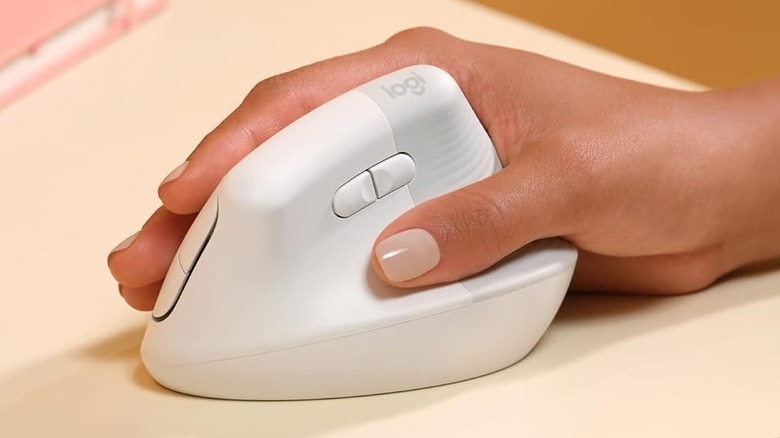
For the mouse, the Logitech MX Master 4 (or the Vertical version for those already experiencing pain) is the professional choice. A vertical mouse minimizes forearm twisting, known as pronation, which is a major contributor to carpal tunnel syndrome. While there is a learning curve to these ergonomic home office accessories, the payout in longevity is undeniable. By investing in the best ergonomic home office gadgets for wrist pain, you are ensuring that your hands can keep up with your brain for decades to come.
Power and Data Infrastructure: Staying Connected and Secure
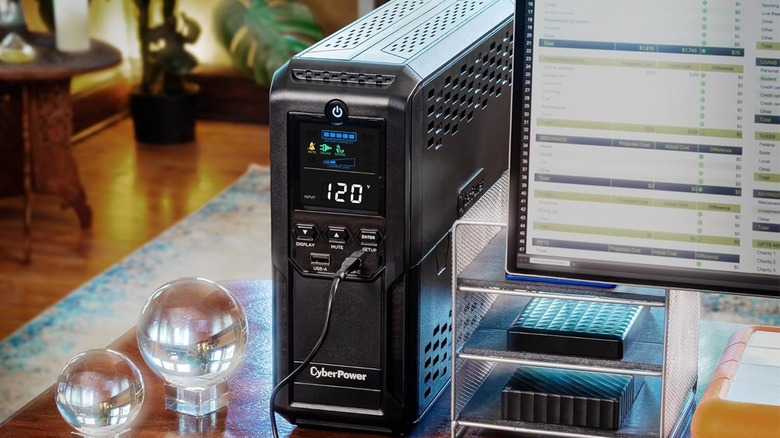
If you are running a high-end desktop or a complex docking station setup, your greatest enemy isn't a slow CPU—it's a power surge or a sudden brownout. Most remote workers rely on basic power strips, which offer zero protection against voltage fluctuations. An Uninterruptible Power Supply (UPS), like the CyberPower CP1500PFCLCD, is a non-negotiable security essential. It provides pure sine wave output, which is critical for modern PC power supplies with Active PFC. It gives you those precious minutes to save your work and safely shut down during a blackout.
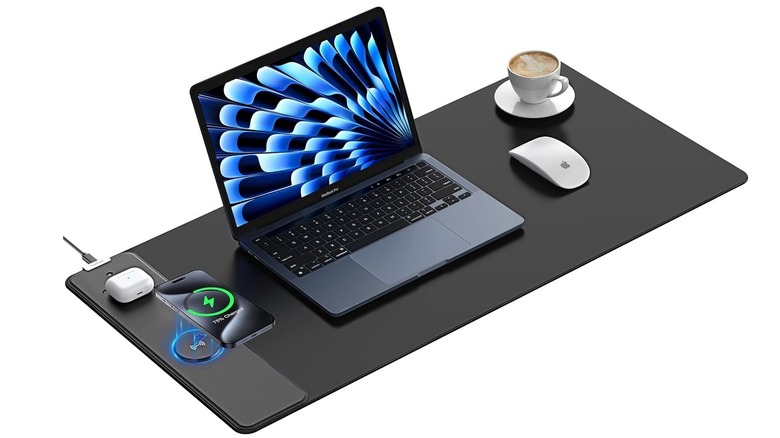
Managing the "cable jungle" is the next step in workspace organization. Multi-functional tools like XXL wireless charging desk mats serve as both a comfortable mousing surface and a way to declutter by eliminating redundant charging cables for your phone and earbuds. This approach to productivity workspace upgrades keeps the visual environment clean, which reduces cognitive load. Furthermore, for data security and high-speed transfers, the SanDisk Extreme SSD offers 1,050 MB/s speeds, making it perfect for offloading local backups or working directly off the drive for video editing projects. This combination represents the best power backup solutions for home office computers and data management.
Environmental Optimization: Lighting and Air Quality
We often focus on the tech inside the computer, but the tech around it matters just as much. The Dyson Solar Cycle Morph is a piece of smart device integration that adjusts its color temperature and brightness based on the time of day in your local area. This reduces eye strain and helps maintain your circadian rhythm—something that is easily disrupted when working in a windowless home office.
Additionally, air quality is a hidden productivity killer. High levels of CO2 and particulate matter can lead to drowsiness and headaches. Smart air purifiers with HEPA filtration and app integration, like those from Blueair or Coway, ensure that the air you breathe is as clean as your cable management. These are the top rated air purifiers for home office workspace environments because they operate silently, maintaining a distraction-free environment while you focus on deep work.
Professional Communication: Video Calls and Audio
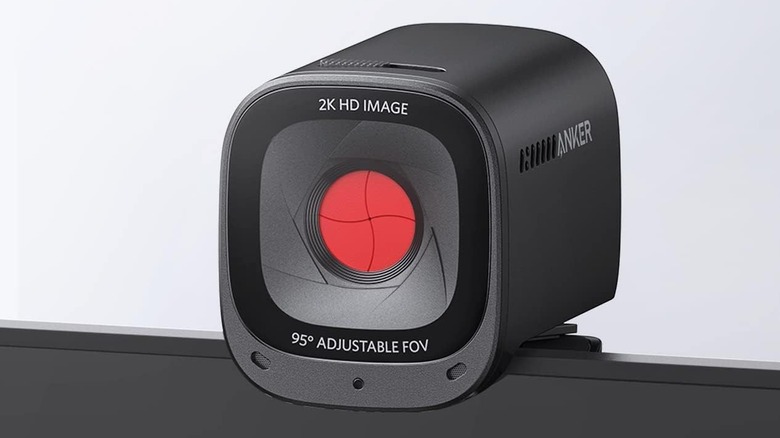
In 2026, your professional reputation is often tied to how you look and sound on a Zoom or Teams call. Integrated laptop webcams are universally terrible, usually featuring tiny sensors that struggle in anything but perfect lighting. Upgrading to a high-resolution 2K webcam with a larger sensor ensures you look sharp even in low-light conditions.
Equally important is noise-canceling technology. While many use the built-in mics on their headphones, a dedicated USB condenser microphone with a cardioid pickup pattern will isolate your voice from the sound of your mechanical keyboard or a barking dog in the next room. These are the must have home office gear for professional video calls that separate the hobbyist from the professional.
Persona Comparison: Tailoring Your Tech
| Feature | The Executive | The Digital Nomad |
|---|---|---|
| Primary Monitor | 49-inch Ultrawide | 16-inch Portable 4K Display |
| Keyboard | Full-sized Mechanical Split | Compact 60% Ergonomic |
| Power | 1500VA UPS | 100W GaN Travel Charger |
| Storage | 8TB RAID NAS | 2TB Rugged NVMe SSD |
| Seating | Herman Miller Embody | Portable Ergonomic Lumbar Support |
FAQ
What gadgets improve productivity while working from home?
Focus on tools that reduce friction and physical strain. An ultrawide monitor can enhance productivity levels by as much as 42% by reducing the time spent toggling between windows. High-speed storage like NVMe SSDs reduces wait times for data-heavy tasks, while a Thunderbolt 4 dock simplifies your connectivity into a single cable.
How can I make my home office more ergonomic?
Start with the "Big Three": a height-adjustable desk, an ergonomic chair with lumbar support, and split peripherals. Using an ergonomic chair can increase productivity by 15% to 20%. Ensure your monitor is at eye level to prevent neck strain and use a vertical mouse to keep your wrist in a natural, handshake position.
What gadgets help with cable management at a desk?
XXL wireless charging desk mats are excellent for eliminating phone charging cables. Additionally, look for monitor arms with integrated cable channels and under-desk cable trays to hide power bricks and excess wire length. Using a single-cable docking station like the CalDigit TS4 also significantly reduces desktop clutter.
Are standing desk converters worth the investment?
They are a great entry-point if you have a high-quality fixed desk you don't want to replace. However, for a dedicated home office, a full electric standing desk is usually a better long-term investment. They offer more stability and a wider range of height adjustments, which is essential for a proper setup guide for electric standing desks in home offices.
Which noise-canceling gadgets are best for home offices?
Active Noise Canceling (ANC) headphones like the Sony WH-1000XM5 are the gold standard for blocking out household distractions. For your voice, look for software-based noise cancellation (like Krisp) or hardware microphones with tight pickup patterns that ignore ambient sounds, ensuring your professional video calls remain crystal clear.
Building for the Future
The ultimate home office isn't just a collection of expensive parts; it's a modular, upgradeable system designed to support your specific workflow. By prioritizing Workplace Ergonomics and robust Remote Work Infrastructure, you aren't just buying gadgets—you are investing in your own output capacity.
Whether you are starting with a single vertical mouse to alleviate wrist pain or overhauling your entire room with sit-stand workstations and ultrawide displays, the goal remains the same: a distraction-free, high-performance environment that works as hard as you do. As we move further into the decade, these home office gadgets will become the standard tools of the trade for any serious professional.