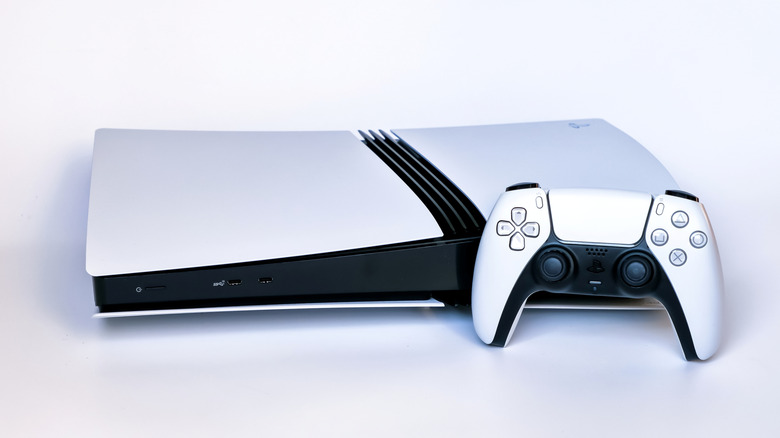
As a long-time editor tracking the evolution of gaming hardware, I have seen consoles survive everything from spilled sodas to lightning strikes. But the PlayStation 5 presents a unique set of challenges that even veteran gamers might overlook. While we often obsess over internal SSD speeds or frame rate stability, the humble PS5 USB ports are frequently the most neglected—and vulnerable—components of the system. Whether you are a casual player or a competitive pro, understanding how thermal management and electrical integrity affect these ports is essential for the longevity of your machine.
Quick Facts
- Risk 1: Thermal melting of rear ports occurs when the SuperSpeed 10Gbps connectors are exposed to concentrated exhaust heat during intense gaming.
- Risk 2: Unlicensed accessories and unpowered hubs can exceed PS5 USB power limits, causing motherboard strain or data corruption.
- Risk 3: Physical PS5 USB port damage is often caused by connector oxidation, debris buildup, or using the wrong port for high-bandwidth tasks.
- Thermal Safety: Maintaining at least 10cm of clearance behind the console is the gold standard for proper console ventilation.
- Warranty Alert: Using non-certified third-party peripherals that cause hardware failure can void your official PlayStation warranty.
- Performance Tip: External storage should always be connected to the rear ports or the front USB-C to utilize SuperSpeed 10Gbps transfer rates.
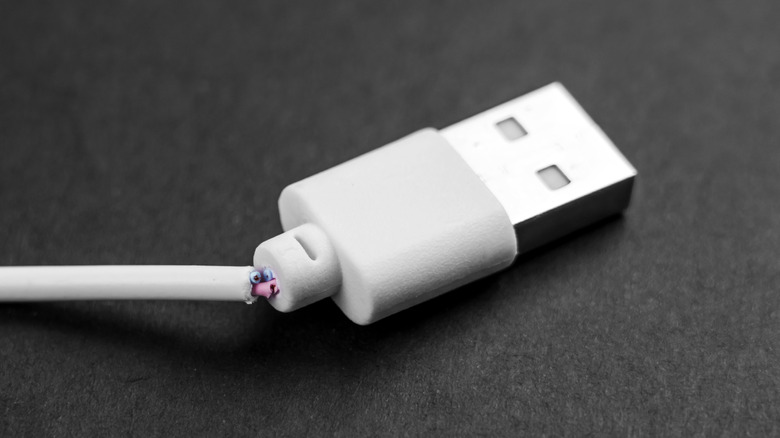
To protect PS5 USB ports from physical damage, avoid using connectors that show signs of rust, fraying, or oxidation, as these can introduce debris into the console or cause electrical shorts. Always ensure a stable connection and avoid yanking cables. For high-power peripherals, verify they do not exceed the console's power delivery limits to prevent internal hardware strain and potential data loss.
Risk 1: The Rear Exhaust Meltdown
One of the most surprising issues to emerge in the current console generation is the physical melting of USB components. This isn't just a theoretical worry; it became a headline-grabbing reality during the Evo 2023 tournament. Multiple reports documented that the PlayStation 5's rear USB ports reached temperatures high enough to melt the internal plastic of the ports and fuse them with connected controller cables.
The root of this problem lies in the console's layout. The two rear PS5 USB ports are categorized as SuperSpeed 10Gbps ports, making them the primary choice for professional-grade fight sticks and high-speed external drives. However, these ports are positioned directly adjacent to the main heat exhaust vents. During a high-stakes tournament or an extended gaming session at home, the heat dissipation system pushes a constant stream of hot air over these metal connectors.
When you combine the electrical heat generated by a high-power-draw peripheral with the concentrated thermal output from the console’s interior, you create a high-heat zone. If the ambient room temperature is high or if there is insufficient console ventilation, the temperature can exceed the safe operating limits for the plastic housing inside the port. Preventing PS5 USB port melting during long gaming sessions requires a proactive approach to airflow, ensuring that the back of the console is not pushed up against a wall or enclosed in a tight media cabinet.
Risk 2: Unlicensed Accessories and Voltage Spikes
The market is flooded with third-party peripherals, from LED-lit cooling stands to budget-friendly USB expansion hubs. While the price point is tempting, unlicensed PS5 accessories often lack the rigorous voltage regulation required to protect the console’s sensitive internal circuitry. The PS5 is designed with specific PS5 USB power limits—typically providing 5V at 1.5A for the SuperSpeed ports.
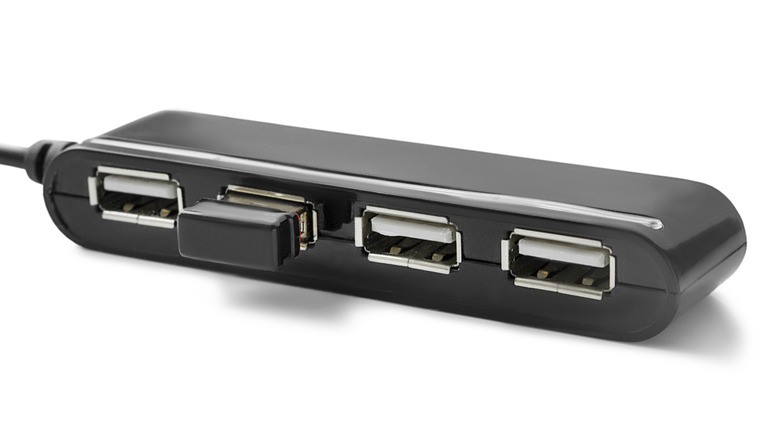
When a gamer uses an unpowered USB hub to connect multiple devices like a headset, a charging cable, and a keyboard into a single port, they risk overloading the power capacity. Unlike a PC, which might simply disable a port if it draws too much current, the PS5’s motherboard can suffer from electrical strain. Over time, this lead to hardware degradation or even sudden voltage spikes that cause data corruption on connected external drives.
Expert Warning: Warranty Coverage Be aware that PS5 warranty coverage for USB port repairs is highly conditional. If a technician determines that the damage was caused by a non-certified device or an electrical short from a faulty third-party hub, you may be left with a repair bill totaling hundreds of dollars. Sony’s warranty typically covers manufacturing defects, not damage from unlicensed accessories.
Risk 3: Physical Degradation and Port Mismatch
Not all PS5 USB ports are created equal, and using the wrong one for the wrong task can lead to both performance frustration and physical wear. The front of the PS5 features one USB Type-A port and one USB Type-C port. Critically, the front Type-A port is only a Hi-Speed port (480 Mbps), which is significantly slower than the 10Gbps ports on the back.
Many users find themselves constantly unplugging and re-plugging devices because their external hard drive isn't performing correctly in the front port. This constant physical stress leads to port wear and tear, eventually loosening the internal pins. Furthermore, environmental factors such as connector oxidation can settle into these ports if they are left empty in humid environments. If you notice a "crunchy" feeling or resistance when plugging in a cable, it is likely that debris or oxidation has compromised the connection, which can lead to hardware shorts.
| Port Location | Connection Type | Standard | Speed Rating | Recommended Use |
|---|---|---|---|---|
| Front | USB Type-A | Hi-Speed | 480 Mbps | DualSense Charging, Keyboards |
| Front | USB Type-C | SuperSpeed | 10 Gbps | PSVR2, Fast Charging, SSDs |
| Rear (Top) | USB Type-A | SuperSpeed | 10 Gbps | External Storage, Webcams |
| Rear (Bottom) | USB Type-A | SuperSpeed | 10 Gbps | High-speed Accessories |
Proactive Protection: 2026 Maintenance Guide
As we move toward the latter half of this console’s lifecycle, maintaining your hardware is more important than ever. To ensure your PS5 USB ports remain functional and high-performing, follow these 2026-ready maintenance standards.
First, strictly adhere to the 10cm clearance rule. There should be at least ten centimeters (about four inches) of open space behind the console to allow the heat dissipation system to function. This prevents the "oven effect" that leads to melted ports. If your setup is cramped, consider using a small USB extension cable for the rear ports; this moves the physical connection point away from the hot exhaust vents.
Second, practice safe DualSense charging. While it is convenient to leave your controllers plugged in at all times, this can contribute to connector oxidation over years of use. Occasionally clean the ports with a soft dry cloth and a puff of compressed air to remove dust. When shopping for new gear, always look for the Official PlayStation Licensing seal. These products are tested to ensure they respect the system’s voltage and amperage limits, protecting your motherboard from unexpected shorts.
Finally, be mindful of how you handle cables. PS5 USB port damage is frequently the result of "cable yanking." Always pull from the reinforced plastic housing of the connector, never the wire itself. If you are using an external drive, ensure it is placed on a stable surface where it won't be bumped, which could put leverage on the internal pins of the PS5 USB ports.
FAQ
What is the difference between the front and back USB ports on PS5?
The front USB Type-A port is a Hi-Speed port limited to 480 Mbps, primarily intended for peripherals like keyboards or charging the DualSense controller. The front USB Type-C port and the two rear USB Type-A ports are SuperSpeed 10Gbps ports, which are necessary for high-speed data transfer from external SSDs and the PSVR2.
Can I use a USB hub to add more ports to my PS5?
Yes, but with caution. It is highly recommended to use a powered USB hub (one that plugs into a wall outlet) rather than an unpowered one. Unpowered hubs draw all their energy from the PS5 USB ports, which can exceed the console's power delivery limits and lead to instability or hardware damage.
Why is my external hard drive not working in the front USB port?
Most external hard drives and SSDs require the higher bandwidth provided by the SuperSpeed 10Gbps standard. Since the front USB Type-A port is only Hi-Speed (480 Mbps), it often cannot provide the data throughput required for the PS5 to recognize the drive as extended storage.
Which PS5 USB port should I use for an external hard drive?
You should always use one of the two USB Type-A ports on the back of the console or the USB Type-C port on the front. These are the only ports that support the 10Gbps speeds required for playing PS4 games directly from external storage or storing PS5 games.
Do the PS5 USB ports provide power while in rest mode?
Yes, but you must enable this in the system settings. Navigate to Settings > System > Power Saving > Features Available in Rest Mode, and set "Supply Power to USB Ports" to either "3 Hours" or "Always." This allows you to charge your DualSense controller while the console is not fully powered on.