Quick Facts
- The 2026 Standard: NIST SP 800-63B guidelines officially discourage mandatory periodic password resets, shifting focus toward length and multi-factor authentication.
- The Entropy Requirement: Modern security benchmarks now recommend a minimum of 16 characters for standard accounts and 20+ characters for master passwords.
- The Primary Risk: Approximately 80% of all data breaches are linked to compromised credentials, with AI tools now capable of cracking simple 8-character passwords in under an hour.
- The Strategic Shift: Security experts now advocate for compromise-based updates rather than arbitrary 90-day calendars to prevent users from choosing weak, predictable patterns.
- The Defense Trio: Combining a zero-knowledge password manager, hardware-based MFA, and a VPN on public networks forms the most robust defense against modern identity theft.
- Direct Answer: Updating passwords regularly is a critical defense against credential stuffing and brute-force attacks. When a service suffers a data breach, hackers may not use stolen credentials immediately. Periodically changing your login details invalidates stale information held by malicious actors, effectively locking them out of your accounts and preventing long-term unauthorized access.
To manage security effectively in 2026, utilize a password manager with zero-knowledge encryption. These tools generate unique, high-entropy passwords for every account, eliminating the risks associated with password reuse. Combining regularly updated credentials with multi-factor authentication (MFA) provides a multi-layered defense that stops the vast majority of automated hacking attempts. Securing accounts on public Wi-Fi requires a combination of strong passwords and encrypted connections. Public networks often lack robust encryption, allowing hackers to intercept sensitive data via network eavesdropping. To mitigate these risks, users should employ a VPN to encrypt traffic and update passwords immediately if they suspect unauthorized activity or have accessed sensitive accounts on an untrusted network.
The NIST 2026 Shift: Why Forced Rotation is Dead
For years, the corporate world lived by the 90-day reset rule. We all remember the frustration of being prompted to change a password, only to add a "1" or an "!" to the end of our existing one. This practice created a massive security hole. The National Institute of Standards and Technology (NIST) and Microsoft have updated their security guidelines to recommend against mandatory periodic password resets, identifying the practice as a primary driver for users choosing weak and predictable passwords.
When users are forced to change passwords without a specific security reason, they naturally seek the path of least resistance. This leads to password rotation vs strong master passwords becoming a major point of contention in digital hygiene. Instead of creating a brand-new, complex string, users often make incremental changes like "Summer2025" becoming "Autumn2025." Hackers are well aware of these patterns. The 2026 update to NIST SP 800-63B emphasizes that passwords should only be changed when there is evidence of compromise. This shift allows individuals to maintain a smaller digital footprint of highly secure, long-term credentials rather than a trail of easily guessable ones.
Modern security is moving toward automated breach screening. Instead of your IT department or service provider guessing when you might be at risk, they now use real-time monitoring to cross-reference your credentials against known leaks. This approach prioritizes cyber hygiene by focusing on actual threats rather than arbitrary dates on a calendar. By adopting passkeys and other passwordless technologies, the industry is slowly moving away from the "secret word" model entirely, but for the accounts that still require them, the focus is now firmly on quality over frequency.
Hidden Vulnerabilities: Public Wi-Fi and Credential Stuffing
While the era of forced rotation is ending, the need for securing accounts on public Wi-Fi remains more urgent than ever. When you sit down at a local cafe and connect to their free network, you are essentially entering a digital room where everyone can hear what you are saying if you aren't whispering. Hackers use network eavesdropping to capture data packets as they travel between your device and the router. If you access a sensitive account over an unencrypted connection, your login details can be intercepted in seconds.
The danger isn't just limited to the one account you accessed. This leads into the devastating world of credential stuffing attacks. If a hacker steals your password for a minor shopping site, they will immediately try that same combination on your email, bank, and social media accounts. This is why data breach prevention tips always emphasize the danger of password reuse. One leak creates a domino effect.
To maintain your safety, you should strictly avoid accessing sensitive accounts on public wifi unless you are using a Virtual Private Network (VPN). If you suspect that you have accidentally exposed your credentials on an untrusted network, updating passwords regularly becomes an immediate tactical necessity rather than a scheduled chore. Understanding how password managers prevent credential stuffing attacks is vital; by ensuring every single site has a unique, complex password, you ensure that a breach at one company doesn't grant access to your entire digital life.
Building a 2026 Vault: Length Over Complexity
The old advice was to use a mix of uppercase, lowercase, numbers, and symbols. The new advice is much simpler: make it long. Password entropy—the measure of a password's unpredictability—scales much more effectively with length than with character variation. A 16-character passphrase like "Golden-Retrievers-Run-Fast" is significantly harder for a computer to crack than "Tr0ub4dor&3," and it is much easier for a human to remember.
Using a password manager is no longer optional for anyone serious about identity theft protection. These tools provide significant password manager benefits by acting as a secure vault for your digital identity. When choosing a provider, the gold standard is advantages of zero-knowledge encryption in password managers. This means the service provider has no way to see your data; even if the company itself is hacked, your vault remains encrypted with a key that only you possess.
| Frequency | Security Task | Benefit |
|---|---|---|
| Monthly | Review Dark Web Alerts | Identify 'sleeper' breaches early |
| Quarterly | Audit Shared Access | Revoke old permissions for ex-contacts |
| Annually | Update Master Password | Refresh the "Keys to the Kingdom" |
| As Needed | Reset Leaked Accounts | Immediate brute-force protection |
By utilizing military-grade encryption and automated generation, you can ensure that every site you visit is protected by a unique wall of characters. This eliminates the psychological burden of remembering dozens of passwords while drastically increasing your brute-force protection. In 2026, the best practices for updating passwords regularly 2026 involve letting your software do the heavy lifting, prompting you to change a specific credential only when it appears in a dark web monitoring report.
Pro Tip: If you are still using your dog's name or your birth year in any part of your password, you are at risk. Transition to four-word passphrases for a balance of high entropy and memorability.
The MFA Hierarchy: Beyond SMS Security
Multi-factor authentication is the single most effective way to stop remote attacks, but not all MFA is created equal. In the early days, SMS codes were the standard. Today, we know that phishing mitigation requires moving away from phone-based codes, as they are vulnerable to "SIM swapping" and interception.
The 2026 MFA Security Ladder
- Hardware Security Keys (The Gold Standard): Physical USB or NFC devices (like YubiKeys) that require a physical touch to authorize a login. They are virtually immune to remote phishing.
- Biometric Authentication and Passkeys: Using your face, fingerprint, or device-level PIN. This ties your identity to the physical hardware of your phone or laptop.
- Authenticator Apps: Apps like Google Authenticator or Authy that generate time-based codes locally on your device.
- SMS/Email Codes (The Bare Minimum): Better than nothing, but vulnerable to sophisticated interception and social engineering.
As we move deeper into 2026, biometric authentication and passkeys are becoming the preferred method for the average consumer. They offer a seamless experience that combines high security with zero friction. However, for your most sensitive accounts—like your primary email and your password manager—investing in a hardware key is the smartest move you can make for long-term data safety.
Emergency Protocol: What to Do After a Breach
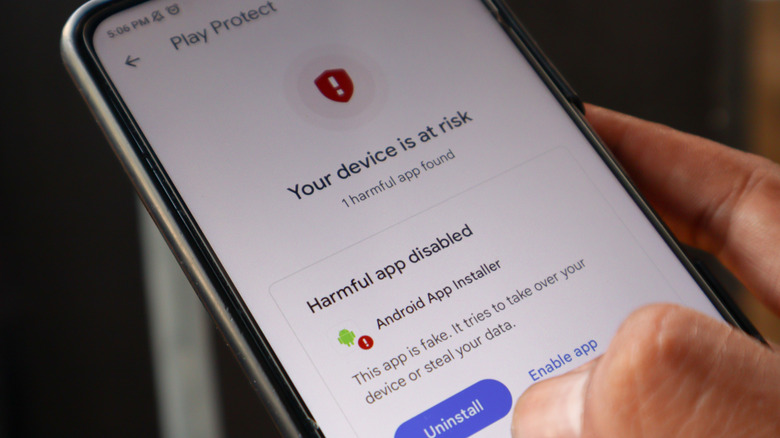
Sometimes, despite your best efforts at maintaining cyber hygiene, a service you use will be compromised. When you receive that dreaded email notification or find your email on have i been pwned, you need to act fast to prevent session hijacking. A breach is a race against time before hackers begin automating their credential stuffing attacks against other platforms.
Follow this 7-step breach response framework to secure your identity:
- Verify the Breach: Check a trusted source like Have I Been Pwned to confirm the leak is real and see what specific data (passwords, addresses, etc.) was taken.
- Change the Compromised Password: Immediately log in and change the password to a unique, 16-character string.
- Trigger a Global Logout: Most modern platforms offer an option to "Log out of all other sessions." Use this to boot any intruders who might currently have access.
- Audit Your Email Rules: Hackers often set up "Forwarding Rules" in your email to hide password reset notifications from you. Ensure no unauthorized rules exist.
- Update Linked Accounts: If you reused that password anywhere else, those accounts must be updated immediately.
- Refresh Your Master Password: If your password manager or primary email was involved, create a brand-new master key.
- Enable/Update MFA: If the account didn't have MFA, turn it on. If it did, consider rotating your recovery codes.
This protocol ensures that what to do after finding your email on have i been pwned becomes a structured habit rather than a moment of panic. By taking decisive action, you turn a potential disaster into a minor maintenance task.
FAQ
Is it still necessary to update passwords regularly?
Yes, but the context has changed. You should no longer change passwords just because three months have passed. Instead, you should update them whenever a service you use reports a breach, if you suspect you have malware on your device, or if you accidentally used a sensitive password on an untrusted public network. Strategic updates are more effective than calendar-based ones.
Why do experts no longer recommend frequent password changes?
Security researchers found that frequent, mandatory resets lead to "password fatigue." When forced to change passwords often, users choose weaker, more predictable passwords or write them down on sticky notes. This makes it easier for hackers to guess the new password based on the old one. NIST now recommends focusing on password length and multi-factor authentication instead.
Is a password manager better than changing passwords manually?
Absolutely. A password manager can generate and store hundreds of unique, high-entropy passwords that are impossible for a human to memorize. This eliminates the risk of password reuse and ensures that even if one account is compromised, the rest of your digital life remains secure. It is the single most important tool for modern data safety.
What is the best strategy for password maintenance?
The best strategy is to use a password manager to maintain unique, 16+ character passphrases for every account and to enable the strongest form of MFA available (preferably hardware keys or passkeys). You should only manually update these passwords if you receive a breach notification or if you are performing a proactive annual security audit of your most important accounts.
Should I change my password if there hasn't been a data breach?
You don't need to change it on a set schedule if it is long, unique, and protected by MFA. However, it is a good idea to refresh your master password or your primary email password once a year as a part of your general digital hygiene. Also, if you have recently moved away from a shared living situation or changed jobs, rotating passwords that others might have had access to is a wise precaution.





