Quick Facts
- Cost Savings: Transitioning to professional browser-based software alternatives to premium suites like Adobe Creative Cloud and Microsoft 365 can save individual users over $600 annually.
- Creative Top Pick: Photopea offers comprehensive browser-based PSD editing and layer effects, serving as a functional replacement for high-cost design software.
- Automation Top Pick: The Zapier free tier allows for connecting over 8,000 cloud-native applications to streamline manual data entry.
- AI Analysis Top Pick: Claude AI provides a massive 1M token context window for document analysis without an immediate subscription requirement.
- Unified Messaging: Beeper integrates multiple chat platforms into a single interface, eliminating the need for fragmented, paid communication apps.
- Direct Answer: The best free productivity tools in 2026 include browser-based software alternatives like Photopea for design, Google Workspace for collaboration, and Zapier for automation, allowing professionals to build a high performance productivity stack without monthly fees.
Professional browser-based software now rivals traditional paid suites like Adobe Creative Cloud and Microsoft 365. Tools such as Photopea provide robust image editing capabilities directly in the browser, while platforms like Microsoft Outlook and Beeper offer free messaging and email management. These alternatives allow teams and freelancers to maintain high-performance workflows without the burden of recurring monthly costs.
The Rise of SaaS Fatigue: Why Subscriptions are Draining Your Workflow
The digital workspace has undergone a radical transformation over the last decade, but it has come at a steep price. We have moved from the era of "owning" software to "renting" it, and the financial leak is becoming impossible to ignore. According to research from the Ohio State University, the average American spends approximately $219 per month on digital subscriptions across more than eight active services. Perhaps more shocking is the 2.5x perception gap: most of these users estimate their total monthly spend at only $86.
This discrepancy highlights the insidious nature of the modern software market. We sign up for a "small" $15 monthly fee for a project management tool, another $20 for a design suite, and $10 for a specialized AI assistant. Before we realize it, we are paying a "subscription tax" that rivals a car payment. This has led to a widespread phenomenon known as SaaS fatigue. By 2026, approximately 41% of consumers reported experiencing subscription fatigue across software and recurring digital services, a significant jump from 31% just two years prior.
For the independent freelancer or the lean startup, this recurring overhead is often unnecessary. Digital subscriptions have become a silent tax on professional growth, but 2026 marks the end of the mandatory monthly fee. The rise of cloud-native applications and the maturation of the freemium business model mean that no-cost professional applications are no longer just "lite" versions of their paid counterparts; they are viable, high-performance engines for serious work. Migrating away from legacy software is not just about saving money; it is about reclaiming control over your digital workspace optimization.
Creative Powerhouses: Browser-Based Alternatives to Adobe Creative Cloud
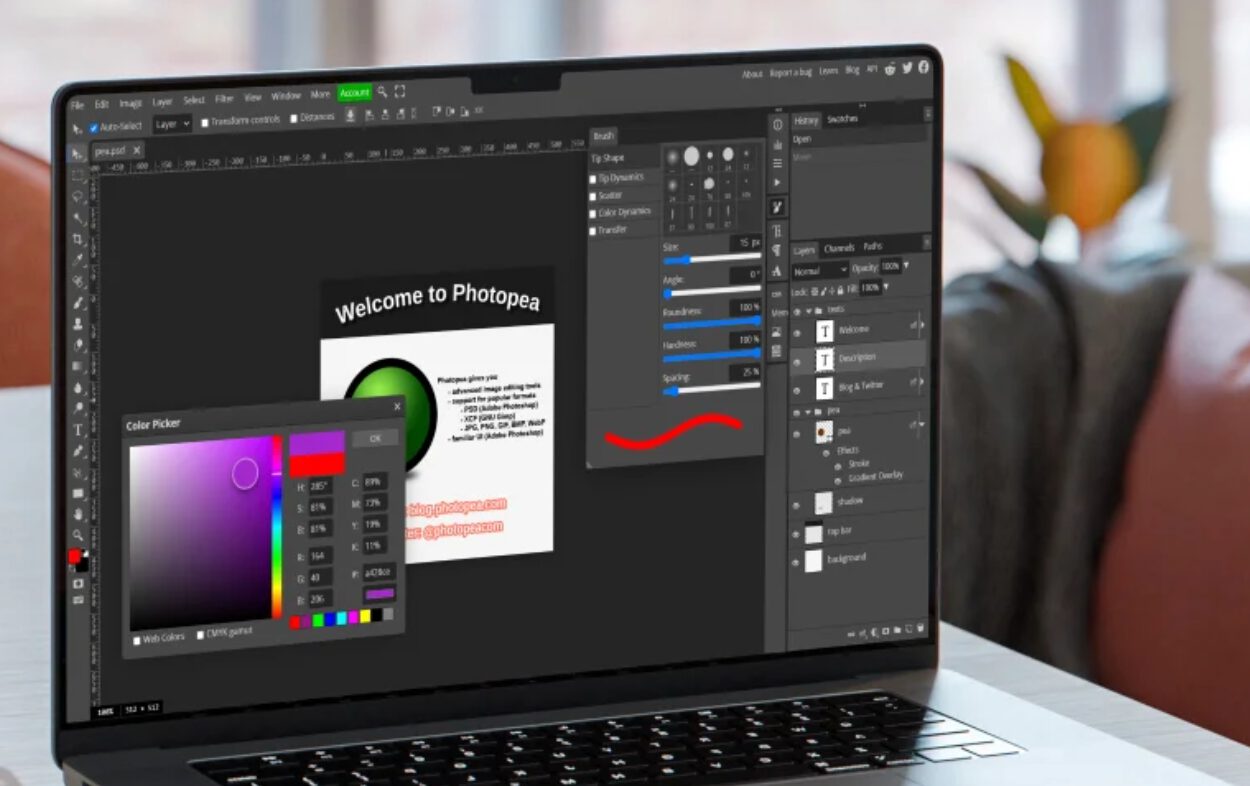
For years, the creative industry was locked into the Adobe ecosystem. If you wanted to handle professional-grade files, you paid the toll. That dynamic has shifted. Professional design work no longer requires a $50-a-month commitment to a suite of desktop apps that hog your system resources. The most prominent example of this shift is Photopea.
Photopea is a revelation for anyone who grew up using Photoshop. It is a web-based editor that supports .PSD, .AI, and .XD files natively. It handles layers, masks, smart objects, and blending modes with a familiar interface that requires almost zero learning curve for Adobe veterans. When you pair this with tools like the Canva free tier for quick social media assets or Adobe Express for templated designs, the need for a full Creative Cloud subscription vanishes for about 90% of professional use cases.
| Paid Giant | Free Alternative | Key Features | Annual Savings |
|---|---|---|---|
| Adobe Photoshop | Photopea | PSD support, Layer Masks | $240+ |
| Adobe Illustrator | Inkscape / Vectr | Vector editing, SVG export | $240+ |
| Microsoft 365 | OnlyOffice / Google Docs | Collaboration, Docx compatibility | $70 - $100 |
| Calendly Premium | Reclaim.ai (Free) | AI-driven scheduling, Multi-calendar sync | $144+ |
Why it matters: Professional designers can now produce high-fidelity client work using free browser-based alternatives to adobe creative cloud, effectively redirecting hundreds of dollars in annual software fees back into hardware upgrades or marketing.
While Adobe Express and Canva offer great graphic design suites for the masses, the technically savvy professional looks for deeper functionality. Photopea’s ability to run entirely in the browser while maintaining high information density and local file privacy is a benchmark for what modern web tools should be. It is the cornerstone of any best free productivity apps for freelancers in 2026 who refuse to pay for features they only use once a month.
Replacing the Office Suite: Subscription-Free Document and Project Management
The office suite is the most common subscription trap. Most users only utilize a fraction of Excel’s power or Word’s formatting, yet they continue to pay for the privilege. In the search for subscription-free workflow solutions, Google Workspace remains the gold standard for collaboration, but for those who need a more traditional desktop experience without the price tag, OnlyOffice and LibreOffice have closed the gap.
OnlyOffice, in particular, offers a cloud-native version that maintains near-perfect compatibility with Microsoft file formats. This is crucial for professionals who need to share documents with clients still entrenched in the legacy Microsoft ecosystem. Beyond documents, project management has also moved toward high-value free tiers.
- ClickUp: Their "Free Forever" plan is surprisingly robust, offering unlimited tasks and members, which is ideal for agile project management.
- Todoist: For individual task tracking, Todoist provides a clean, cross-platform synchronization experience that helps maintain focus without clutter.
- Beeper: This tool acts as a unified communication hub, pulling your Slack, WhatsApp, and Discord messages into a single inbox, reducing the mental load of checking multiple platforms.
The cost of unused software is a real drag on professional efficiency. Data suggests that nearly 32% of U.S. adults pay for at least one subscription they rarely or never use, losing an average of over $200 per year. By auditing your workflow and how to replace paid office subscriptions with free web software, you can eliminate this waste while actually improving your cross-platform synchronization.
Automation and AI: High-Performance Workflow Solutions at No Cost
The true differentiator for a high-performance professional in 2026 is automation. If you are manually moving data between apps, you are losing billable hours. While enterprise-level automation often carries a heavy price tag, the world of AI-driven automation has become much more accessible.
Zapier’s free tier is an essential entry point. It allows you to build simple logic—"if this happens in my email, do that in my task manager"—connecting thousands of apps via API integrations. For those who are more technically inclined, n8n offers an open-source alternative that can be self-hosted, providing enterprise-grade power for the cost of a basic server (or even for free on a local machine).
AI has also become a utility rather than just a luxury. For deep research and document synthesis, Claude AI currently offers a 1M token context window. This allows you to upload entire technical manuals or massive datasets for analysis without needing a paid plan for every session. On the hardware interaction side, Wispr Flow has revolutionized input with its 220 WPM dictation capability, allowing you to "write" emails and reports at the speed of thought.
When it comes to your schedule, no-cost professional applications for automated task scheduling like Reclaim or the basic tier of Calendly are game-changers. They use time-blocking techniques to protect your "deep work" hours automatically, syncing with Google Calendar to ensure you never overcommit. If you are looking for the best free web platforms for time tracking and habit building, tools like Toggl Track and Habitica offer professional-grade data visualization and gamification that help you stay disciplined without a monthly bill.
Pro Tip: Use the built-in Windows clipboard manager (Win+V) and free browser extensions for color picking or window snapping. These tiny, free utilities often replace specialized "productivity" apps that charge $5/month for basic OS features.
Strategic Implementation: Building Your Free Professional Stack
Switching to free productivity tools isn't just about clicking "cancel" on your subscriptions; it’s about a strategic migration to avoid vendor lock-in. When you rely on a single ecosystem, the provider can raise prices at will. By building a high performance productivity stack without monthly fees, you remain agile.
The first step is a subscription audit. Look at your bank statement and identify every recurring software charge. For each one, ask: "Does a browser-based alternative exist?" Most of the time, the answer is yes. However, you must also consider privacy and data security. Open-source software and community-vetted resources like those found on SetupSpawn are often safer than "free" apps from unknown startups that monetize your data.
A professional workflow in 2026 might look like this:
- Communication: Beeper for unified messaging.
- Design: Photopea for high-end editing; Canva for quick layouts.
- Organization: ClickUp for project tracking; Google Calendar for scheduling.
- Automation: Zapier for basic hooks; ChatGPT or Claude for AI assistance.
- Focus: Pomodor for timed work sessions; Toggl for billing accuracy.
This stack provides 95% of the power of a $1,000/year software suite for exactly $0. That is the definition of digital workspace optimization.
FAQ
What are the best free productivity tools available today?
The best tools currently available include Photopea for graphic design, Google Workspace for document collaboration, ClickUp for project management, and Zapier for basic workflow automation. These tools provide professional-grade features without requiring a monthly subscription.
Are free productivity tools safe and secure to use?
Most reputable free tools like those from Google, Microsoft, or well-known open-source projects are highly secure. However, users should always check the privacy policy to see how their data is used. For maximum security, look for tools that offer end-to-end encryption or the ability to host your own data.
How do free productivity tools compare to paid versions?
In many cases, the free version provides all the essential features needed for professional work. Paid versions typically add "extra" features like advanced team permissions, unlimited cloud storage, or white-labeling options. For individuals and small teams, the free tiers are often more than sufficient.
Which free productivity tools are best for project management?
ClickUp and Todoist are leaders in the free project management space. ClickUp is better for complex, agile project management with multiple stakeholders, while Todoist is excellent for streamlined, personal task management and daily planning.
Can free productivity tools be used for team collaboration?
Yes, tools like Google Docs, Slack (free tier), and Trello are specifically designed for team collaboration. They allow for real-time editing, communication, and task assignment, making them ideal for remote teams and freelancers working with clients.





