Quick Facts
- The MST Legacy: Samsung began the phase-out of Magnetic Secure Transmission hardware in 2021, starting with the Galaxy S21 series, effectively ending its era of universal terminal compatibility.
- User Experience: Many Galaxy owners report high levels of frustration due to frequent in-app advertisements and promotional notifications that clutter the interface of a premium device.
- Navigation Conflict: The default swipe-up shortcut for the payment interface often clashes with the native Android gesture navigation system, leading to accidental triggers during daily use.
- Automation Gap: Unlike its primary competitor, Samsung Wallet lacks deep integration with email services like Gmail, making the import of digital passes and tickets a manual and tedious process.
- Redemption Value: The financial incentive of using the platform has diminished, with Samsung Reward points currently valued at approximately $0.005 per point.
- Format Limitations: The platform does not natively support .pkpass files, which are the industry standard for mobile boarding passes and event tickets.
Samsung Wallet users are increasingly unhappy due to a combination of hardware regressions, such as the removal of MST support, and software bloat, including intrusive in-app advertisements and gesture navigation conflicts. These Samsung Wallet issues have led many to seek cleaner mobile wallet alternatives for Galaxy users that offer better automation and fewer distractions.
1. The Death of MST: Why the 'Magic' is Gone
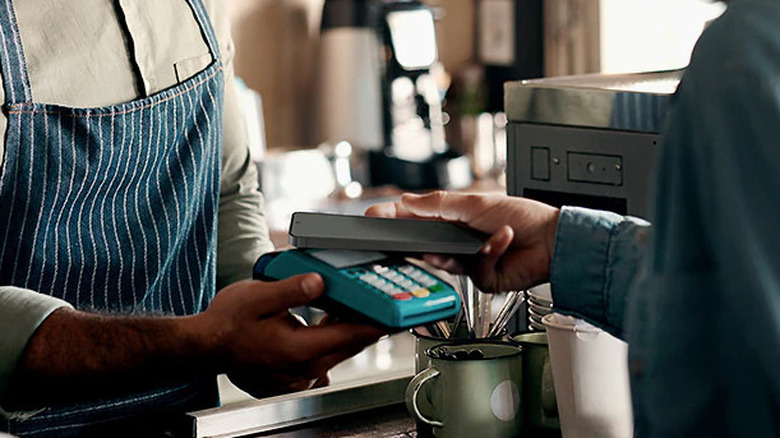
For years, the killer feature of Galaxy phones was Magnetic Secure Transmission (MST). This technology allowed a Galaxy device to mimic the magnetic stripe of a traditional credit card, enabling contactless payments at almost any point-of-sale terminal, even those without modern NFC technology. It was the "magic" that made Samsung's payment solution superior to Apple or Google in the early days of mobile payments.
However, the hardware landscape shifted significantly when Samsung made the decision to stop including the removal of Magnetic Secure Transmission (MST) hardware in its flagship lineup, starting with the Galaxy S21. Today, if you carry a Galaxy S24 or the new S25 Ultra, you are restricted to NFC technology. While NFC is widespread in urban centers, the loss of MST is a major blow to users in regions or rural areas where legacy terminals are still common. For these users, the primary technical reason to stick with a Galaxy-specific wallet has vanished, leaving them with a payment tool that is no more capable than its rivals but carries more software baggage.
2. Intrusive Ads and Bloatware in a Premium Ecosystem
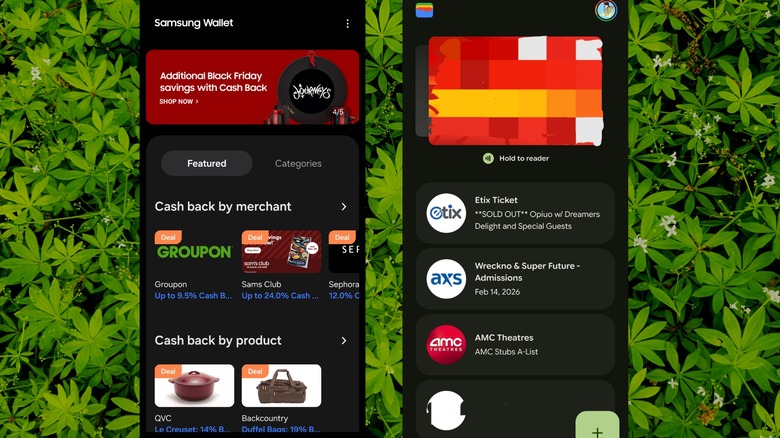
When you spend over a thousand dollars on a flagship smartphone, you expect a clean, premium user experience. Unfortunately, the current state of the Samsung Wallet app feels more like an ad-supported budget service. Users frequently complain about intrusive in-app advertisements that appear not just when browsing the app, but sometimes as full-screen banners or push notifications.
The 2022 merger of Samsung Pay and Samsung Pass into the unified Samsung Wallet was intended to simplify the ecosystem, but it arguably introduced more software bloatware. The interface is now heavily gamified, pushing Samsung Reward points that offer surprisingly low value—often calculated at just $0.005 per point. This push for "engagement" via promotional notifications creates a cluttered UI that distracts from the primary goal: making a quick, secure payment. For many, this "bargain-bin" software feel on a high-end device is a significant source of daily annoyance.
3. Navigation Nightmares: Swipe-Up vs. Android Gestures
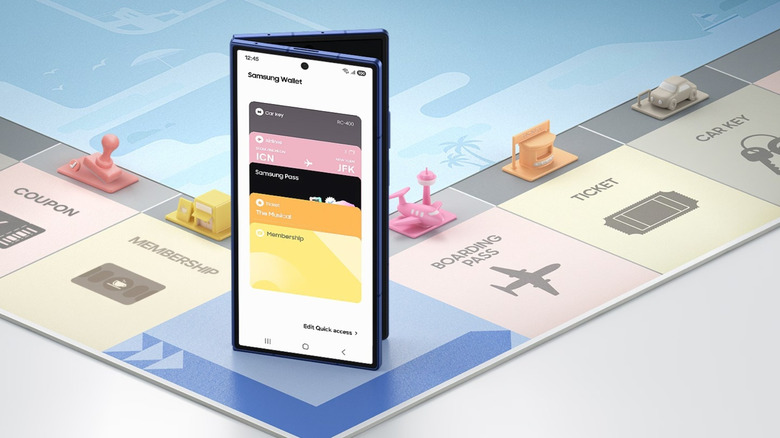
One of the most persistent Samsung Wallet issues involves the basic way users interact with the app. By default, the app places a "Quick Access" handle at the bottom of the screen—even when the display is off. You are supposed to swipe up to reveal your cards. However, since the release of Android 10, most users have moved to native Android navigation gestures, where a swipe up from the bottom is the command to go home or see recent apps.
This creates a constant user interface design conflict. Galaxy owners often find themselves accidentally triggering the payment interface when they simply want to switch apps, or conversely, failing to bring up their credit card because the phone interprets the movement as a navigation command. While there are ways to disable Samsung Wallet swipe up gesture in the settings, the fact that the default behavior is so poorly optimized for modern gesture navigation reflects a lack of focus on the core user experience. Frequent reports of the Samsung Wallet app keeps crashing on Android only add to the sense that the software isn't as polished as it needs to be for a mission-critical tool like a wallet.
4. Lack of Automation: Manual Entry vs. Gmail Integration
In the battle of Samsung Wallet vs Google Wallet, convenience is the ultimate deciding factor. Google has a massive advantage here: automation. Because most Android users have a Gmail account, Google Wallet can automatically scrape your inbox for flight boarding passes, movie tickets, and hotel reservations, adding them to your digital pass storage without you lifting a finger.
In contrast, Samsung's approach remains stubbornly manual. You often have to find an "Add to Samsung Wallet" button on a merchant's website, which is much less common than the ubiquitous Google or Apple equivalents. Furthermore, Samsung Wallet lacks native support for .pkpass files, which is the universal standard for digital tickets. If an airline sends you a .pkpass file, Samsung's app usually won't recognize it, forcing you to use third-party converters or simply stick with Google. When comparing Samsung Wallet vs Google Wallet for Galaxy users, the lack of automation and manual synchronization requirements make the Samsung option feel antiquated.
| Feature | Samsung Wallet | Google Wallet |
|---|---|---|
| Core Technology | NFC technology (MST discontinued) | NFC technology |
| Digital Pass Support | Limited; no .pkpass support | High; native .pkpass support |
| Ticket Automation | Manual entry required | Auto-import from Gmail |
| Advertisement Level | High (Promotional banners) | Minimal / None |
| Reward System | Samsung Rewards ($0.005/pt) | None (Uses card-specific rewards) |
| Navigation | Swipe-up handle (Gesture conflict) | App icon or Quick Settings toggle |
5. Regional Limits and Financial Restrictions
Finally, there is the issue of global availability and financial flexibility. While Google Wallet is available in over 100 countries, Samsung's version is restricted to roughly 40. This regional limitation makes it a poor choice for frequent international travelers who may find the app's features disabled or limited once they cross certain borders.
There are also concerns regarding financial privacy and transaction limits. For example, peer-to-peer (P2P) transfer limits on some integrated services are notably lower than competitors, with some monthly caps sitting at $3,500 compared to the much higher limits found on dedicated fintech apps. Additionally, the partnership with SoFi for the Samsung Money account has raised privacy flags for some, as users must navigate complex marketing data sharing agreements. When you factor in the persistent app stability issues and the lower Play Store ratings compared to mobile wallet alternatives for Samsung Galaxy, it becomes clear why a growing segment of the user base is considering switching from Samsung Wallet to Google Wallet guide as their next step.
FAQ
Why is my Samsung Wallet not working?
There are several reasons why the app might fail, ranging from an outdated version of the software to issues with Samsung Knox security. First, ensure your device has a stable internet connection and that your phone's date and time settings are correct. If the app refuses to open, try clearing the app cache in your phone settings or checking if a system update is pending, as the wallet often requires the latest security patches to function.
Why can't I add a credit card to my Samsung Wallet?
Commonly, this occurs if the card-issuing bank does not support the platform or if there is a mismatch in the billing information. Some banks require an extra layer of biometric authentication or a one-time password (OTP) via SMS to verify the card. If you are repeatedly blocked, contact your bank to ensure they haven't flagged the registration as a fraudulent attempt.
How do I reset my Samsung Wallet app?
To reset the app, go to Settings > Apps > Samsung Wallet > Storage and select Clear Data. Note that this will remove all registered cards and passes, and you will need to set them up again from scratch. This is often the best way to fix Samsung Wallet payment failure issues that persist after basic troubleshooting.
Why does Samsung Wallet keep crashing on my phone?
Frequent crashes are often linked to conflicts with other system apps or corrupted temporary files. Ensure that the Android System WebView is updated via the Play Store, as many apps rely on it for rendering content. If the crashing continues, it may be due to the app attempting to load heavy promotional content or advertisements that are incompatible with your current network settings.
Can I use Samsung Wallet without an internet connection?
Yes, for a limited number of transactions. The app uses secure digital tokens provided by your bank. A set of these tokens is stored locally on your device's secure element. Once you have used all the stored tokens, you will need to connect to the internet to refresh them and continue making contactless transactions.
Ultimately, while Samsung Wallet offers a deep level of integration with the Galaxy ecosystem and the high-level protection of Samsung Knox security, the mounting software frustrations and hardware regressions have made it a difficult sell in 2024. If you value automation and a clean interface, switching to a more streamlined mobile wallet may be the best way to reclaim the premium experience you paid for.





