Quick Facts
- Price: Standard model starts at $1,599; Studio Display XDR starts at $3,299.
- Display Tech: Standard features a 27-inch 5K LCD; XDR features a 27-inch 5K Mini-LED panel.
- Peak Brightness: 600 nits for the standard model; 2,000 nits peak HDR for the XDR.
- Refresh Rate: Standard is locked at 60Hz; XDR features 120Hz ProMotion with Adaptive Sync.
- Connectivity: Both models now feature dual Thunderbolt 5 ports for high-bandwidth daisy-chaining.
- Processing: Powered by the A19 chip (3nm) for advanced image signal processing and audio.
- Charging: 96W power delivery on standard; 140W fast charging on XDR for 16-inch MacBook Pro models.
The 2026 Apple Studio Display is a worthwhile upgrade if you require Thunderbolt 5 connectivity for daisy-chaining or need the improved 12MP Center Stage camera with Desk View support. While it retains the 27-inch 5K LCD panel and 600 nits of brightness from the original version, the enhanced audio system with deeper bass and 96W fast charging for MacBook Pro models provides significant utility for mainstream creators.
What Stays the Same: The 5K Foundation
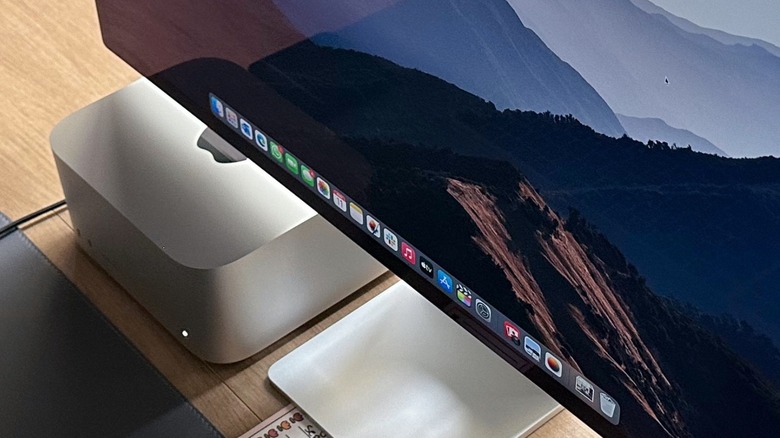
For those who have used the previous generation, much of the external chassis will feel familiar. Apple has stuck with the 27-inch enclosure, maintaining the gold-standard 218 pixels per inch density that macOS was essentially built for. This resolution ensures that UI elements are sized correctly without the scaling artifacts often found on 4K monitors. Even in 2026, Apple commands over 90% of the market share for 5K and higher resolution external displays, a testament to how few competitors have managed to replicate this specific balance of pixel density and color accuracy.
The core optical stack remains impressive. You are still getting P3 wide color gamut support, ensuring that the greens and reds you see on your iPhone or MacBook Pro screen match what you see on your desktop. The integrated audio system continues to lead the industry in the monitor category. It utilizes force-cancelling woofers to provide a surprisingly wide soundstage with Spatial Audio support, making it one of the few monitors where you might actually forgo external speakers for casual editing or video calls.
The camera hardware has received a subtle but necessary bump. The 12MP ultra-wide sensor now supports a more refined version of Center Stage and the handy Desk View, which uses software to "correct" the perspective of your desk surface during demonstrations. While it won't replace a dedicated mirrorless camera for high-end streaming, for the daily grind of professional meetings, it remains the most integrated solution on the market.
Studio Display vs Studio Display XDR: The Pro Divide
The biggest story for 2026 is the introduction of a second tier: the Studio Display XDR. While the standard model is an evolution, the XDR is a revolution for the 27-inch form factor. The primary differences between the models lie in display technology and performance. The Studio Display XDR features a mini-LED panel with 2,000 nits peak HDR brightness and a 120Hz ProMotion refresh rate, whereas the standard Studio Display uses a traditional LCD panel capped at 600 nits and a 60Hz refresh rate.
The shift to Mini-LED on the XDR model brings 2,304 local dimming zones. This is a massive leap over the standard edge-lit LCD. For editors working in HDR, the contrast ratio jumps to a staggering 1,000,000:1. When you are mastering video or editing high-dynamic-range photography, the ability to see true blacks alongside 2,000-nit highlights is a game changer that was previously reserved for the $4,999 Pro Display XDR.
Furthermore, the inclusion of ProMotion is a first for Apple’s 5K monitor line. The Adaptive Sync technology allows the refresh rate to range from 47Hz to 120Hz. This doesn't just make scrolling through timelines feel smoother; it allows the monitor to match the frame rate of your video content exactly, eliminating judder during playback.
| Feature | Studio Display (Standard) | Studio Display XDR |
|---|---|---|
| Panel Type | Standard LCD | Mini-LED (2,304 zones) |
| Max Brightness | 600 nits (SDR) | 2,000 nits (HDR Peak) |
| Refresh Rate | 60Hz | 120Hz ProMotion |
| Color Support | P3 Wide Color | P3 & Adobe RGB |
| Connectivity | Thunderbolt 5 | Thunderbolt 5 |
| Power Delivery | 96W | 140W |
| Starting Price | $1,599 | $3,299 |
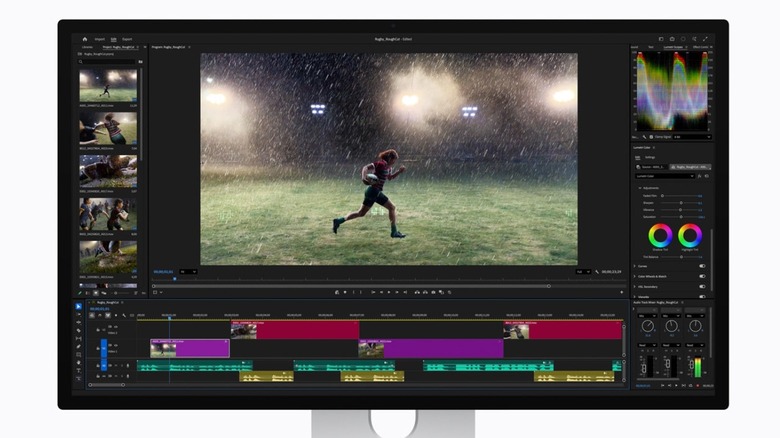
Under the Hood: A19 Chip and Thunderbolt 5
Apple has never treated its monitors as "dumb" panels. The 2026 refresh of the Apple Studio Display includes an upgrade to the A19 processor and dual Thunderbolt 5 ports. Using a 3nm SoC in a monitor might seem like overkill, but the A19 is the brain behind the audio processing, the sophisticated camera features, and the AI-driven color calibration that keeps the panel accurate over time.
The move to Thunderbolt 5 is perhaps the most practical engineering choice in this update. By moving beyond the Thunderbolt 3 connectivity of the 2022 model, Apple has opened up a massive amount of bandwidth. This allows for seamless daisy-chaining. You can now run a high-speed RAID array or a second 5K monitor directly through the first one without saturating the connection to your Mac.
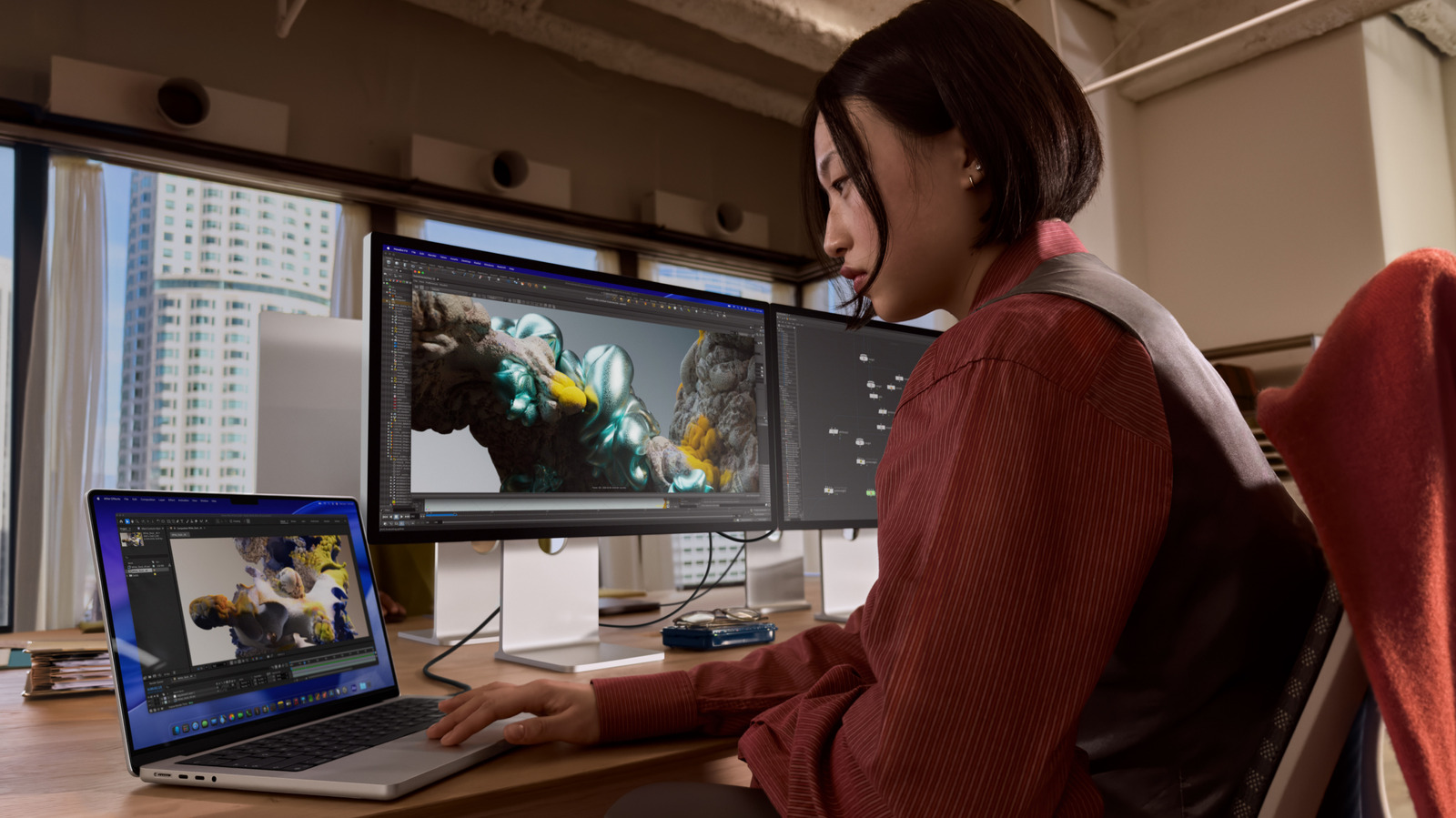
For MacBook Pro users, the utility of the XDR model is even higher due to its 140W power delivery. This means a single cable can fast-charge a 16-inch MacBook Pro while handling dual-screen 5K data streams. As global Mac shipments are projected to grow to 28 million units in 2026, more users than ever are looking for a single-cable workstation solution, and Thunderbolt 5 is the pipe that makes that reality possible.
Professional Workflows: Is It the Best Monitor for Editing?
The Studio Display XDR is specifically designed for high-end professional workflows like filmmaking, 3D animation, and color grading. It offers a 1,000,000:1 contrast ratio, P3 and Adobe RGB wide color gamuts, and Adaptive Sync ranging from 47Hz to 120Hz. For the creative professional, this monitor represents a middle ground that didn't exist before.
In the past, you either settled for the standard Studio Display or spent $5,000+ on the Pro Display XDR. Now, the 2026 Studio Display XDR provides the necessary reference modes for colorists and 3D artists at a more attainable price point. Its extreme dynamic range and high peak brightness allow professionals to master HDR content with significantly higher precision than the standard 5K Studio Display.
If your work involves Adobe RGB for print or intense color grading for streaming platforms, the XDR is the clear choice. However, if you are a graphic designer focused primarily on web content or a developer who needs screen real estate and text clarity, the standard model remains an excellent, more cost-effective choice.
Ryan's Tip: If you are coming from an older M1 or M2 Mac, check your port specifications. While these monitors are backward compatible, you will need an M4 Pro or M4 Max-based Mac to fully utilize the Thunderbolt 5 bandwidth and the 120Hz ProMotion features on the XDR model.
The Hidden Costs: Stands, Glass, and Compatibility
As is tradition with Apple hardware, the sticker price is rarely the final price. The "base" model comes with a tilt-adjustable stand that many find too low for ergonomic comfort. Upgrading to the height-adjustable stand will set you back an additional $400. Alternatively, the VESA mount adapter is a "no-cost" option at checkout, but you'll need to provide your own arm.
Then there is the glass. The standard glossy finish is beautiful and provides the best contrast, but in rooms with heavy overhead lighting or windows, it can be a mirror. The nano-texture glass option, which reduces glare without adding the "haziness" typical of matte coatings, costs an extra $300. For the XDR model, I would argue that nano-texture is almost mandatory if you aren't in a light-controlled studio, as the high brightness can exacerbate reflections.
Compatibility is another factor to weigh. While the monitor will work with Windows machines, it acts as a basic display. You lose Center Stage, Spatial Audio, and the ability to perform firmware updates or adjust the display's fine settings. This is a product built by Apple, for Apple users.
FAQ
What is the difference between Studio Display and Pro Display XDR?
The standard Studio Display uses a 27-inch 5K LCD panel with 600 nits of brightness and a 60Hz refresh rate. The Studio Display XDR is a higher-end version using a Mini-LED panel with 2,000 nits peak brightness, a 120Hz ProMotion refresh rate, and advanced local dimming. The XDR is essentially a smaller, modernized version of the original Pro Display XDR but with a higher pixel density.
Is the nano-texture glass worth the extra cost?
It depends entirely on your environment. If you work in a room where you cannot control the light—such as an office with large windows or bright overhead fluorescents—the nano-texture glass is highly effective at diffusing reflections. However, if you have a dark studio or controlled lighting, the standard glass offers slightly better contrast and "pop" for $300 less.
Is the Apple Studio Display compatible with Windows?
Yes, but with significant limitations. It will function as a standard 5K monitor, but you will not have access to features like Center Stage, Spatial Audio, or the ability to adjust brightness via the OS. You also cannot update the display's firmware without a Mac.
Does the Studio Display come with a stand?
Yes, it comes with a tilt-adjustable stand or a VESA mount adapter at the base price. However, the height-adjustable stand is an optional upgrade that must be selected at the time of purchase and cannot be swapped out later.
Verdict: Which One Should You Buy?
Choosing between these two displays comes down to the nature of your output. The standard 2026 Apple Studio Display remains the best everyday monitor for the vast majority of Mac users. It offers the best text clarity in the business, a world-class webcam, and speakers that beat almost everything else on the market. If you are a student, a web developer, or a general content creator, this is the one to get.
However, if you are a professional colorist, a high-end video editor, or someone who demands the absolute best visual experience, the Studio Display XDR is a massive upgrade. The combination of ProMotion and Mini-LED technology finally brings the desktop experience in line with the high-end iPad Pro and MacBook Pro displays.
Persona Verdict:
- The Content Creator: Buy the Standard model. The 5K resolution and Thunderbolt 5 daisy-chaining for your drives are the stars here.
- The Professional Colorist: Buy the XDR model. The 2,000 nits and 2,304 dimming zones are essential for HDR mastering.
- The MacBook Pro Power User: Buy the XDR model. The 140W fast charging and 120Hz ProMotion will make your desk setup feel like a seamless extension of your laptop.