Our Top Picks
- Best Overall Performance: Asus Chromebook Plus CX34 – Offers a significant power boost with 8GB of RAM and a fast processor for under $400.
- Best Battery Life: Lenovo IdeaPad Slim 3 – Features a lightweight design and a record-breaking 13.5-hour runtime.
- Best 2-in-1 Versatility: HP Chromebook x360 – A budget-friendly convertible that serves as both a tablet and a laptop for media consumption.
- Best for Portability: Lenovo IdeaPad Slim 3 – Weighing just 2.87 lbs, it is the top pick for travelers and mobile students.
- Best Value Standard: Chromebook Plus – Look for this designation to ensure better screens, webcams, and longer software support.
Choosing the best budget chromebooks requires balancing price with performance. Consumer Reports has identified the top picks for 2024, focusing on reliable battery life and essential features for students and casual users.
The Budget Reality: What to Expect Under $300
When I look at the current landscape of computing hardware, the budget category is where things get truly interesting. In the world of Windows PCs, a $300 laptop is often a recipe for frustration, plagued by sluggish hard drives and bloatware. However, within the ChromeOS ecosystem, that same $300 can buy a remarkably capable machine. The secret lies in the efficiency of Google software, which requires far less overhead than its competitors.
One major shift for 2024 is the introduction of the Chromebook Plus standard. Google recently set a baseline for hardware specs to help consumers avoid buying "bricks." To earn this label, a device must have at least 8GB of RAM, a 1080p camera, and a processor capable of handling modern web tasks. Perhaps most importantly, these machines are guaranteed software updates until 2034, providing a decade of security and functionality.
In the sub-$300 market, you will likely encounter eMMC flash memory rather than a traditional SSD. While eMMC is slower than the NVMe drives found in gaming rigs, it is perfectly adequate for launching a browser or editing a document in Google Workspace integration. You are buying a portal to the cloud, and as long as the device portability is high and the screen is legible, you are getting your money's worth.
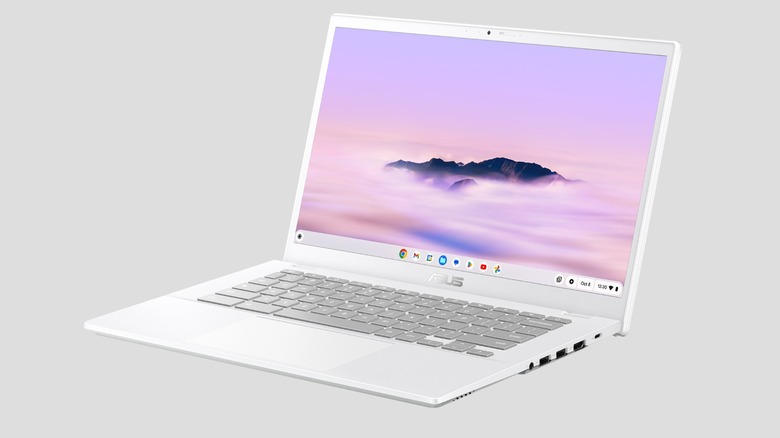
Best for Performance: Asus Chromebook Plus CX34
If you are a power user on a strict budget, the Asus Chromebook Plus CX34 is the model that should be at the top of your list. While many cheap chromebooks for students cut corners on the processor and memory, Asus managed to pack in hardware that feels snappy even with twenty tabs open.
Consumer Reports identifies the Asus Chromebook Plus CX34 as a top budget-friendly laptop for 2024, noting its price of approximately $399.99 and its inclusion of 8 GB of RAM. During sales events, this price often dips closer to $300, making it an incredible bargain for high school students who need to juggle research papers, Spotify, and social media simultaneously.
The technical secret here is the Intel Core i3 processor (often the Intel N100 chipset in lower configurations). Unlike the lower-tier Celeron chips of the past, this hardware handles 1080p video conferencing without breaking a sweat. It also includes a Privacy webcam shutter, a small physical detail that I always appreciate in a world of digital privacy concerns. The Full HD 1080p display is bright enough for indoor use and provides the clarity needed for long reading sessions.
Best for Battery Life: Lenovo IdeaPad Slim 3
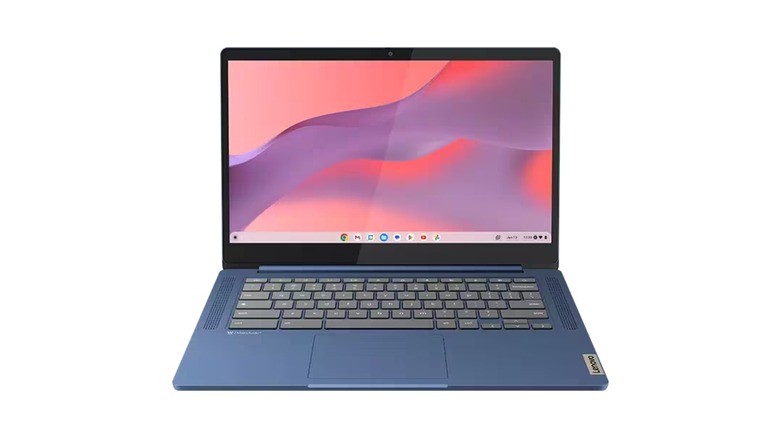
For many users, the most important spec isn't the CPU speed—it is how long the machine can stay away from a wall outlet. The Lenovo IdeaPad Slim 3 Chromebook is ranked as a leading affordable option by Consumer Reports, highlighted for its battery life that can exceed 13.5 hours on a single charge.
This exceptional chromebook battery life comparison winner achieves its stamina through the use of the MediaTek Kompanio series chipset. Unlike Intel chips, which are designed for raw power, the MediaTek Kompanio 520 is built on ARM architecture—similar to what you find in a smartphone. It uses very little energy for basic computing tasks, allowing the device to run cold and silent without a fan.
At just 2.87 lbs, this is a champion of device portability. It is light enough to toss in a backpack and forget it is there. While it may not be the fastest machine for heavy photo editing, it is a reliable workhorse for taking notes in a lecture hall or responding to emails at an airport terminal. When comparing Asus vs Lenovo budget chromebook comparison metrics, the Lenovo wins on endurance every time, making it one of the best cheap chromebooks for high school students who often forget their chargers.
Best Versatile 2-in-1: HP Chromebook x360
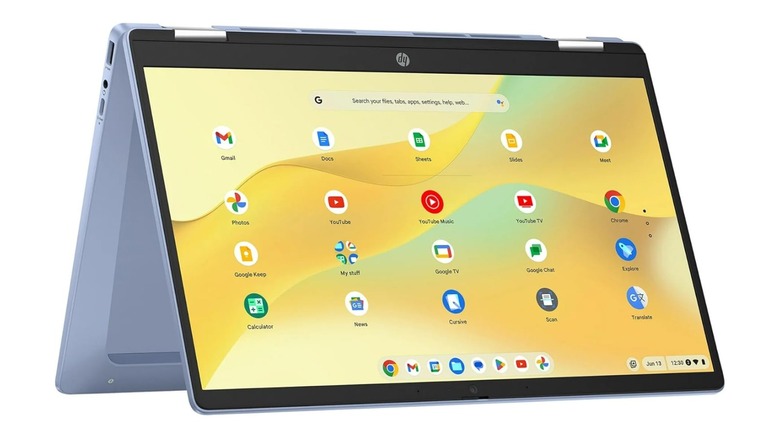
Not everyone wants a traditional clamshell laptop. If you spend as much time watching Netflix as you do typing, a convertible design is a game-changer. Consumer Reports recommends the HP Chromebook x360 as a versatile budget unit, particularly models priced under $270 that feature a 360-degree hinge and touchscreen functionality.
The Convertible 360 hinge allows you to flip the keyboard behind the screen, turning the laptop into a thick tablet or a "tent" for movie watching. This makes it one of the best budget chromebooks for watching movies because you can position the screen closer to your eyes without the keyboard getting in the way.
While affordable 2-in-1 laptops often suffer from flimsy hinges, the HP x360 feels surprisingly robust. The Touchscreen interface is responsive, making it a great tool for casual creative work like sketching or navigating Android apps. It serves as a cost-effective alternative to an expensive iPad and keyboard combo, providing a full desktop-class browser experience at a fraction of the cost.
2024 Budget Chromebook Comparison Table
| Model | Primary Use Case | Processor | RAM | Tested Battery Life |
|---|---|---|---|---|
| Asus Plus CX34 | High Performance | Intel Core i3 | 8GB | ~10 Hours |
| Lenovo Slim 3 | Ultimate Endurance | MediaTek Kompanio | 4GB | 13.5+ Hours |
| HP x360 | Media & Tablet | Intel Celeron/N-Series | 4GB | ~11 Hours |
Buying Guide: Essential Specs for 2024
When shopping for reliable chromebooks under 200 dollars for basic tasks, you need to know where you can compromise and where you cannot. As a hardware editor, I have seen too many people buy the cheapest thing on the shelf only to regret it a month later.
First, let's talk about the 4GB vs 8GB RAM debate. If you only plan to have three or four tabs open, 4GB of RAM is sufficient. However, if you are a student who keeps twenty research tabs, a Zoom call, and a Google Doc open simultaneously, 8GB is a necessity. Chrome is a memory-hungry browser, and that extra RAM prevents the system from stuttering when you switch tasks.
Connectivity is another area to watch. In 2024, you should insist on WiFi 6 connectivity and USB-C charging ports. USB-C is non-negotiable because it allows you to use the same charger for your phone, laptop, and headphones, significantly improving your travel experience.
Finally, consider the price-to-value ratio regarding gaming. While these are not gaming laptops, the rise of cloud gaming services like GeForce Now means you can play AAA titles on a budget machine as long as you have a stable internet connection. Don't let the low-end specs fool you; a budget Chromebook is a remarkably flexible tool if you know how to use the cloud.
FAQ
What is the best cheap Chromebook to buy?
Based on recent testing and value assessments, the Asus Chromebook Plus CX34 is generally considered the best all-around budget option. It strikes the perfect balance by offering 8GB of RAM and an Intel processor at a price point that frequently falls into the budget category during sales, providing a much smoother experience than entry-level competitors.
Are budget Chromebooks worth it for students?
Yes, budget Chromebooks are an excellent fit for students because most educational work happens within a web browser. With native support for Google Workspace and long battery life, these devices handle essays, research, and virtual classes efficiently without the high cost or weight of a traditional Windows laptop.
How long do budget Chromebooks typically last?
A well-maintained budget Chromebook can easily last 4 to 6 years of daily use. From a software perspective, Google now provides automatic updates for up to 10 years on many newer models, meaning the device will remain secure and functional much longer than previous generations of cheap hardware.
Is 4GB of RAM enough for a budget Chromebook?
For basic computing tasks like checking email, streaming a single movie, or writing a document, 4GB of RAM is adequate. However, for users who tend to keep many tabs open or run multiple Android apps in the background, upgrading to a model with 8GB of RAM will provide a noticeably more responsive experience.
How do budget Chromebooks compare to cheap Windows laptops?
Budget Chromebooks typically outperform cheap Windows laptops in the sub-$300 price range. Because ChromeOS is a lightweight operating system, it runs faster on low-end hardware, whereas Windows often struggles with the same components. Additionally, Chromebooks usually offer better battery life and a simpler setup process for non-technical users.