The landscape of content creation has shifted dramatically toward portable setups. As we move through 2026, the ability to produce high-fidelity audio without a desktop setup isn't just a luxury; it is a necessity for the modern creator. With over 90% of all podcast consumption now occurring on mobile devices, building your show directly on the platform where your audience lives makes perfect sense. The best podcast recording apps like Riverside and Google Recorder have matured into full-scale production suites that allow you to capture studio-grade audio while sitting in a home office, a hotel room, or even a quiet park bench.
The top-rated Android apps for podcast recording in 2026 include Riverside for high-quality remote interviews, FL Studio Mobile for professional multi-track editing, and Podcastle for AI-driven audio enhancement. Google Recorder offers a powerful free option for Pixel users with its real-time transcription and text-based editing features, while MasteringBOX provides automated post-production tools to ensure consistent loudness and audio quality across episodes.
Quick Facts
- Top Pick for Quality: Riverside (High-definition video and 48kHz WAV audio)
- Best for Beginners: Google Recorder (Free with AI-powered text editing)
- Best Mobile DAW: FL Studio Mobile (Professional-tier multi-track mixing)
- Best AI Suite: Podcastle (One-click noise suppression and voice cloning)
- Best Global Reach: Riverside (Leading remote podcast recording apps android)
- 2026 Market Trend: The global podcasting market is valued at approximately $41.39 billion
- Audience Growth: Global listeners are projected to reach 619.2 million by the end of 2026
1. Riverside: The Gold Standard for Remote Interviews
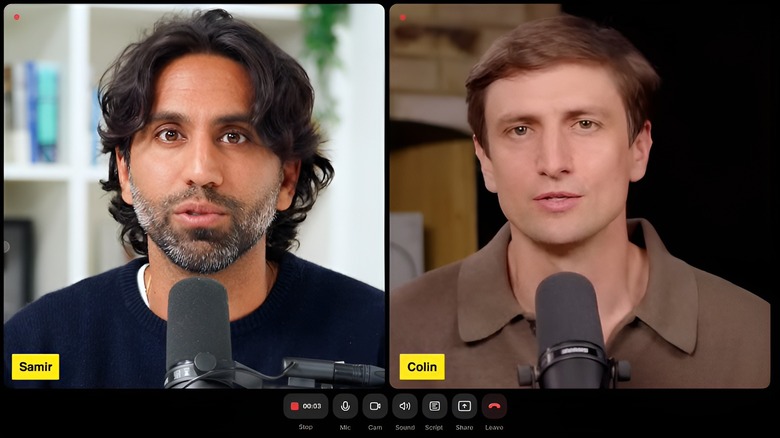
When I talk to professional creators who need to interview guests across the world, I always point them toward Riverside. It has solidified its position as the best video podcast recording software by solving the most common issue in remote production: patchy internet connections. Unlike standard video call apps that record what they "see" over the web, Riverside records locally on each participant’s device.
Why It Is On Our List
Riverside captures local 48kHz WAV audio and up to 4K video for every participant, independent of their data speed. Once the session ends, the high-quality files are automatically uploaded to the cloud and synced. For Android users, this means your phone becomes a high-end field recorder that can support multi-track recording for up to eight guests simultaneously. The interface is clean, allowing you to monitor levels and manage guest invites without feeling overwhelmed.
Price Block
- Free Tier: Limited monthly recording hours
- Standard: $15/month
- Pro: $24/month (Includes 4K video and unlimited local recording)
2. Google Recorder: The Best Free App for Beginners
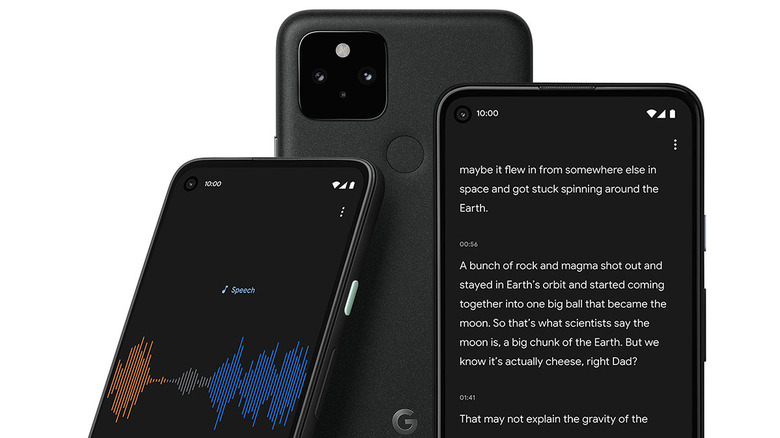
For those just dipping their toes into the medium, you don't need a subscription to get started. If you own a Pixel device, Google Recorder is arguably the most efficient podcast software for beginners available today. Its standout feature is its ability to handle real-time transcription with incredible accuracy, even without an active internet connection.
Why It Is On Our List
What makes this one of the best apps for podcast recording is the text-based editing workflow. Instead of looking at a complex Waveform and trying to find the exact millisecond where you stumbled on a word, you can simply read the transcript. If you want to cut a sentence, you highlight the text and hit delete; the audio is trimmed automatically. It turns the complex task of audio editing into something as simple as using a word processor. While it lacks multi-track capabilities, its simplicity makes it the best free podcast editing software for solo creators or on-the-spot journalism.
Price Block
- Price: 100% Free (Exclusive to Pixel devices or available via specific sideloading methods)
3. FL Studio Mobile: The Mobile Digital Audio Workstation
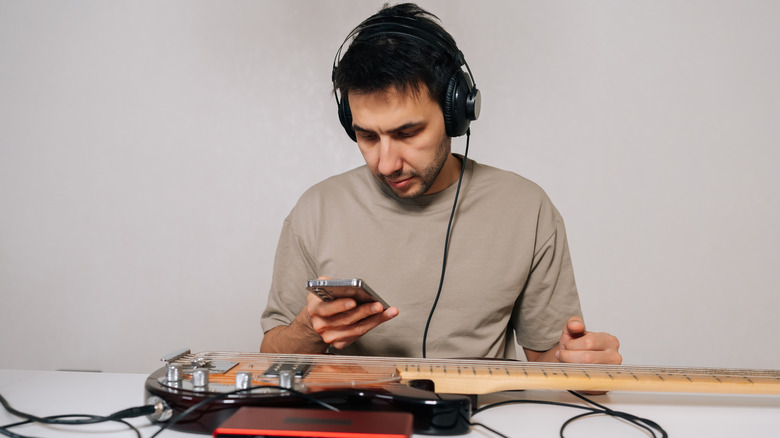
If you are a creator who wants total creative control—from the intro music to the intricate sound design—you need a full Digital Audio Workstation on your phone. FL Studio Mobile is the industry veteran here. It isn't just one of the best podcast recording apps; it is a complete music production environment that handles complex narration tracks with ease.
Why It Is On Our List
FL Studio Mobile excels in multi-track recording and post-production. You can record your vocal track, import your theme music, and layer in sound effects on a timeline that supports unlimited tracks. It includes professional-grade effects such as parametric EQ, limiting, and compression to make your voice sound "radio-ready." For creators who want to produce their own original theme music, the app includes synthesizers and drum kits, making it the ultimate tool for mobile podcast studio apps for android users who want zero compromises.
Price Block
- One-time Purchase: $14.99 (Includes all core features and updates)
4. Podcastle: AI-Powered Magic for Mobile
In 2026, AI is no longer a gimmick; it is a workflow necessity. Podcastle has emerged as one of the best ai podcast editing apps by focusing on "fixing" audio that wasn't recorded in a studio. If you find yourself recording in a living room with an echo or a café with background hum, this app is your best friend.
Why It Is On Our List
The "Magic Dust" feature uses advanced algorithms for noise suppression, removing background hum and enhancing your voice frequency to simulate a dynamic studio microphone. Beyond recording, it offers audio normalization to ensure your guest isn't three times louder than you are. Another standout feature is the AI-generated voice cloning, which allows you to "type" corrections for minor mistakes in your narration if you don't have time to re-record. It is a powerful hybrid of a recording tool and a smart editor.
Price Block
- Basic: Free
- Storyteller: $11.99/month (Includes AI tools and high-quality exports)
- Pro: $23.99/month
5. MasteringBOX: Instant Professional Sound
Recording the episode is only half the battle. To stand out among millions of creators, your audio must meet industry standards for volume and clarity. MasteringBOX isn't a traditional recording app, but it is an essential part of the mobile workflow, acting as an automated audio mastering engineer in your pocket.
Why It Is On Our List
Once you have finished your edit in Riverside or FL Studio, you can upload your file to MasteringBOX. The app uses an algorithm to analyze your audio dynamics and apply professional-level processing. It ensures your podcast sits at the correct LUFS (Loudness Units relative to Full Scale) level so that your listeners don't have to constantly adjust their volume between your show and the next. This step is crucial before sending your file to your podcast hosting provider, ensuring your content sounds polished on every speaker system.
Price Block
- Free: One mastered track per day (standard quality)
- Pro Subscription: $9.99/month (Unlimited masters and high-definition formats)
Essential Hardware: The Mobile Studio Checklist
While these apps are revolutionary, the built-in microphones on even the best flagship phones have physical limitations. To truly leverage the best apps for podcast recording, I recommend augmenting your setup with a few key pieces of gear.
- Dedicated Microphone: The DJI Mic 2 has become the 2026 gold standard for mobile creators. It connects via USB-C and provides a 32-bit float internal recording, which means you essentially cannot clip or distort your audio.
- Closed-Back Headphones: You cannot accurately monitor sound design or check for noise suppression without a good pair of headphones. Bluetooth lag can be an issue, so I recommend wired monitors with a USB-C to 3.5mm adapter.
- USB-C Hub: If you plan to use multiple microphones for an in-person interview, a powered USB-C hub is necessary to connect audio interfaces directly to your Android tablet or phone.
- Portable Sound Blankets: Even in 2026, physics hasn't changed. If you are in a "echoey" room, throwing a heavy blanket over your head while recording with your mobile podcast studio apps for android will do more for your audio quality than any AI filter.
FAQ
What do most podcasters use to record?
The majority of professional podcasters use a combination of local hardware and remote recording software. Currently, Riverside is the most popular choice for shows involving guests because it records local high-fidelity audio on each participant's device, bypassing the low-quality audio typically found in video conferencing software. For solo creators, a Digital Audio Workstation like FL Studio or Adobe Audition is the standard for post-production control.
Where can I record a podcast for free?
Google Recorder is the most effective free tool for recording on Android, offering high-quality AI transcription and simple editing. If you are looking for an all-in-one free platform for hosting and recording, Podcastle offers a robust free tier. Additionally, many beginners utilize Audacity on PCs or simple voice memo apps on mobile for raw capture, though they lack the mastering features of dedicated podcasting software.
What is the highest rated podcast app?
In the 2026 creator ecosystem, Riverside consistently holds the highest ratings for production quality and reliability in remote scenarios. For listeners, Spotify and Pocket Casts remain the top-rated apps for discovery and playback organization. For mobile-first editing and AI-assisted workflows, Podcastle is currently the most highly-rated tool in the Android Play Store for its ease of use and automated feature set.
What app should I record my podcast on?
The choice depends on your specific workflow. If you interview guests remotely, you should record on Riverside. If you are a solo creator looking for the simplest possible interface with transcription, use Google Recorder. For those who want to do complex sound design and mixing on their mobile device, FL Studio Mobile is the correct choice. If your primary goal is to use AI to clean up messy audio, Podcastle is your best bet.
How much does a podcast with 1000 listeners make?
A podcast with 1000 loyal listeners typically generates between $15 and $100 per episode through traditional CPM-based advertising (Cost Per Mille). However, savvy creators in 2026 often bypass traditional ads in favor of affiliate marketing, premium subscriptions, or digital products, which can turn 1000 listeners into a full-time income of $1,000 to $5,000 per month depending on the niche and audience engagement level.