Our Top Picks
- Best Overall: Todoist – The gold standard for android task management apps with seamless cloud synchronization.
- Best for Organization: Files by Google – A must-have for maintaining digital well-being through smart local and cloud storage management.
- Best for Students: Focus Friend – A gamified Pomodoro timer that makes deep work rewarding and engaging.
- Best for Paperless Workflows: Adobe Scan – High-quality document digitization using advanced optical character recognition.
- Best for Professionals: Motion – A premium, ai powered scheduling apps for android professionals that automates your entire calendar.
The best android productivity apps for 2026 include Todoist for task management, Files by Google for file organization, and Focus Friend for gamified concentration. These tools leverage cloud synchronization and smart scheduling to transform mobile devices into professional workstations, ensuring that android productivity apps remain the backbone of the mobile-first economy.
The State of Mobile Productivity in 2026
As we navigate through 2026, the mobile device has evolved from a secondary screen into a primary workstation. It is no longer enough for an app to simply exist on your phone; it must integrate deeply into your lifestyle. Android accounts for approximately 55% of the global productivity apps market share as of 2026, driven by its massive global user base and device accessibility. This dominance has spurred developers to push the boundaries of what is possible on a handheld device.
Choosing the right tools involves more than just looking at star ratings. It requires understanding how workflow automation and cross-platform integration can shave hours off your work week. Whether you are looking for the best android productivity apps for students 2026 or a robust suite for corporate management, the selection methodology for this year focuses on UX fluidity, battery efficiency, and the smart application of artificial intelligence.
1. Todoist: The Standard for Android Task Management Apps
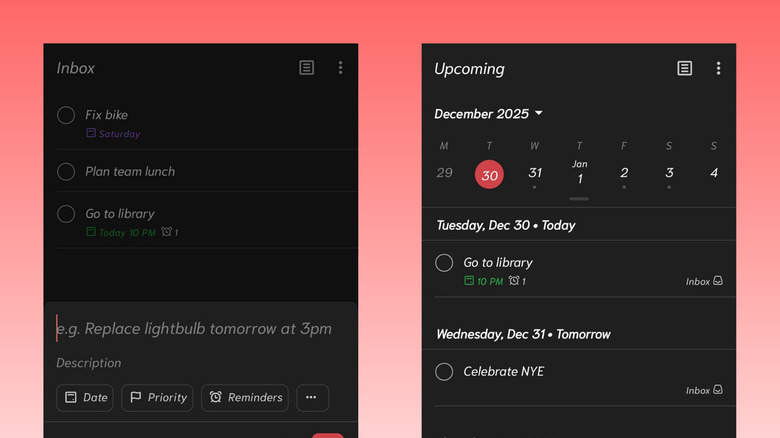
Todoist has long been a favorite in the tech community, but in 2026, it has cemented its place as the premier choice for anyone serious about task management. With a user base exceeding 42 million, the app has evolved to offer much more than simple checklists. It now functions as a central nervous system for your daily life, utilizing task prioritization to ensure you focus on what truly matters.
What sets Todoist apart from other android task management apps is its deep integration with the Android ecosystem. The app features high-quality widgets that allow you to add tasks or check your schedule directly from your home screen without ever opening the app. This reduces friction and helps prevent the common pitfall of app fatigue. Furthermore, its natural language processing remains the best in the business—simply typing "Meeting with Sarah at 2pm every Friday" automatically sets a recurring reminder with zero manual configuration.
Why It Leads the Market
The success of Todoist lies in its commitment to cross-platform integration. Whether you are on your tablet, phone, or smartwatch, your data is always in sync. When considering between choosing between free and premium android productivity apps, Todoist Pro (roughly $4-5/month) is often worth the investment for professionals who need advanced reminders and unlimited file attachments.
- Pros: Exceptional natural language input; robust android-native widgets; clean, distraction-free UI.
- Cons: Some power features like reminders are locked behind the Pro subscription; no built-in calendar view in the free tier.
- Price: Free; Pro version available for $5/month.
Editor's Tip: Use the 'Boards' view for complex projects. It mimics a Trello-style Kanban board, which is perfect for visualizing workflows on larger Android tablets.
Best For: Busy professionals and teams who need a reliable, cross-platform system to manage high-volume tasks.
2. Files by Google: More Than Just Storage
In an era where we consume and create massive amounts of data, top android organization apps are essential. Files by Google has moved beyond being a simple utility to becoming a core component of a productive mobile setup. Modern Android productivity workflows rely on paperless document management and cloud integration, and this app serves as the bridge.
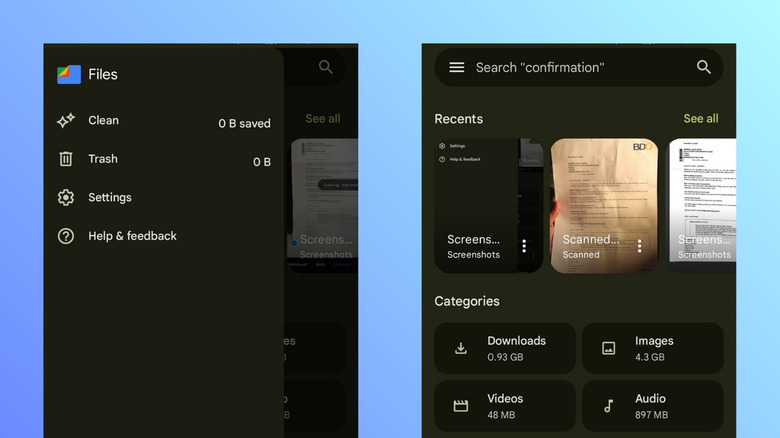
Files by Google is designed to improve your digital well-being by identifying and removing "digital clutter"—those duplicate photos, memes, and large unused files that slow down your device. However, its most powerful feature for 2026 is the seamless direct-to-Drive backup. This allows for instant cloud synchronization of your local folders, ensuring that a lost phone doesn't mean lost work.
Streamlining Mobile File Management
The app's interface is built for speed. It uses a "Clean, Browse, Share" architecture that makes mobile file management intuitive. For those who frequently work on the go, the encrypted "Safe Folder" provides a secure space for sensitive documents, requiring a PIN or biometric authentication to access. This is a critical feature for anyone handling professional contracts or personal ID scans.
- Pros: Extremely fast search functionality; excellent at identifying storage hogs; encrypted safe folder for privacy.
- Cons: Limited advanced file manipulation (like ZIP password protection); heavily tied to the Google ecosystem.
- Price: Free.
Best For: Users who feel overwhelmed by digital clutter and need a simple, automated way to manage local and cloud files.
3. Focus Friend: Gamified Concentration for Students
Productivity isn't just about managing tasks; it's about managing your attention. This is where Focus Friend shines, particularly as one of the best android productivity apps for students 2026. Designed with input from educators and focus experts, the app uses gamification to encourage deep work.
The core mechanic is simple: you set a pomodoro timer to work on a specific task. While the timer is running, you earn "energy" or "currency" within the app to help a digital character thrive. If you leave the app to check social media, your progress is reset. This accountability mechanic is incredibly effective at preventing the mindless "app hopping" that kills productivity.

Building Better Habits
The global productivity apps market size was valued at 13.15 billion USD in 2025, and a significant portion of that growth comes from tools that address the attention economy. Focus Friend includes an integrated app blocker that can be customized to shut off distracting notifications during study sessions. It provides detailed analytics on your focus trends, helping you identify which times of day you are most productive.
- Pros: Fun and engaging UI; effective at reducing screen time; excellent for building long-term focus habits.
- Cons: Gamification might feel "childish" to some corporate professionals; requires strict permissions to block other apps.
- Price: Free with optional cosmetic in-app purchases.
Best For: Students and creative freelancers who struggle with social media distractions during work hours.
4. Adobe Scan: Professional Document Workflows
For the mobile professional, the ability to digitize paper is non-negotiable. Adobe Scan remains the top choice for this, leveraging advanced optical character recognition to turn physical documents into searchable, editable PDFs. While ChatGPT was the most downloaded application in the Productivity & Tools category in 2025, Adobe Scan remains the reliable workhorse for document-heavy industries.
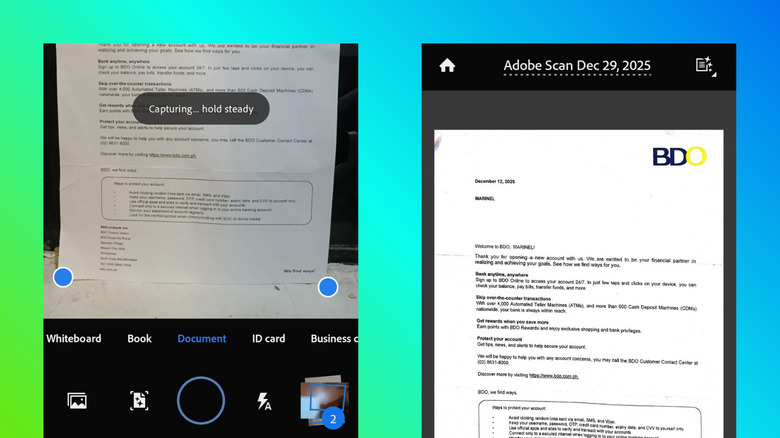
The app is remarkably intelligent. It automatically detects borders, sharpens content, and removes shadows or glares. This is essential for voice to text productivity workflows for android users who might need to scan a document and then have it read back to them or translated into another language. It also supports essential android note taking apps with handwriting support by allowing users to scan their physical journals and convert them into a digital notebook format.
Integrating the Paperless Office
Adobe Scan integrates directly with Acrobat and Google Drive. Once a scan is completed, you can sign documents, add annotations, or highlight text immediately. For those who deal with receipts, the app can automatically categorize them, making expense reporting significantly easier.
- Pros: Industry-leading OCR accuracy; automatic document type detection (business card, whiteboard, etc.); high-quality PDF compression.
- Cons: Requires an Adobe ID to use; some advanced editing features require an Acrobat subscription.
- Price: Free for basic scanning; subscription for advanced PDF tools.
Best For: Lawyers, real estate agents, and remote workers who need to handle physical paperwork digitally.
5. Motion: AI-Powered Scheduling for Professionals
If you are a professional who feels like they are constantly "playing catch-up" with their calendar, Motion is a game-changer. This is one of the most sophisticated ai powered scheduling apps for android professionals available in 2026. Instead of you manually moving blocks of time around, Motion uses workflow automation to build your perfect schedule.
When you add a task to Motion, you don't just pick a time. You tell the app how long it will take, the deadline, and the priority. The AI then slots that task into your calendar between your meetings. If a meeting runs over or a new urgent task arrives, Motion automatically reshuffles your entire week to ensure you still meet your deadlines. It effectively solves the problem of smart scheduling by removing the cognitive load of planning.
Combatting App Fatigue
Motion acts as a unified command center. It pulls in your Google Calendar, Outlook, and even your project management tools into one view. While it is on the pricier side (around $19/month), the time saved by not having to manually plan your day often outweighs the cost. It is the ultimate tool for those who want to achieve deep work without the administrative overhead.
- Pros: Revolutionary AI scheduling; eliminates the need for manual calendar blocking; great for high-complexity roles.
- Cons: High monthly cost compared to other apps; steep learning curve for the initial setup.
- Price: $19/month (Individual plan).
Best For: Executives, project managers, and high-level freelancers with chaotic, meeting-heavy schedules.
Comparison: Choosing Your 2026 Workflow
The global productivity apps market is projected to reach 30.85 billion USD by 2034, and the variety of tools can be overwhelming. To help you decide, consider how these apps fit your specific needs and budget.
| App | Primary Use Case | Offline Support | Price Point |
|---|---|---|---|
| Todoist | Daily Task Management | Yes | Free / $5/mo |
| Files by Google | File Organization | Yes | Free |
| Focus Friend | Deep Work / Students | Yes | Free |
| Adobe Scan | Document Digitization | No (for OCR) | Free / Sub |
| Motion | AI Calendar & Tasks | Limited | $19/mo |
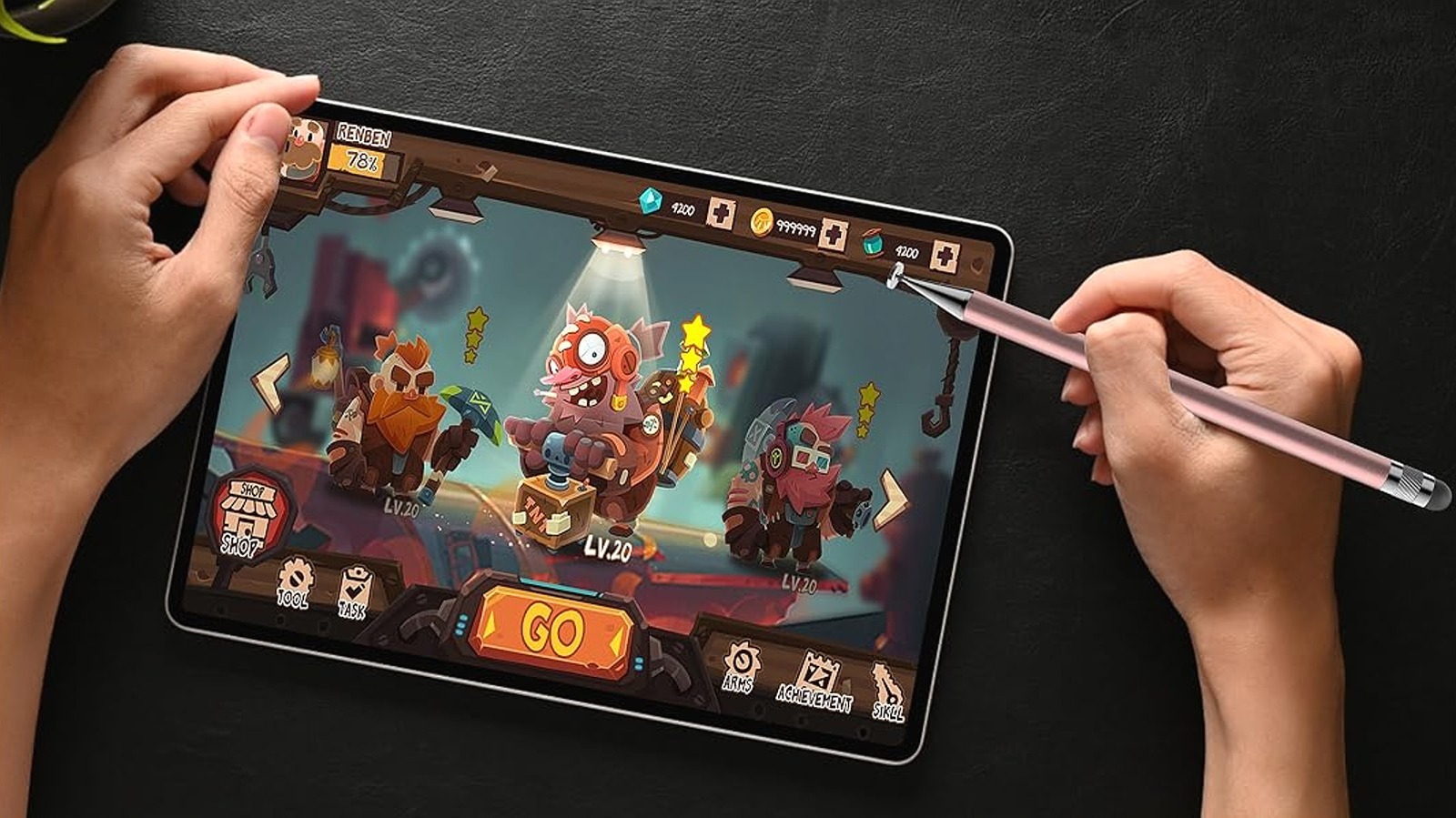
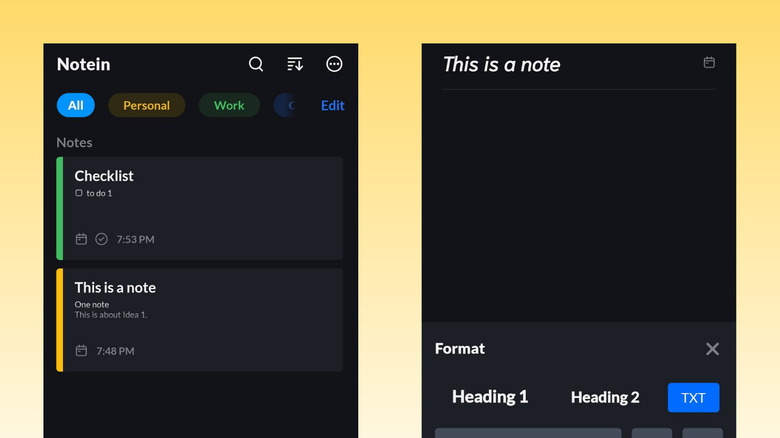
For those who prefer a digital notebook experience, combining these tools with apps that offer handwriting support can create a truly comprehensive mobile workstation. Notein, for instance, provides a beautiful canvas for those using styluses on tablets, which complements the task-heavy nature of Todoist.
Conclusion: Building Your Ecosystem
In 2026, the best android apps for productivity are the ones that talk to each other. Your scanning app should save to your organization app, which should then be linked to your task manager. By selecting tools that prioritize cloud synchronization and workflow automation, you turn your Android device from a source of distraction into a powerhouse of efficiency.
Start with a solid base like Todoist and Files by Google, then add specialized tools like Focus Friend or Motion based on your specific professional or academic requirements. The goal is to spend less time managing your apps and more time doing the work that matters.
FAQ
What are the best free productivity apps for Android?
If you are looking for high-quality tools without a subscription, Files by Google is an essential for file management. For tasks, the free version of Todoist offers a robust experience for individual users. Google Keep is also an excellent free choice for quick note-taking, and Focus Friend provides a fantastic gamified experience for time management at no cost.
How can I increase my productivity on an Android phone?
Start by organizing your home screen with android-native widgets from apps like Todoist or your calendar. This allows you to see your schedule at a glance. Additionally, utilize the "Digital Wellbeing" settings on your Android device to set app timers and minimize distractions. Automating your document workflow with Adobe Scan can also save significant time compared to manual data entry.
Which Android apps are best for time management?
Motion is the top choice for professionals who want AI to handle their scheduling. For those who prefer a more manual, psychological approach, Focus Friend uses the Pomodoro technique to help you stay on task. Todoist is also vital for time management as it allows you to set clear deadlines and priority levels for every item on your list.
Do Android productivity apps sync with desktop computers?
Yes, most modern android productivity apps offer excellent cross-platform integration. Todoist has native apps for Windows and macOS, while Files by Google and Adobe Scan sync directly with cloud services like Google Drive and Acrobat, which can be accessed from any web browser. Motion is also designed to be used across both mobile and desktop seamlessly.
Are there any open-source productivity apps for Android?
Yes, there are several open-source alternatives if you prefer privacy-focused or community-driven tools. Tasks.org is a popular open-source task manager that syncs with various services. Standard Notes is a highly secure, open-source note-taking app, and OpenTasks is another great option for those who want to keep their task lists local and private.