Quick Facts
- Top Pick Overall: MSI Titan 18 HX AI (270W Peak Power)
- The Power King: ASUS ROG Strix SCAR 18 (320W System Power)
- Best Display: Razer Blade 18 (Dual-mode 4K/FHD)
- Memory Leader: Acer Predator Helios 18 AI (192GB RAM)
- Best Thermal Engineering: Gigabyte Aorus Master 16 AM6J
- Core Recommendation: Look for a minimum of 175W TGP for the GPU to ensure true desktop-class performance.
Finding true desktop replacement laptops in 2026 requires looking past specs to total graphics power and thermal limits. These machines offer raw compute power to rival high-end PCs by utilizing enthusiast-grade hardware like Nvidia RTX 5090 GPUs and high-wattage power delivery systems. By prioritizing sustained clock frequencies and advanced thermal management over thinness, these high TGP gaming laptops provide a definitive platform for professionals and gamers who refuse to compromise.
| Model | Peak System Power | Weight | Primary Display | Max RAM |
|---|---|---|---|---|
| MSI Titan 18 HX AI | 270W | 7.93 lbs | 18" Mini-LED 4K | 192GB DDR5 |
| ASUS ROG Strix SCAR 18 | 320W | 6.83 lbs | 18" Nebula HDR | 64GB DDR5 |
| Razer Blade 18 | 250W | 6.80 lbs | 18" Dual-mode Mini-LED | 64GB DDR5 |
| Alienware 16 Area-51 | 280W | 7.49 lbs | 16" QHD+ 240Hz | 128GB DDR5 |
| Gigabyte Aorus Master 16 | 240W | 5.73 lbs | 16" 2.5K 240Hz | 64GB LPDDR5X |
The 2026 Baseline: What Makes a True Desktop Replacement?
We have officially moved past the era where "gaming laptop" was synonymous with "compromise." In 2026, the criteria for choosing a gaming laptop with desktop level processors have become strictly defined by engineering metrics rather than marketing fluff. A machine that claims to replace your tower must handle enthusiast-grade hardware without aggressive thermal throttling. This starts with the power envelope.
The entry-level requirement for this category is now a minimum 175W TGP for the Nvidia RTX 50-series GPUs. These GPUs utilize GDDR7 VRAM, which offers significantly higher bandwidth than previous generations, essential for real-time ray tracing at 4K resolutions. Furthermore, we are seeing a massive shift toward AI-enhanced performance. Modern flagship gaming laptop comparison metrics now include NPU performance metrics, with the latest Intel Core Ultra 200HX chips delivering 120+ TOPS to handle background tasks, leaving the GPU free to focus on raw compute power.
Thermal management is the second pillar. To maintain sustained clock frequencies, 2026 flagships utilize vapor chamber cooling laptops architecture and liquid metal thermal interface materials. These systems move heat away from the silicon faster than traditional heat pipes ever could, allowing the system to maintain a high power draw for hours on end.
1. MSI Titan 18 HX AI: The Absolute Performance King
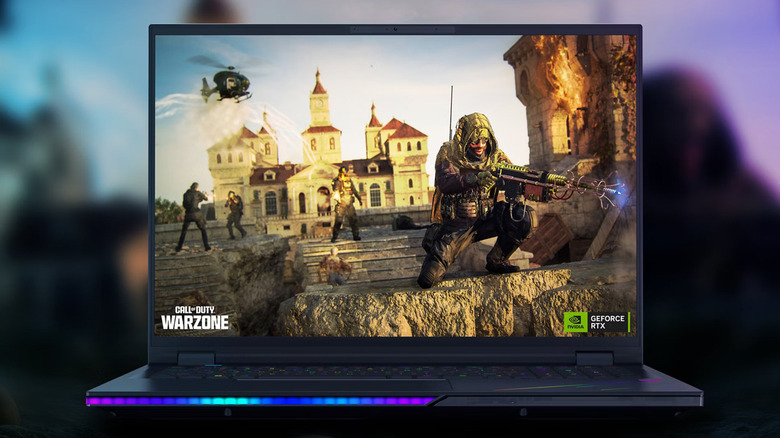
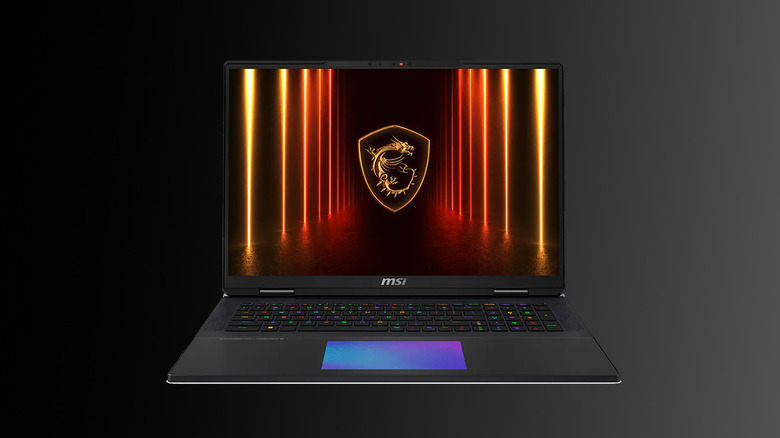
The MSI Titan 18 HX AI remains the gold standard for those who want a workstation disguised as a gaming rig. It doesn't just feature top-tier specs; it provides the overhead required to actually use them. With a total system power delivery of 270W, it feeds the RTX 5090 and the Core i9 processor enough juice to rival many mid-to-high-range desktops.
One of its standout features is the capacity for 192GB of DDR5 RAM. While 32GB is plenty for gaming, professionals doing 8K video editing or complex 3D rendering need that massive memory ceiling. The visual experience is equally impressive, sporting an 18-inch Mini-LED display that hits 1000 nits peak brightness. When you are comparing best rtx 5090 desktop replacement laptops, the Titan's ability to maintain performance without thermal bottlenecking is its biggest selling point.
Ryan's Take: The Titan is heavy and expensive, but it's the only machine on this list that feels like it has no ceiling. If you are doing pro-level rendering, the 192GB RAM support is a game-changer.
Tech Sidebar: MSI Titan Cooling & Power
-
Cooling System: Titan Trinity Cooling with 4 fans and vapor chamber cooling systems in high end laptops.
-
Power Delivery: Dual 330W power adapters (via box) for 270W sustained system draw.
-
Thermal Interface: Phase-change liquid metal on both CPU and GPU.
-
Reasons to Buy: Unmatched memory expansion, incredible 1000 nits peak brightness screen, and the most robust I/O in the mobile market.
-
Reasons to Avoid: Extremely bulky, requires two power bricks for full performance, and carries a massive price premium.
2. ASUS ROG Strix SCAR 18: Unmatched Power Delivery
If you want the absolute highest wattage possible in a mobile form factor, look no further. The 2026 ASUS ROG Strix SCAR 18 is engineered to sustain a maximum total system power of 320W. This is a staggering figure for a laptop and puts it in direct competition with high-end gaming desktops in terms of raw throughput.
To handle this 320W power draw, ASUS utilizes a full-surround heat sink and three separate fans. This ensures that even during intense 4K ray-traced gaming sessions, the GPU stays within its optimal temperature range to prevent thermal bottlenecking. The use of PCIe Gen 5 bandwidth for storage also means that loading times are virtually non-existent, assuming you pair it with a compatible NVMe drive.
- Reasons to Buy: Highest power limits in class, excellent Nebula HDR display, and aggressive gaming aesthetics.
- Reasons to Avoid: Mostly plastic construction compared to Razer, and the fans can get exceptionally loud at 320W loads.
Tech Sidebar: ASUS SCAR 18 Thermal Array
- Power Limit: 320W Total System Power (175W+ GPU, 145W CPU).
- Cooling: Intelligent Cooling with Conductonaut Extreme liquid metal thermal interface.
- Storage: Dual PCIe Gen 5 M.2 slots for RAID 0 configurations.
3. Razer Blade 18: The Elegant Powerhouse
Razer has always been about the "MacBook of Gaming" aesthetic, but the 2026 Blade 18 proves they can play in the big leagues of performance too. The standout feature here is the dual-mode display. You can toggle between 4K at 240Hz for creative work and FHD at 440Hz for competitive eSports.
When comparing 18 inch flagship gaming laptops 2026, the Blade 18 is surprisingly thin given its RTX 5090 internals. However, Razer has managed to mitigate thermal throttling through a massive vapor chamber that covers nearly the entire motherboard. While it doesn't quite hit the 320W highs of the ASUS, it offers a more balanced experience for someone who needs to take their desktop replacement to a client meeting.
- Reasons to Buy: Most premium build quality, unique dual-mode display, and relatively portable for an 18-inch machine.
- Reasons to Avoid: Limited port selection compared to MSI, and the aluminum chassis can get very hot to the touch.
4. Alienware 16 Area-51: The Modular Desk Warrior
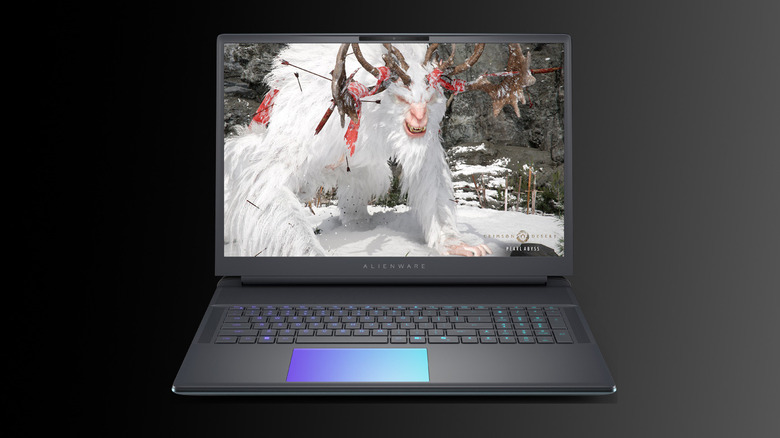
The Alienware 16 Area-51 is a beast in the most literal sense. Weighing in at 7.49 lbs, it is designed to sit on a desk and stay there. This weight isn't for nothing; it houses one of the most substantial cooling arrays in the industry. For enthusiasts, the biggest draw here is the focus on upgradeable ram and storage in flagship gaming laptops.
While many brands are moving toward soldered memory to save space, Alienware provides four SODIMM slots and three M.2 slots. This modularity ensures the laptop remains competitive for future rendering tasks and enthusiast-grade software. The chassis is built to handle the 175W+ TGP required for desktop-level real-time ray tracing without breaking a sweat.
- Reasons to Buy: High degree of user-serviceability, iconic design, and excellent thermal stability.
- Reasons to Avoid: Very heavy, proprietary power connector, and the software suite can be bloated.
Tech Sidebar: Area-51 Specs
- Thermal Tech: Element 31 encapsulated gallium-silicone thermal material.
- Expansion: 4x DDR5 SODIMM slots, 3x PCIe Gen 5 M.2 slots.
- GPU: Full power RTX 5090 with GDDR7 VRAM.
5. Gigabyte Aorus Master 16 AM6J: The Efficiency Expert
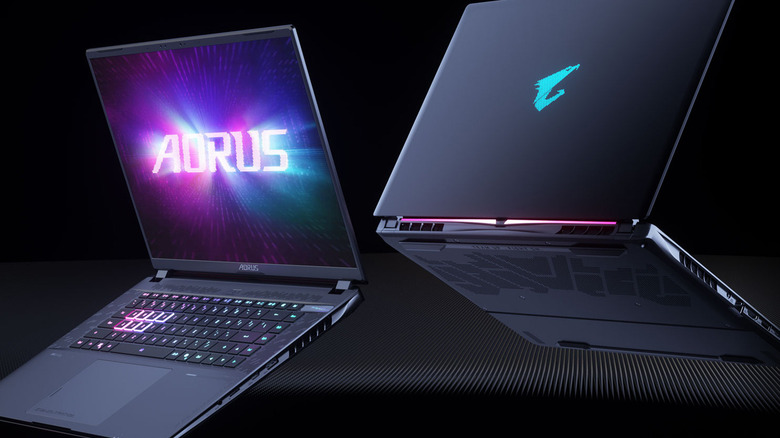
Gigabyte’s 2026 flagship takes a slightly different approach by leaning heavily into AI-driven efficiency. While it features high TGP gaming laptops credentials, it focuses on maximizing the performance per watt using DLSS 4 and advanced NPU performance metrics.
The Aorus Master 16 utilizes high-speed LPDDR5X memory (8,533 MT/s) which, while not upgradeable, provides the bandwidth necessary for AI workflows and high-speed data transfers. Its cooling system features a unique rear-exhaust design that keeps the heat away from the user's hands, making it one of the more comfortable high-performance laptops to use for extended periods.
- Reasons to Buy: Best-in-class memory speeds, clever thermal exhaust design, and very competitive pricing.
- Reasons to Avoid: RAM is non-upgradeable, and the styling is a bit more understated than some gamers might like.
FAQ
What defines a desktop replacement laptop?
A desktop replacement laptop is characterized by high TGP ratings, usually 175W or higher for the GPU, and enthusiast-grade hardware that mimics the power delivery of a tower. These machines often feature 17 or 18-inch screens, multiple cooling fans, and advanced thermal solutions like vapor chambers to sustain high performance without thermal bottlenecking.
Can a laptop truly replace a high-end desktop?
By 2026, the gap has narrowed significantly. While a desktop still has the advantage in total thermal headroom and ultimate modularity, flagship gaming laptops with RTX 5090 GPUs and 320W system power can trade blows with high-end desktop configurations in almost every gaming and productivity metric.
Do desktop replacement laptops overheat more than standard laptops?
Counter-intuitively, they often run cooler than "thin and light" gaming laptops. Because they have much larger chassis and more advanced vapor chamber cooling systems in high end laptops, they are better equipped to dissipate heat. While they consume more power, their thermal management systems are designed to keep internal temperatures well below the throttling point.
Can you upgrade the CPU or GPU in a desktop replacement laptop?
In 2026, the CPU and GPU remain soldered to the motherboard in almost every flagship gaming laptop comparison. However, true desktop replacements like the Alienware Area-51 still offer upgradeable ram and storage in flagship gaming laptops, allowing you to increase your memory or storage capacity as your needs grow.
How much should I expect to pay for a desktop replacement laptop?
For a machine capable of truly replacing a high-end desktop, prices typically start around $3,500 and can exceed $5,000 for top-tier configurations featuring an RTX 5090, 128GB+ of RAM, and Mini-LED displays. These are long-term hardware investments designed for professionals and enthusiast gamers.