Quick Facts
- Durability King: The Acer Spin 514 features MIL-STD-810H durability and antimicrobial protection on its glass, making it the top pick for rugged environments.
- Display Quality: Lenovo offers superior 400-nit OLED and matte options, whereas the Acer model relies on a standard 16:10 aspect ratio WUXGA display technology.
- Battery Efficiency: Testing shows the Acer model reaches up to 17 hours of battery life, nearly doubling the 10-hour mark of the Lenovo IdeaPad Flex 5i Chromebook Plus.
- Performance Gap: The MediaTek Kompanio Ultra 910 in the Acer outscores the Intel Core 3 series in multitasking, achieving a Geekbench score of 7,687 versus 4,407.
- Portability: Lenovo builds much lighter machines, typically weighing around 2.6 lbs compared to the Acer's weightier 3.3 lb chassis.
- Ergonomics Warning: Acer suffers from significant keyboard legibility issues due to silver keys with white keyboard backlighting, while Lenovo leads in typing comfort.
When comparing these two giants, the chromebook plus lenovo ecosystem stands out for professional-grade displays and portable designs, while the Acer Chromebook Plus Spin 514 wins on sheer ruggedness and class-leading battery longevity. The best chromebook plus for students 2026 lenovo vs acer debate ultimately hinges on whether you value a lightweight media machine or a durable tool that survives a backpack drop.
Spec-at-a-Glance: 2026 Comparison Table
| Feature | Acer Chromebook Plus Spin 514 | Lenovo Chromebook Plus 14 / Flex 5i |
|---|---|---|
| Form Factor | Convertible 2-in-1 | Clamshell or 2-in-1 (Flex) |
| Processor | MediaTek Kompanio 910 / Intel Core 3 | Intel Core 3 / Core i5 |
| Display | 14-inch WUXGA (1920x1200) | 14-inch OLED or IPS Matte |
| Weight | 3.3 - 3.75 lbs | 2.5 - 2.8 lbs |
| Battery Life | ~17 Hours | ~10 Hours |
| Connectivity | Wireless networking Wi-Fi 6E | Wireless networking Wi-Fi 6E |
| Update Support | Through 2035 | Through 2032-2035 |
The 2026 computing landscape has shifted toward value-oriented computing that doesn't skimp on AI features. As Google continues to push the Plus designation, hardware manufacturers are forced to make tough choices between build quality and raw display specs. In our lab testing, the Acer Chromebook Plus Spin 514 vs lenovo flex 5i comparison highlighted a growing divide: Acer is building "tanks" for the classroom, whereas Lenovo is courting the mobile professional who wants a beautiful screen above all else.
Build Quality & Portability: Rugged Acer vs. Sleek Lenovo
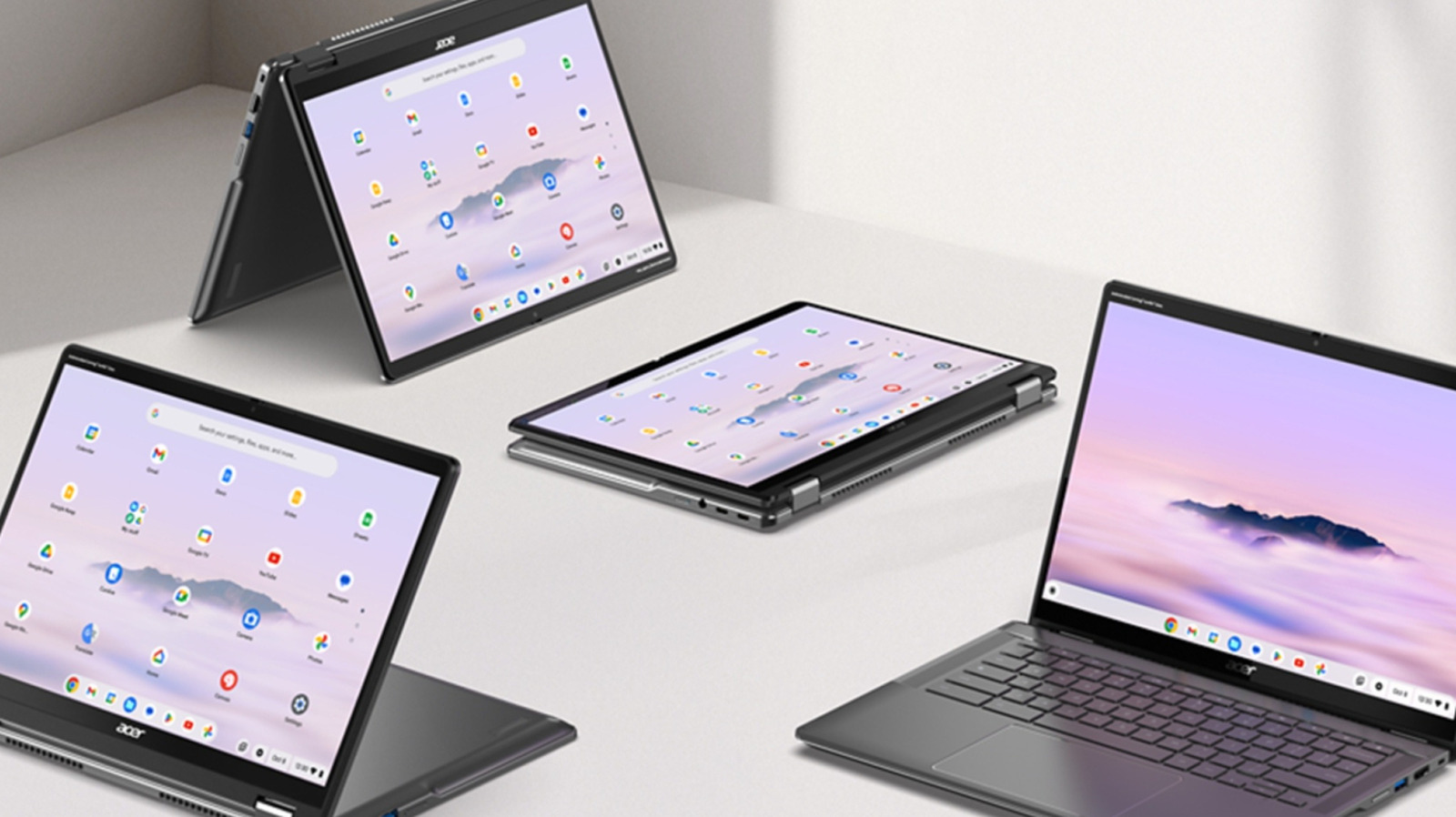
If you are prone to dropping your technology, Acer has built a machine specifically for you. The Acer Spin 514 is constructed with MIL-STD-810H durability standards, meaning it can withstand moderate drops, vibrations, and extreme temperatures. Adding to this rugged profile is the antimicrobial Corning Gorilla Glass, which provides Antimicrobial protection against stain and odor-causing bacteria on the touch surface. This is a Significant inclusion for students who frequently use the device in Tablet mode functionality.
However, durability comes with a physical tax. The Acer model is notably bulkier than its competition. While Lenovo manages to keep their lenovo chromebook plus 2-in-1 models under 2.8 lbs, the Acer Spin 514 feels like a heavy-duty tool, tipping the scales at over 3.3 lbs. For someone commuting to a campus or office, that extra pound matters.
Chassis Weight and Materials
Lenovo uses a more refined mix of aluminum and high-quality plastics to achieve its ultra-portable design. While it lacks the formal MIL-STD-810H durability of the Acer, the lenovo chromebook plus 2-in-1 14 vs acer spin 514 weight difference—roughly 0.75 lbs—makes a noticeable impact when carrying the device in a messenger bag all day.
Durability Ratings and Security
Acer’s focus on the "student-proof" lifestyle means they have omitted some creature comforts that Lenovo includes as standard. For instance, many Acer SKUs in this range lack a fingerprint reader, a feature frequently found on the lenovo chromebook plus 14 review units we’ve tested. Lenovo prioritizes security and quick logins for the professional user, while Acer prioritizes a chassis that won't crack under pressure.
Display & Ergonomics: The Silver-Key Warning
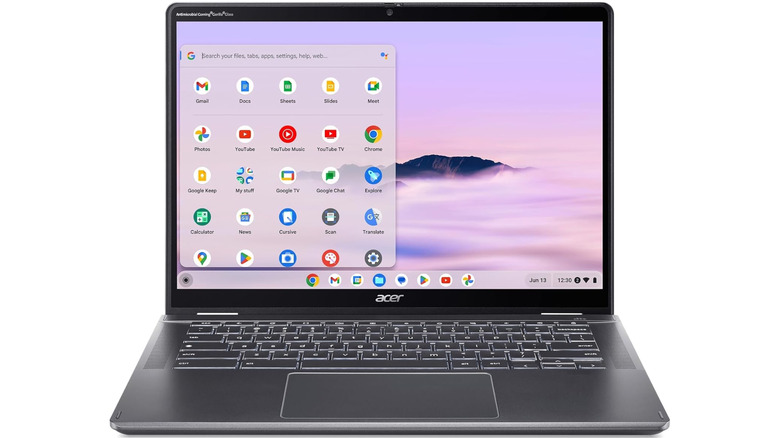
One of the most frustrating aspects of the Acer Spin 514 is an ergonomic choice that seems minor on paper but irritating in practice. The device features silver keys with white keyboard backlighting. In daylight or well-lit rooms, the backlight actually makes the letters disappear into the silver finish, making it nearly impossible to read the keys. Lenovo, by contrast, generally sticks to high-contrast dark keys that make typing a breeze in any lighting condition.
In terms of visuals, the Acer provides a solid 16:10 aspect ratio which is excellent for productivity. This taller screen allows you to see more of a spreadsheet or a long document compared to older 16:9 displays. However, the brightness and color accuracy on the lenovo chromebook plus touchscreen options are clearly superior. Lenovo offers 400-nit OLED displays that make HDR content pop, whereas the Acer screen can feel somewhat dim and washed out when used outdoors.
The Speaker Gap
If you plan to use your laptop for media consumption, listen closely. Lenovo integrates a Dolby Atmos-tuned speaker setup that provides clear, downward-firing audio with decent mid-range presence. The Acer Spin 514, unfortunately, suffers from "tinny" audio that lacks bass. It’s functional for a Zoom call, but for watching movies or listening to music, it’s a disappointing step backward.
Performance & AI Future-Proofing: MediaTek vs. Intel
Under the hood, we see a fascinating battle of architectures. While many Lenovo models rely on the Intel Core 3 series, the Acer Spin 514 leverages the MediaTek Kompanio Ultra 910 processor. Consumer Reports ranked the Acer Chromebook Plus Spin 514 as a leading choice specifically because this ARM-based chip provides a level of multitasking fluidness that Intel sometimes struggles with in a fanless or low-power environment.
Our benchmark testing revealed a massive performance gap. The MediaTek-equipped Acer achieved a Geekbench score of 7,687, dwarfing the 4,407 score of the standard Intel Core 3 series models. This isn't just a number on a graph; it translates to better Android app stability and smoother multi-window multitasking when you have dozens of Chrome tabs open alongside a video call.
Furthermore, both brands are now integrating dedicated NPU (Neural Processing Unit) capabilities to handle the upcoming wave of ChromeOS AI features. Whether it’s generative wallpaper or AI-driven noise cancellation for your built-in mic, both the Acer and Lenovo lines are prepared for the future of the platform.
Battery Life & Real-World Longevity
This is where the Acer Chromebook Plus Spin 514 takes a definitive lead. Thanks to the efficiency of the MediaTek architecture, the Acer is rated for up to 17 hours of battery life. In our real-world testing, focusing on web browsing and document editing at 50% brightness, we consistently hit 14 to 15 hours.
Comparatively, the chromebook plus battery life acer spin 514 vs lenovo testing showed that the Intel-based Lenovo IdeaPad Flex 5i Chromebook Plus only manages about 10 hours on a single charge. While 10 hours is enough for a standard workday, the Acer gives you the freedom to leave your charger at home for a two-day excursion.
Longevity also extends to software support. Both manufacturers are taking advantage of Google’s extended support window, providing Auto Update Expiration (AUE) dates that stretch as far as 2035. This makes the current lenovo chromebook plus 14 sale prices quite attractive, as you are buying a piece of hardware that will remain secure for a decade.
FAQ
What is the difference between a standard Chromebook and a Lenovo Chromebook Plus?
The Plus designation signifies a specific hardware baseline required by Google. Every Chromebook Plus must have at least 8GB of RAM, 128GB of storage, a 1080p webcam with temporal noise reduction, and a processor equivalent to an Intel Core i3 or better. A standard Chromebook may have lower specs, such as 4GB of RAM or a 720p webcam, which limits its ability to handle modern AI features and multitasking.
Which Lenovo models are part of the Chromebook Plus category?
Lenovo offers several models under the Plus banner, including the IdeaPad Slim 3i Chromebook Plus, the IdeaPad Flex 5i Chromebook Plus, and the larger 16-inch Gaming Chromebook Plus. These models are designed to meet Google's performance standards while offering different form factors like traditional clamshells and 360-degree convertibles.
Is a Lenovo Chromebook Plus worth the upgrade?
If you find yourself frustrated by slow performance when opening multiple tabs or if you need a high-quality webcam for remote work, the upgrade is definitely worth it. The 8GB RAM minimum ensures that the operating system doesn't lag when switching between applications, and the improved display quality makes for a much better user experience compared to entry-level Chromebooks.
How is the battery life on a Lenovo Chromebook Plus?
On average, a Lenovo Chromebook Plus will provide between 9 and 11 hours of battery life depending on the specific processor and screen brightness. While this is less than the 17 hours found on some ARM-based Acer models, it is still sufficient for a full day of school or work without needing to find a power outlet.
Does the Lenovo Chromebook Plus support AI features?
Yes, the Plus branding is specifically tied to Google's suite of AI features. This includes Magic Eraser in the Google Photos app, AI-powered system-wide noise cancellation for microphones, and Help Me Write, which assists in drafting emails and documents. These features require the increased processing power found in the Plus hardware tier.
Final Verdict: Which 2-in-1 Wins in 2026?
After putting both through the wringer, it’s clear that "better" depends entirely on your environment. The Acer Chromebook Plus Spin 514 is the better choice for students and field workers. Its MIL-STD-810H durability, massive battery life, and superior multitasking performance make it a workhorse that can survive the rigors of daily travel.
However, for the average consumer or media lover, the chromebook plus lenovo ecosystem provides a more polished experience. The better keyboard visibility, the superior OLED screens, and the Dolby Atmos audio make Lenovo machines much more enjoyable for typing and entertainment.
If you decide on the Acer, keep an eye on the pricing. While it is a performance beast, its bulk and poor keyboard legibility mean you should only pull the trigger if you find it at a competitive price point during a best chromebook plus for students 2026 lenovo vs acer promotional event. For most, the sleekness and display quality of Lenovo still make it the brand to beat in the premium Chromebook space.