Quick Facts
- Release Date: December 10, 2025
- Pricing: Free for all 800 million global users (No Creative Cloud subscription required)
- Available Tools: Adobe Photoshop, Acrobat, and Adobe Express
- Hardware Requirements: Web-based (Google Chrome recommended) or iOS (Limited Android support)
- Max Resolution: 2k pixels for image exports
- Regional Status: Currently unavailable in Europe due to regulatory restrictions
- Best For: Quick edits, PDF management, and social media design
To use Adobe ChatGPT apps for free, navigate to your profile settings in ChatGPT and select the Apps & Connectors menu. Locate the specific Adobe app you wish to use and click Connect. Once linked, you can invoke the tools by clicking the plus icon in the prompt bar, selecting the app, and uploading your files for editing. This ChatGPT Adobe integration guide will help you bridge the gap between AI conversation and professional-grade creative tools without paying for a full Creative Cloud subscription.
Step-by-Step: Enabling Adobe Apps in ChatGPT
For many PC enthusiasts and professionals, the cost of a full creative suite can be a deterrent for simple, occasional tasks. However, on December 10, 2025, the landscape changed when Adobe officially integrated Photoshop, Acrobat, and Express directly into the ChatGPT interface. This move makes powerful tools available to the 800 million global users across Free, Plus, and Enterprise tiers.
The process to enable these tools is straightforward. First, log into your ChatGPT account on a desktop browser. Navigate to the bottom left corner where your profile name is located, click it, and select Settings. Within the settings overlay, look for the Apps & Connectors tab. This is where OpenAI manages third-party integrations. You will see a list of available services; find the Adobe section and click the Connect button next to Photoshop, Acrobat, or Express.
Alternatively, you can access these tools through the OpenAI GPT Store by searching for Adobe in the Explore Apps sidebar. Once you have connected your account—which does not require a paid tier—you are ready to start editing. If you are wondering how to enable Adobe Photoshop in ChatGPT settings specifically, remember that you may need to grant permissions for the app to access your uploaded files to perform edits.
Master Photoshop in ChatGPT: Editing Workflows
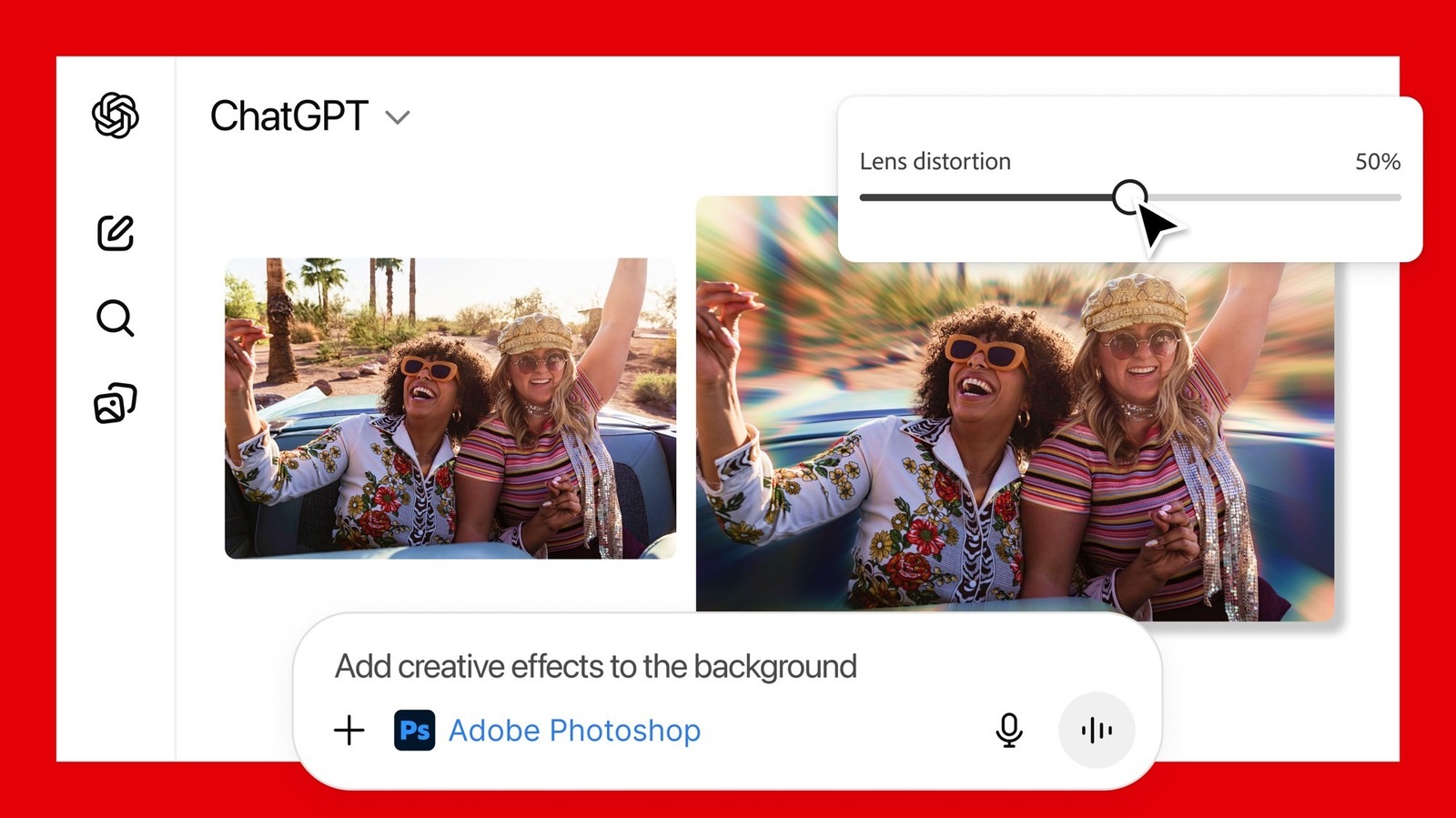
The Photoshop integration allows for basic image adjustments like brightness, contrast, exposure, and the application of creative filters via text prompts. While it doesn't replace the heavy-duty desktop application, it is remarkably efficient for iterative photo editing with ChatGPT Adobe integration.
One of the best utility shortcuts is the spacebar trigger. Instead of clicking through menus, you can type photoshop followed by a spacebar in the prompt bar to immediately activate the tool. Once active, you can upload a photo and use prompt engineering to describe the changes you want. For example, telling the AI to apply a retro film look with increased grain will trigger a series of tone adjustment and image filters.
The system uses a conversation-style editing process. After your first prompt, ChatGPT will provide a preview and often display manual UI sliders for fine-tuning. This allows you to perform specific professional tasks like adjusting image exposure in Photoshop with more precision than a standard AI image generator would allow. However, keep in mind the technical limits: the output is capped at 2k pixels, and advanced features like generative fill or complex object removal are currently reserved for the full desktop version.
Streamlining Documents with the Acrobat Integration
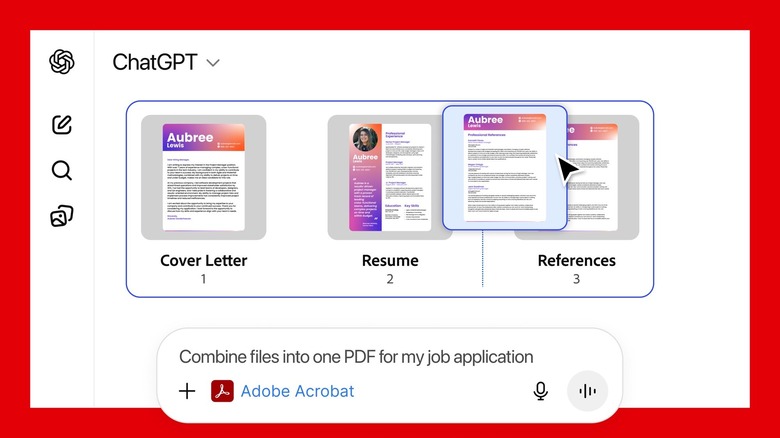
For many office workers, the Acrobat app within ChatGPT is the real star of the show. It enables users to edit PDF documents, redact sensitive information, extract data, and merge multiple files directly within the chat interface. This is a massive time-saver for those who previously had to jump between browser tabs and dedicated PDF software.
The workflow is highly intuitive. If you have three separate reports that need to become one, you can simply upload them and ask the Acrobat tool to merge PDF files using ChatGPT Acrobat integration. The AI can also scan the document for specific data points, such as financial figures or dates, and extract them into a clean table format.
Security-conscious users will appreciate the ability to manage PDF documents using ChatGPT Acrobat app for redaction. You can prompt the AI to hide all instances of a specific person's name or a credit card number across a 50-page document. The Acrobat integration processes these professional tasks locally on Adobe's secure servers, ensuring that your sensitive data isn't used to train the general OpenAI model.
Design on the Fly with Adobe Express
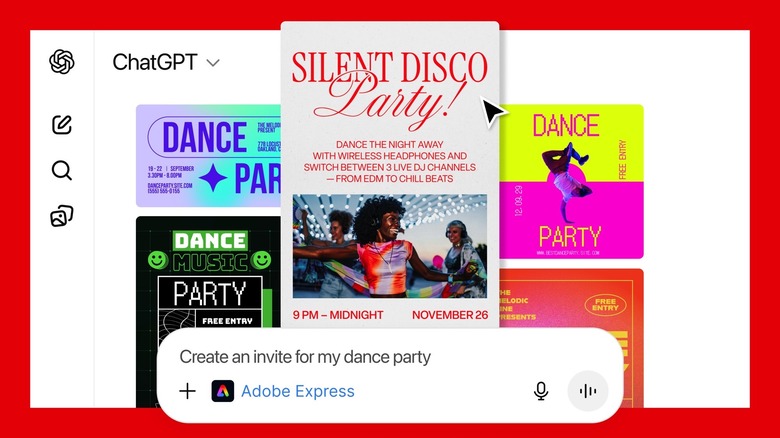
Adobe Express ChatGPT features are designed for those who need to create visual storytelling assets but lack a formal design background. By accessing design templates in Adobe Express, users can go from a text idea to a finished social media graphic in seconds.
When you invoke Adobe Express, you can provide Adobe Express ChatGPT design prompts for beginners like "Create a flyer for a summer bake sale using bright colors." The AI will then present a selection of sample templates. What makes this integration special is the seamless transition; once you have a base design you like, you can click a button to open the project in the full Adobe Express web app for final refinements.
While the desktop experience is superior, there is also the option of using Adobe Express on ChatGPT for Android. While Photoshop and Acrobat are currently limited on mobile, the Express integration allows for quick content creation on the go, making it an essential tool for social media managers and small business owners.
The Caveat: Limitations and Global Availability
As powerful as these Adobe ChatGPT apps are, there are clear differences between ChatGPT Photoshop and full version software. For a professional photographer or a high-end designer, the ChatGPT integration is a supplement, not a replacement. The 2k pixel resolution cap is the most significant hurdle for print-quality work.
| Feature | ChatGPT Adobe Apps | Full Creative Cloud Suite |
|---|---|---|
| Cost | Free for all users | $22.99 - $59.99/month |
| Max Resolution | 2k pixels | Unlimited / Raw Support |
| Generative Fill | Not Supported | Fully Integrated |
| Layers & Masks | Basic / Automatic | Professional Manual Control |
| Batch Processing | Limited to Chat History | High-speed Automation |
| Device Support | Browser / Some Mobile | PC, Mac, iPad, Mobile |
Furthermore, there is a regional block to consider. As of mid-2026, these features remain unavailable in Europe due to local data privacy regulations. If you find the ChatGPT Adobe apps not showing in Europe fix is your primary concern, you may need to wait for official regulatory clearance or use a VPN that routes through a US-based server, though this may violate service terms.
FAQ
Does Adobe have a ChatGPT integration?
Yes, as of late 2025, Adobe has integrated Photoshop, Acrobat, and Adobe Express directly into the ChatGPT platform. This allows users to access these creative tools through the OpenAI GPT Store and the Apps & Connectors menu within their settings.
How do I use ChatGPT with Adobe Photoshop?
To use Photoshop within the chat, you first need to connect the app in your ChatGPT settings. Once connected, you can upload an image and use text prompts to ask for edits such as brightness adjustments, color changes, or the application of specific filters.
Are there AI plugins available for Adobe Creative Cloud?
While this integration brings Adobe to ChatGPT, the reverse is also true. Adobe Creative Cloud features numerous AI-powered tools like Adobe Firefly, which are built directly into the desktop applications to assist with generative fill, object removal, and workflow automation.
What is the difference between Adobe Firefly and ChatGPT?
Adobe Firefly is a family of creative generative AI models specifically trained on Adobe Stock and public domain images to be commercially safe. ChatGPT is a general-purpose conversational AI. The integration allows ChatGPT to use Adobe Firefly and other Adobe technologies to perform creative tasks.
Does Adobe Express feature any ChatGPT-like capabilities?
Adobe Express has its own AI assistant that functions similarly to ChatGPT, allowing users to generate images from text and find templates through natural language. The integration brings these capabilities directly into the ChatGPT workspace for a unified digital workspace experience.
How do AI assistants improve workflows in Adobe applications?
AI assistants streamline repetitive tasks such as background removal, PDF redaction, and data extraction. By using prompt engineering, users can achieve in seconds what used to take minutes or hours of manual clicking, effectively acting as a force multiplier for productivity.
Final Verdict: Is it a Creative Cloud Killer?
After spending significant time with these tools, my honest assessment is that they are built for the casual user and the "quick-fix" professional. If you need to adjust image contrast and color in ChatGPT Photoshop for a blog post or save and continue Adobe projects from ChatGPT to desktop, the workflow is incredibly smooth. It democratizes access to professional tools, providing free photo editing with ChatGPT Adobe integration to millions who might not otherwise afford a subscription.
However, the technical constraints are real. Professionals still need the Creative Cloud subscription for high-resolution exports and the full suite of Adobe Firefly features like generative fill. For the average PC user, though, these Adobe ChatGPT apps are a massive upgrade to their productivity toolkit. They turn a simple chatbot into a functional workstation, proving that the future of computing is less about switching between apps and more about a unified, conversation-driven interface.





