Our Top Picks
- Best for Design-First Brands: Campaign Monitor is a professional email marketing software best suited for design-centric SMBs and agencies that prioritize brand consistency over complex, flexible automation sequences.
- Best for Collaborative Teams: With unique template locking features and a shared asset library, it stands out as the best email marketing software for small business teams needing to maintain strict visual standards across multiple departments.
Campaign Monitor remains a top contender for best email marketing software if your priority is brand consistency and high-end design. With over 250,000 users including global giants like Disney and Coca-Cola, it is a leading email marketing software for small business seeking professional polish. However, its rigid automation logic requires a closer look before you commit to a long-term plan.

Design Prowess: The Smart Designer and WYSIWYG Editor
Our testing found that the onboarding experience with Campaign Monitor is one of the most streamlined in the industry. The standout feature is the Smart Designer. Instead of forcing you to build from a blank canvas, you simply provide your website URL. The software then scrapes your site for brand colors, logos, and fonts, automatically generating a suite of email templates that feel native to your brand.
The WYSIWYG Editor and Drag-and-Drop Builder
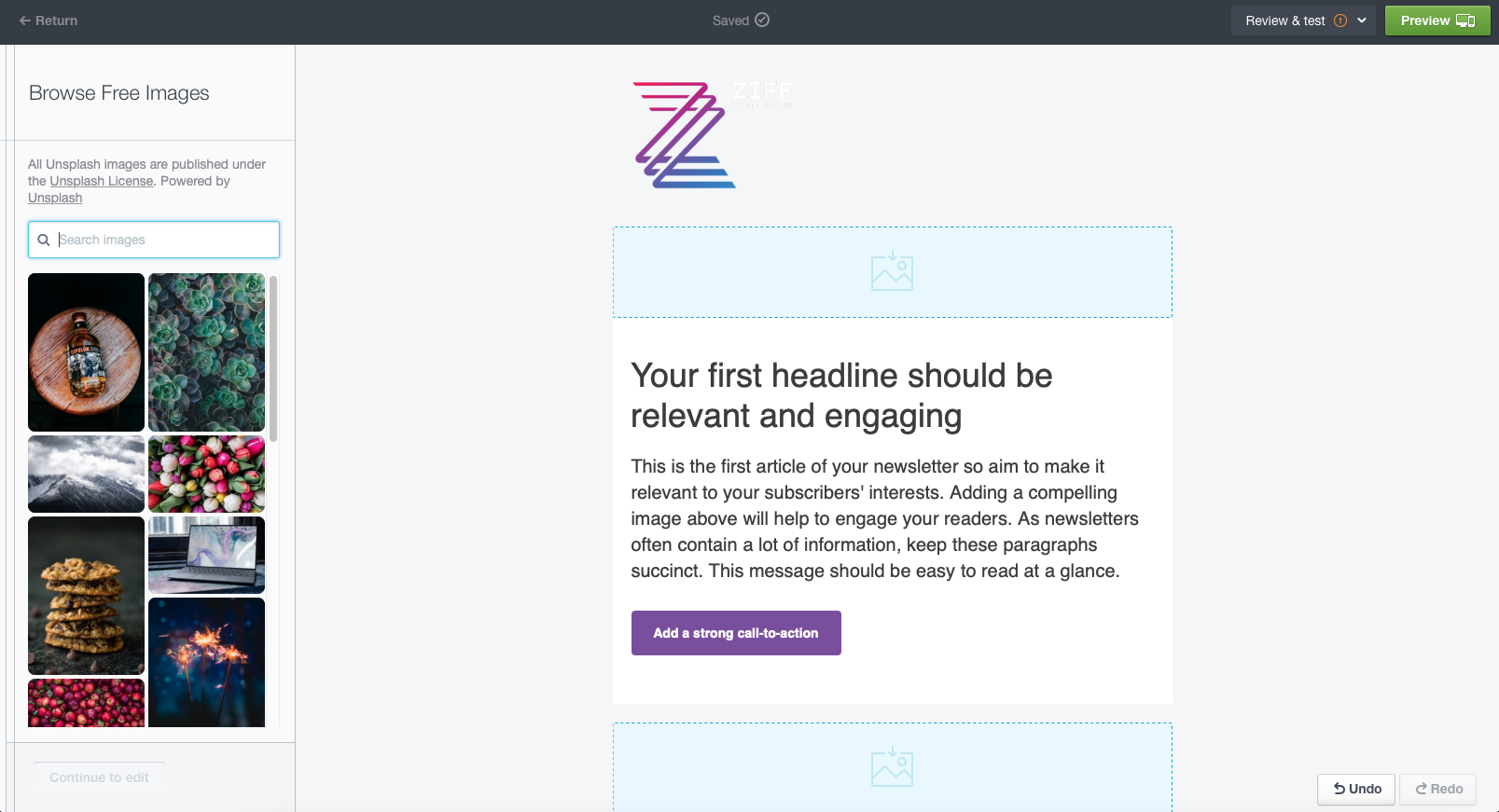
The interface utilizes a highly intuitive Drag-and-Drop Builder that ensures even non-designers can produce high-quality layouts. The WYSIWYG Editor is remarkably stable; unlike some competitors where the mobile preview often lies, the emails created here render consistently across most modern mail clients. This reliability is why many consider it a top choice when looking for email marketing software for ecommerce where visual product representation is critical.
Template Locking for Multi-User Teams
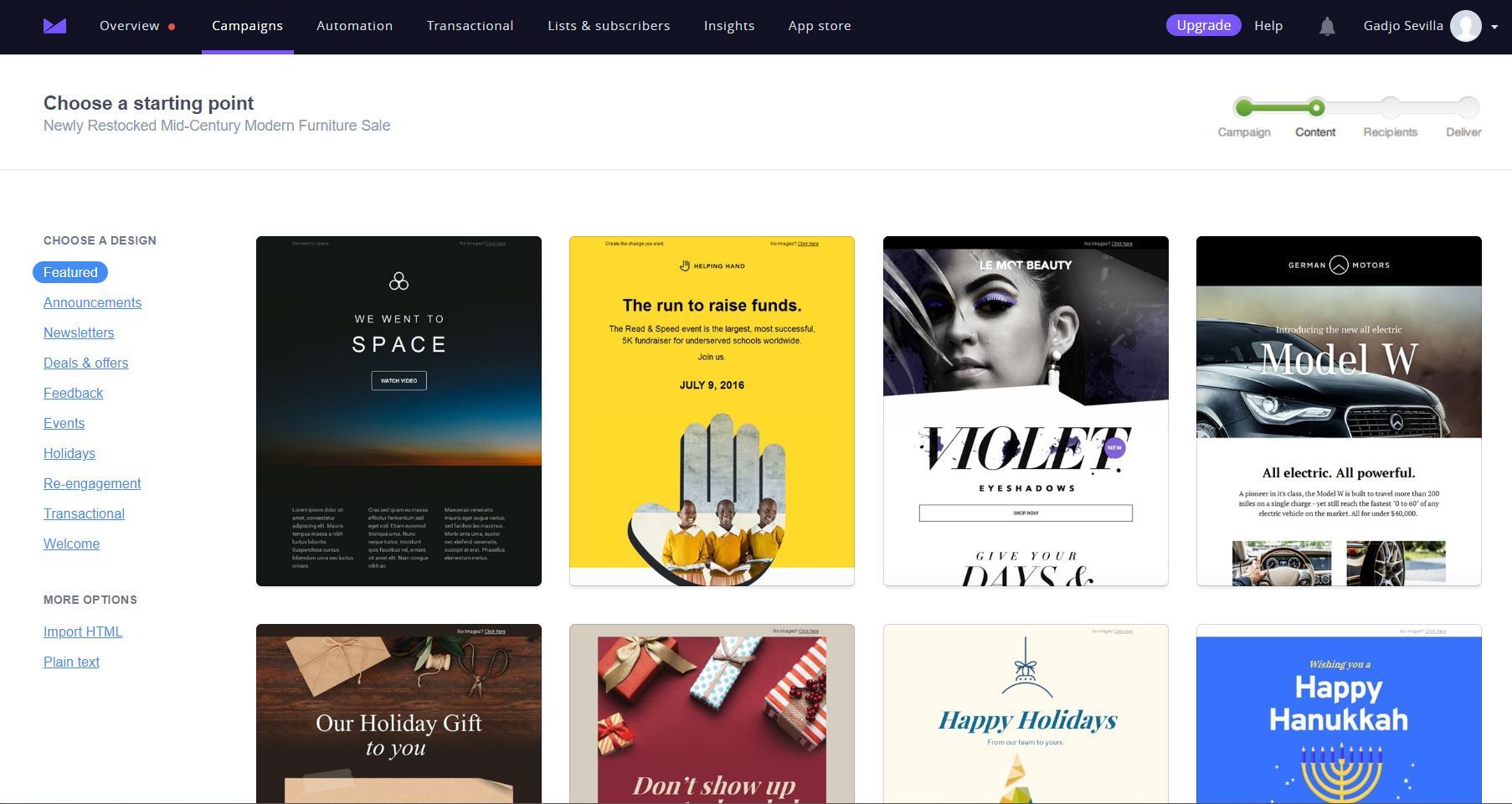
For agencies managing multiple clients or large marketing departments, Brand Consistency is often the biggest hurdle. Campaign Monitor addresses this through Template Locking. An administrator can design the main structure of an email and lock specific elements—such as the header, footer, or specific font styles—while allowing other team members to edit only the body copy or images. This ensures that no matter who is hitting the send button, the brand remains cohesive. Their library of Responsive Email Templates is extensive, catering to various industries from retail to non-profits.
The Automation Paradox: Visual Journey Builder vs. Logic Rigidity
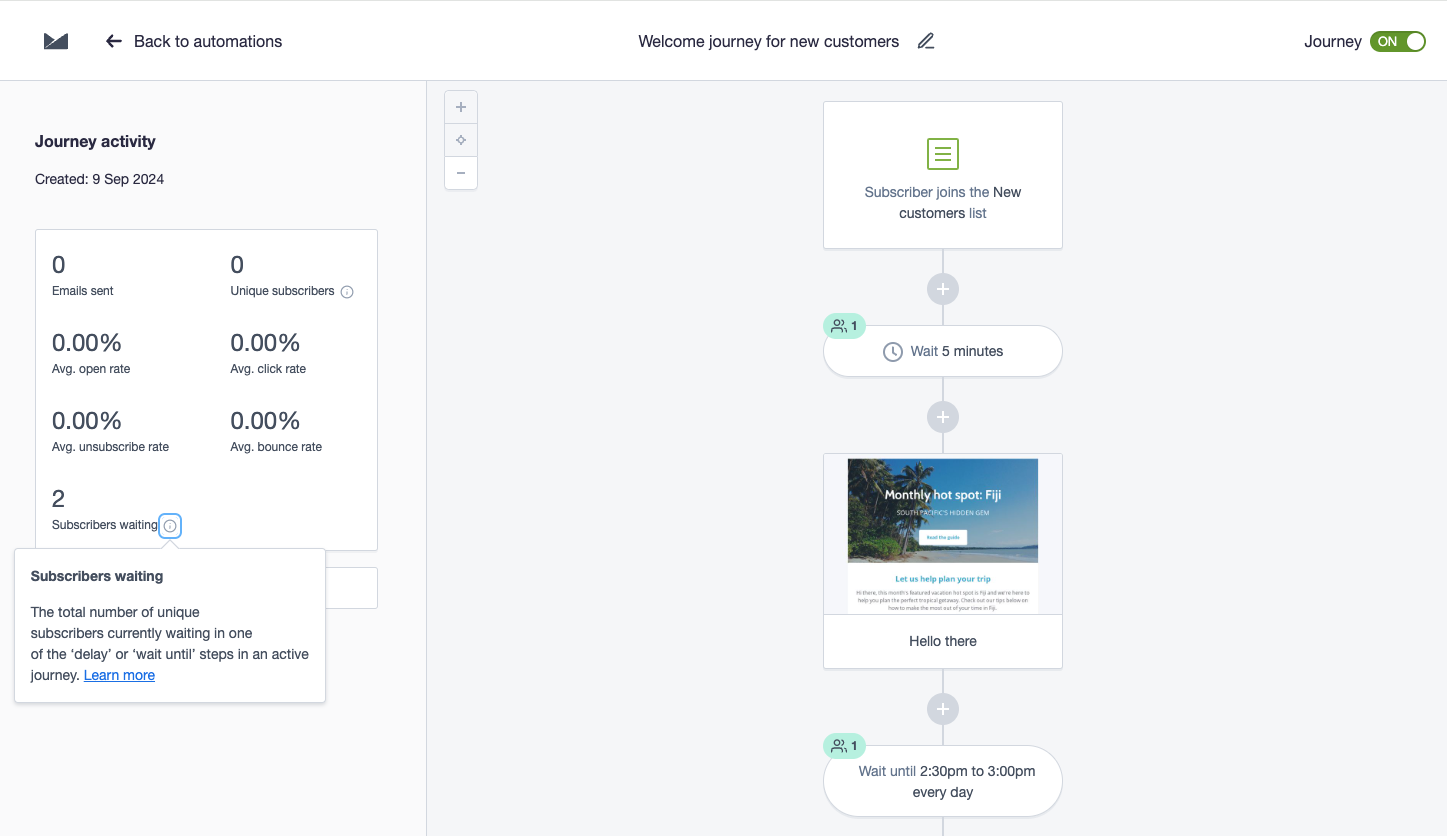
When it comes to automated email marketing software, Campaign Monitor presents a paradox. On one hand, the interface is stunningly clear. The Visual Journey Builder allows you to map out Customer Journey Mapping scenarios with a drag-and-drop ease that rivals high-end enterprise tools. You can set Event-Based Triggers—such as a user joining a list or completing a specific purchase—to launch a sequence of communications.
However, our deep dive revealed a significant friction point: logic rigidity. In most modern top 10 email marketing platforms, if you need to change a single step in a live automation, you can do so on the fly. In Campaign Monitor, live automated workflows are essentially frozen. To make an edit, you often have to pause the journey, duplicate the entire sequence, make your changes, and then restart the journey. For businesses running complex, multi-layered campaigns, this lack of flexibility can be a major workflow bottleneck.
Pros and Cons of Automation
- Pros:
- Excellent visual interface that makes Customer Journey Mapping accessible.
- Reliable List Management and automated cleanup of bounce-backs.
- Native integration with major CRM and e-commerce platforms.
- Cons:
- Editing live sequences requires cumbersome manual overrides or duplication.
- Fewer advanced branching logic options compared to tools like ActiveCampaign.
- Limited flexibility in time-based delays within certain tiers.
Advanced Analytics: Campaign Scoring and Delivery Rates
Beyond the aesthetics, the platform provides a robust Marketing Analytics Dashboard that moves beyond simple open rates. A proprietary feature we found particularly useful is the Campaign Score. This 0-100 metric evaluates your campaign performance against industry benchmarks, giving you a quick visual indicator of whether your content is resonating compared to your peers.
The platform is utilized by more than 250,000 businesses worldwide, and this sheer volume of data allows them to maintain a clinical level of expertise in deliverability. As of early 2026, the company maintains a reported average email delivery rate of 99%, supported by aggressive bot-click filtering. This ensures your performance metrics are based on actual human interaction rather than automated firewall scans.
Effective Subscriber Segmentation is also built directly into the reporting. You can quickly see which segments are driving the most engagement and even track conversion lifts. For instance, high-profile case studies like the Red Cross have utilized these analytics to see a 75% lift in engagement through targeted segmentation strategies.
Pricing and Competitor Reality Check
Campaign Monitor uses a tiered pricing structure that can be slightly more expensive than its rivals, but it justifies the cost through its design tools. The Lite plan starts at $13 per month for 500 subscribers, but many users will find they need the Essentials or Premier tiers to unlock critical features like time zone-based sending and automated spam testing.
One unique aspect we encountered is the manual account approval process. Unlike some "send now, ask questions later" platforms, Campaign Monitor often requires a human review of new accounts to protect their Sender Reputation. While this can delay your first send by 24 hours, it is the reason they can maintain such high delivery rates.
| Feature | Lite Plan | Essentials Plan | Premier Plan |
|---|---|---|---|
| Starting Price | $13/mo | $25/mo | $149/mo |
| Email Volume | 2,500/mo | Unlimited | Unlimited |
| Smart Designer | Included | Included | Included |
| Spam Testing | No | Included | Included |
| Advanced Segments | Limited | Full access | Full access |
| Support | Priority Email | Priority Phone & Email |
When looking at a mailchimp vs campaign monitor pricing comparison, Mailchimp often appears cheaper at the entry-level for very small lists. However, as your list grows, Campaign Monitor’s predictable per-subscriber pricing often becomes more competitive, especially if you require the advanced design features that Mailchimp now gates behind higher tiers. For those seeking the best email marketing software for small business with a focus on aesthetics rather than just price, the extra few dollars per month are usually worth the investment.
Decision Framework: Is Campaign Monitor Right for You?
Choosing the right platform from among the top 10 email marketing platforms requires looking past the feature list and into your daily workflow. Based on our performance data and usability testing, here is our selection framework:
Ideal if your priority is:
- Brand Consistency: You have strict visual guidelines that cannot be compromised.
- Simplicity: You need a visual journey builder email automation tool that is easy for a small team to learn.
- Reliability: You value a 99% delivery rate and high-tier analytics.
- Collaborative Work: You need to manage multiple users with varying permission levels.
Avoid if your priority is:
- Complex Logic: You require highly flexible, deeply nested automation branching that needs frequent live edits.
- Extreme Budgeting: You are looking for the absolute lowest cost and don't care about design tools.
- High-Frequency Changes: Your marketing strategy involves daily tweaks to automated workflows.
Statistically, email marketing remains the highest ROI channel in digital marketing, often returning between $36 and $42 per $1 spent. Campaign Monitor aims to capture the upper end of that ROI by ensuring that every email sent looks professional enough to convert.
FAQ
Which software is best for email marketing?
The best email marketing software depends on your specific needs: Campaign Monitor is best for design and brand consistency, ActiveCampaign is superior for complex automation, and MailerLite is often preferred for those on a tight budget. For most small to midsize businesses that want a professional look with a manageable learning curve, Campaign Monitor is a premier choice.
Why are people leaving Mailchimp?
Many users are migrating away from Mailchimp due to its increasingly complex UI, the transition toward being a "full CRM" which has made the email tools feel cluttered, and tactical changes in their pricing structure that have made it more expensive for certain subscriber volumes. Software like Campaign Monitor offers a more focused, design-centric alternative.
Is Mailchimp actually free?
Mailchimp offers a free plan, but it has become significantly more restrictive in recent years. It currently limits the number of monthly sends and the total number of contacts (often capped at 500), and it excludes many essential features like advanced automation, scheduling, and certain reporting tools that are necessary for growing businesses.
What can replace Mailchimp?
For those seeking a more design-oriented experience, Campaign Monitor is the top replacement. If you need more power in automation, ActiveCampaign or Hubspot are strong contenders. If you are looking for a simpler and more cost-effective solution with a similar feature set to the "old" Mailchimp, platforms like MailerLite or Brevo are excellent alternatives.