Our Top Picks
- Best for Desks: The 7.3-inch model offers the highest pixel density, making it perfect for close-up viewing on a nightstand or workspace.
- Best for Walls: The 13.3-inch model is the sweet spot for home decor, balancing size and resolution for a natural gallery look.
- Ultimate Gallery: The 31.5-inch model provides a true statement piece for living rooms, mimicking the scale of traditional large-format canvas art.
The SwitchBot AI Frame represents a shift from digital screens to ambient computing. By combining E Ink Spectra 6 technology with powerful generative AI models, it offers a sustainable, paper-like digital canvas for the modern home. This device allows users to generate custom artwork using text prompts or image-to-image transformations, creating a seamless bridge between cutting-edge technology and interior design.
Hardware: The E Ink Spectra 6 Revolution
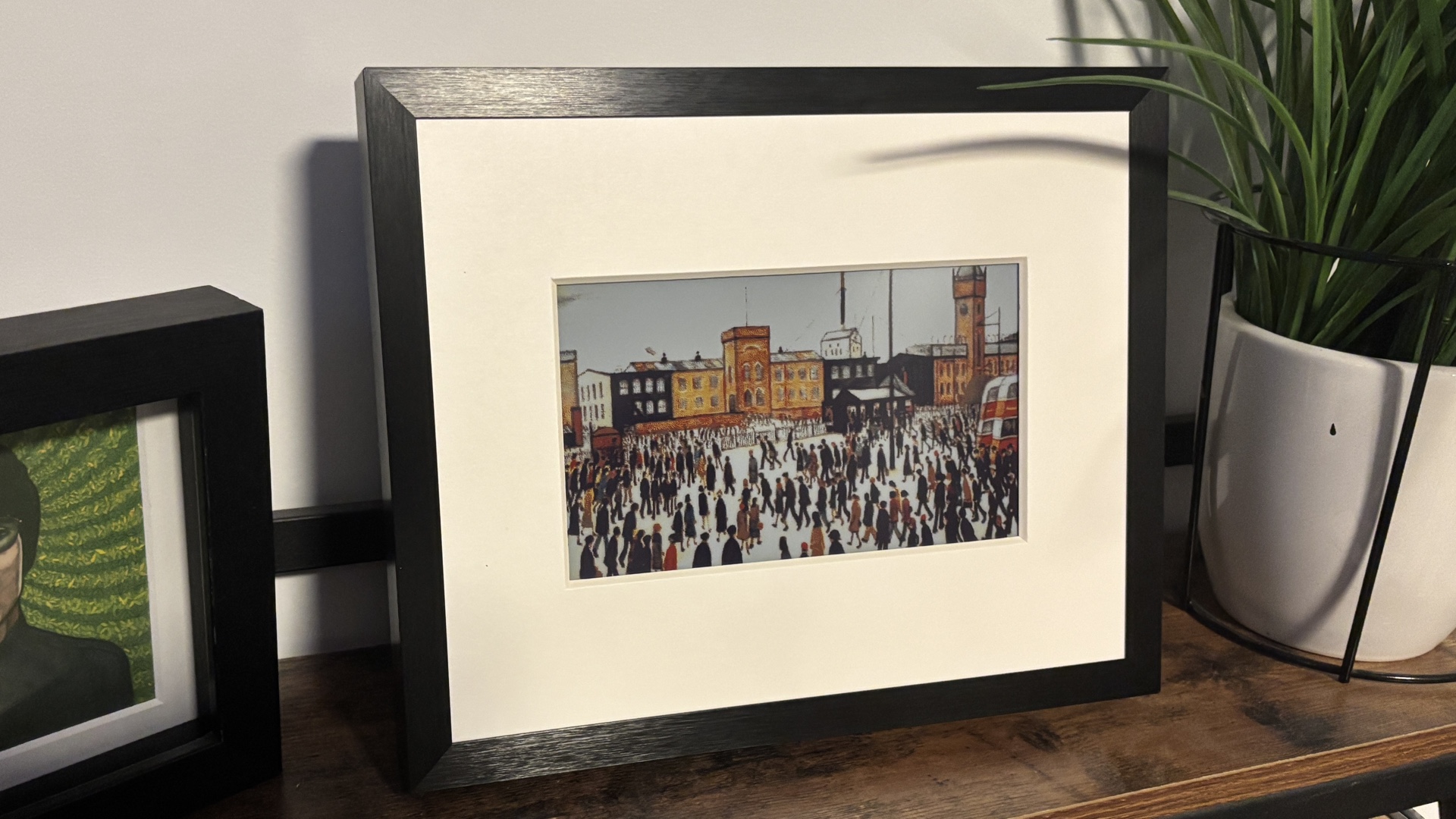
For years, the smart home industry has struggled with digital art. Most solutions relied on LCD or OLED panels that emitted a constant blue-light glow, feeling more like a television than a piece of decor. The SwitchBot AI Frame changes this narrative by utilizing the latest E Ink Spectra 6 panel. This full-color ePaper technology uses 65,000 colors and a sophisticated dithering algorithm to synthesize visual depth. Because it is a reflective display rather than an emissive one, it looks like real ink on paper, especially under natural sunlight.
When comparing the SwitchBot AI Frame vs traditional LCD photo frames, the most striking difference is the texture. The matte display completely eliminates glare, allowing you to see the artwork from any angle without reflections. The hardware itself feels premium, encased in a durable aluminum alloy frame that avoids the plastic-heavy look of many IoT devices.
Inside the frame, the technical transparency is impressive. It uses a BK7236 chip to manage the low-power refresh cycles and wireless connectivity. This hardware is built for longevity, ensuring that the visual synthesis remains crisp over thousands of image updates.
| Feature | 7.3-inch Model | 13.3-inch Model | 31.5-inch Model |
|---|---|---|---|
| Resolution | 800 x 480 | 1600 x 1200 | 3200 x 2400 |
| PPI | 128 | 150 | 126 |
| Aspect Ratio | 5:3 | 4:3 | 4:3 |
| Best Use Case | Office Desk / Shelf | Entryway / Gallery Wall | Living Room Focal Point |
The AI Engine: From Text to Canvas
The soul of this device is its integration with Google Gemini 2.5 Flash, a high-speed generative AI model. This isn't just a static display; it is a creative companion. This generative AI digital frame guide would be incomplete without discussing how the software transforms simple ideas into museum-quality visuals.
If you are wondering how to use SwitchBot AI Frame text-to-image generator, the process is handled through the SwitchBot app. You enter a descriptive prompt, such as "a serene Japanese garden in the style of Van Gogh with neon highlights," and the Gemini model generates several options. Once you select your favorite, the app pushes the image to the frame via Wi-Fi or Bluetooth.
To get the most out of the device, follow a SwitchBot AI Frame prompting guide for custom artwork. Start with a clear subject, define the artistic style (like oil painting, watercolor, or pixel art), and add lighting cues. The image-to-image function is equally powerful; you can upload a photo of your pet and ask the AI to transform it into a 17th-century royal portrait. This turns algorithmic art into a personal experience, ensuring your home decor is truly unique.
Smart Home Ecosystem: Matter and Hub 2 Integration
As an editor focused on the connected home, I look for devices that play well with others. The SwitchBot AI Frame excels here through its AI frame smart home integration. While the frame connects directly to the app, its full potential is unlocked when paired with the SwitchBot Hub 2.
The SwitchBot AI Frame setup with Matter and Hub 2 allows the device to appear in Apple Home, Amazon Alexa, and Google Home ecosystems. Through the Matter standard, you can create powerful automations. For example, you can set the frame to refresh its artwork whenever your smart lock is triggered, welcoming you home with a new image. You can also use voice commands like "Alexa, update the art frame" to trigger a pre-set gallery shuffle.
This ecosystem approach ensures that the digital canvas becomes a functional part of your ambient computing environment. It isn't just a isolated gadget; it’s an IoT display that responds to the context of your home.
Power & Sustainability: Two Years on One Charge
One of the biggest pain points with digital frames is the "cable clutter." Most frames require a constant power connection, limiting where you can hang them. Because E Ink only consumes power when the image changes, the SwitchBot AI Frame is remarkably efficient.
The SwitchBot AI Frame features a built-in 2,000mAh battery that can last up to two years on a single charge if the displayed artwork is refreshed only once per week. This makes it a pioneer in sustainable hardware for the smart home.
Here are some SwitchBot AI Frame battery life and solar charging tips to maximize performance:
- Limit refresh frequency: Set your art to update daily rather than hourly to extend the battery into months or years.
- Use the solar panel: SwitchBot offers an optional solar panel accessory. With just three hours of daily exposure to ambient light, the frame can achieve infinite battery life, making it a "set it and forget it" piece of technology.
- Brightness settings: Since the screen is ePaper, it doesn't have a backlight. Using the ambient light sensor to manage internal processing can further save energy.
This low-power display technology ensures that the frame remains a decorative asset rather than a maintenance burden.
The True Cost: Subscriptions and Value
When choosing the right SwitchBot AI Frame size for your home, you must also consider the ongoing software costs. SwitchBot uses a credit-based system for AI generation. While you get a certain number of free generations upon purchase, continued use of the Gemini-powered engine requires a subscription, typically around $3.99 per month, or the purchase of one-time generation packs.
For those who love a bit of DIY, the 13.3-inch internal unit is compatible with the IKEA Rödalm frame series. This allows you to swap out the standard aluminum frame for different wood finishes or colors to match your specific interior design style.
The SwitchBot AI art frame features offer a compelling value proposition for those who value variety in their home decor. Instead of buying dozens of physical prints, you have an infinite gallery that evolves with your mood. Whether you are a tech enthusiast or a design lover, this device successfully merges the complexity of generative AI with the simplicity of traditional art.
FAQ
What is the SwitchBot AI Frame and how does it work?
The SwitchBot AI Frame is a smart digital canvas that uses full-color E Ink technology to display artwork. It works by connecting to an app where users can generate images using AI or upload their own photos. Because it uses ePaper, it only uses electricity when the image is being changed, allowing it to stay on indefinitely without a constant power source.
Is the SwitchBot AI Frame compatible with smart home systems?
Yes, it is compatible with major systems like Apple HomeKit, Amazon Alexa, and Google Assistant. To enable this, you need to use the SwitchBot Hub 2, which acts as a bridge to provide Matter standard support. This allows you to include the frame in smart home scenes and automations.
How much does the SwitchBot AI Frame cost?
The price varies depending on the size of the model. The 7.3-inch model is the most affordable, typically aimed at desk use, while the 31.5-inch flagship model is a premium investment for large living spaces. You should check the official SwitchBot website for current regional pricing and promotional bundles.
Does the SwitchBot AI Frame require a monthly subscription?
A subscription is not required to display your own uploaded photos or previously generated art. However, a monthly fee or a credit pack is required to use the built-in AI generation tools, which use Google Gemini cloud processing to create new artwork from text prompts.
Does the SwitchBot AI Frame have a built-in battery?
Yes, it contains a 2,000mAh rechargeable battery. Due to the ultra-low-power nature of the E Ink display, the battery can last up to two years if the image is only refreshed once a week. It can also be paired with a solar panel for maintenance-free power.





