Quick Facts
- Launch Date: January 14, 2026
- Core Model: The system is powered by the Nano Banana 2 architecture for advanced visual processing.
- Subscription Level: Available exclusively to paid subscribers of Google AI Pro, Plus, and Ultra.
- Regional Access: Currently limited to users located in the United States.
- Data Retrieval: Analyzes metadata and patterns from the past 12 months of digital history.
- Privacy Default: The feature is strictly opt-in and disabled by default to protect user consent.
- Exclusions: Not available for Enterprise, Education, or users in GDPR-regulated zones like the EU and UK.
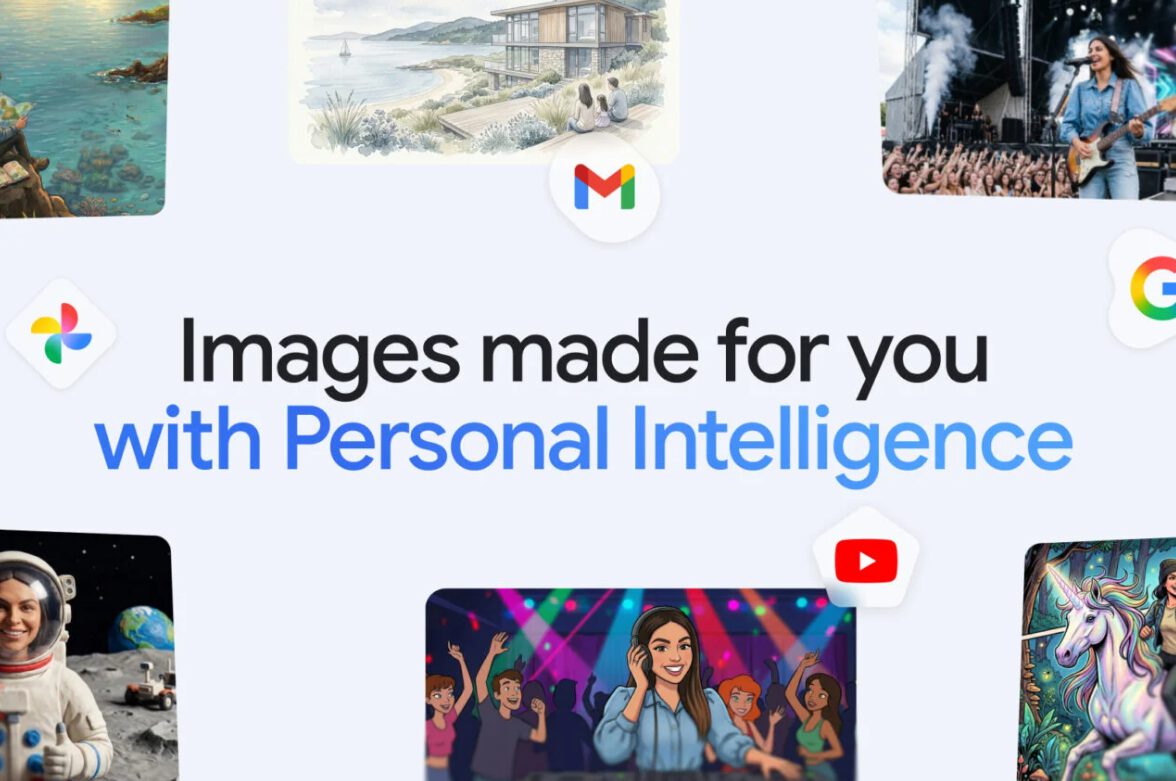
Gemini Personal Intelligence allows Google's AI to access your Google Photos and Gmail metadata to generate contextually relevant, personalized images based on your family, location patterns, and digital history from the past 12 months. By synthesizing these digital breadcrumbs, the system enables users to create highly specific imagery without the need for exhaustive manual prompting.
As a photography editor, I often find myself caught between the raw authenticity of a captured moment and the infinite possibilities of modern image synthesis. We are entering an era where the camera is no longer just a device with a lens, but a bridge to our digital archives. The introduction of Gemini Personal Intelligence represents a significant pivot in how we interact with our own visual history. It is no longer just about storing photos; it is about using the DNA of those photos to create something entirely new and deeply personal.
How to Enable Gemini Personal Intelligence in Google Photos
Setting up this integration requires a few intentional steps. Unlike basic search functions, this feature requires a multi-layered opt-in process to ensure you are fully aware of the data being accessed. Because this leverages multi-modal AI, the system needs to verify your identity and your subscription tier before the connection is finalized.
To begin the Google Photos Gemini integration guide, you must first ensure you are running the latest version of the Gemini app on a compatible device. Navigate to the Gemini Personal Intelligence menu, which is typically found within the extensions or connected apps section of your profile settings. Here, you will see a list of available Google services.
The primary step in how to enable gemini personal intelligence in google photos is to toggle the connection for both Google Photos and Gmail. The system will prompt you to review a disclosure agreement regarding how your metadata is processed. Once you provide user consent, the AI begins a background indexing process of your most recent assets. Keep in mind that this is only available for paid Google AI Plus, Pro, and Ultra subscribers in the United States. If you are using a standard free account or an enterprise workspace, the option will remain greyed out to maintain strict organizational data boundaries.
Under the Hood: Nano Banana 2 and Visual Synthesis
The technology driving this leap is the Nano Banana 2 model. For those of us who nerd out over technical specifications, this isn't just a standard generative model. It utilizes a sophisticated visual synthesis engine that combines computer vision with deep metadata analysis. Traditional AI image generators rely on a massive, general dataset of public images. However, when you use Gemini Personal Intelligence, the AI adds a layer of private context.
The system specifically looks for the gemini personal intelligence image generation past 12 months criteria, meaning it prioritizes your most recent visual habits. By utilizing facial recognition on your own library, it learns the specific features of your family members or pets. It doesn't just "know" what a dog looks like; it knows what your golden retriever looks like under the specific lighting of your backyard. This is achieved through a process where the AI analyzes location patterns and time stamps to understand the context of your life.
This shift from manual prompts to metadata-driven creation is transformative. Instead of describing your brother's height, hair color, and favorite shirt, you simply refer to him by name. The Nano Banana 2 model retrieves the relevant visual markers from your private library to render a consistent likeness in a new, AI-generated scene. It is a form of digital asset management that evolves into creative execution.
The Privacy Shield: Managing Your Data Sovereignty
Privacy is the most common concern I hear from photographers when discussing AI. The idea of an algorithm "looking" through private photos can feel invasive. However, Google has implemented an opt-in architecture designed to maintain data sovereignty. One of the most critical distinctions to understand is that Google does not use a user's private Google Photos library to directly train its generative AI models. Your family photos are used as a reference point for your specific requests, not as training data for the world's AI.
To manage your Gemini Personal Intelligence privacy settings, you should familiarize yourself with the granular controls. You can disconnect specific apps at any time, which immediately severs the AI's access to those data streams. Furthermore, there is a temporary chat mode. When this is active, the session is not saved to your history, providing a "darkroom" environment for sensitive projects.
It is also important to note the gemini personal intelligence regional availability 2026 restrictions. Currently, the service is disabled in the EU, UK, and Japan. This is largely due to the complexities of GDPR compliance and local facial recognition laws. For users in these regions, the interface will not even show the option for personalization, ensuring that regional data protection standards are upheld without compromise. You can always review your google photos privacy settings for gemini ai images to see exactly which metadata tags are being shared with the assistant.
Prompt Engineering: Generic vs. Personalized Results
The real magic happens when you start writing prompts. In the past, achieving a specific look required a paragraph of descriptive text. With Gemini AI personalized image generation, the prompt becomes a shorthand conversation. You are no longer describing a scene to a stranger; you are asking a digital assistant who already knows your world.
Below is a comparison of how your prompting strategy shifts when the personal intelligence layer is active:
| Feature | Generic AI Prompt | Gemini Personal Intelligence Prompt |
|---|---|---|
| Family Photos | "A middle-aged man and a young girl playing with a black lab in a park." | "My dad and my daughter playing with our dog at the park from last summer." |
| Travel Memories | "A photo of a couple standing in front of the Eiffel Tower at sunset." | "Me and my partner in front of the Eiffel Tower, using the same style as our Paris trip." |
| Home Decor | "A modern living room with a grey sofa and a large window." | "A version of my living room if we replaced the sofa with a velvet green one." |
| Creative Portraits | "A professional headshot of a woman with glasses in an office setting." | "A professional headshot of me in a high-end studio setting." |
When using gemini personal intelligence prompts for family photos, the AI references specific people identified in your Google Photos "People & Pets" albums. If the AI gets a detail wrong, you can use the plus button in the interface to provide manual corrections, which helps the system refine its understanding of your specific visual preferences.
FAQ
What is Gemini Personal Intelligence?
Gemini Personal Intelligence is an advanced suite of features within the Google Gemini AI that allows the assistant to access and analyze your private data from Gmail and Google Photos. This enables the AI to provide personalized responses and generate custom images that feature your specific family members, locations, and personal history.
How does Gemini Personal Intelligence work?
The system works by using the Nano Banana 2 model to analyze metadata and visual patterns in your digital history from the past 12 months. It uses facial recognition and computer vision to identify consistent subjects in your photo library, allowing it to synthesize new images that accurately represent your real-world environment and relationships.
How do I set up Gemini Personal Intelligence?
To set up the feature, you must have a paid subscription to a Google AI plan like Pro or Ultra. You then navigate to the Gemini app settings, locate the Personal Intelligence or Extensions menu, and manually opt-in by connecting your Google Photos and Gmail accounts.
Is Gemini Personal Intelligence safe for private data?
Google has designed the system with an opt-in architecture, meaning it is off by default. Critically, Google states that your private photos are not used to train their global generative AI models. The data is used as a reference for your specific requests only, and you can delete your history or disconnect the apps at any time to maintain data sovereignty.
Can I disable Gemini Personal Intelligence tracking?
Yes, you can disable the tracking and data access at any time through the Gemini settings menu. You can choose to disconnect individual apps or turn off the personalization feature entirely. Additionally, using the temporary chat mode ensures that your interactions and generated images are not saved to your account history.





