Our Top Picks
- Best Browser: Vivaldi (Unmatched privacy and custom power user features).
- Best Email: Mailspring (Streamlined interface for high-volume scheduling).
- Best Office: LibreOffice (The gold standard for non-subscription document editing).
- Best PDF: Sumatra PDF (Minimalist speed that puts Adobe and Edge to shame).
- Best File Manager: Files (A modern, tabbed UI with native Git integration).
The best Windows 11 software alternatives for productivity include Vivaldi for browsing, Mailspring for email, and LibreOffice for document management. These free productivity apps for Windows 11 offer better resource efficiency and privacy than default Microsoft tools.
| Default Windows App | Recommended Alternative | Primary Benefit |
|---|---|---|
| Microsoft Edge | Vivaldi | Advanced tab management & privacy |
| Microsoft Outlook | Mailspring | Lightweight UI & read receipts |
| Microsoft Office 365 | LibreOffice | No subscription & local privacy |
| Edge (PDF Reader) | Sumatra PDF | Instant loading & low RAM usage |
| File Explorer | Files | Modern design & dual-pane view |
Why Replace Default Windows 11 Software?
Windows 11 is a capable operating system, but its default software suite has become increasingly heavy. Between aggressive telemetry, the constant push for Copilot AI integration, and a subscription-first mentality, the "out-of-the-box" experience often creates more friction than it solves. For example, as of early 2026, Microsoft Edge holds approximately 13% of the global desktop browser market share, largely because power users prefer the speed and control of third-party options.
The productivity cost is real. A recent study found that Microsoft Outlook users average 4.7 canceled or rescheduled meetings per week, suggesting that the calendar and email ecosystem has become cumbersome for modern professionals. If you are looking to replace default Windows 11 software, the goal is bloatware reduction and reclaiming your system resources. By choosing lightweight, open source alternatives to Windows apps, you can extend the life of your hardware and eliminate the "cloud-syncing nags" that interrupt your deep work.
1. Vivaldi: The Best Privacy-Focused Browser Alternative
Microsoft Edge has transformed from a lightweight browser into a billboard for Microsoft services. Vivaldi, built by the original founders of Opera, offers a clean break from this model. It is designed for those who want to know how to replace default apps in windows 11 for better performance without losing compatibility. Since it is Chromium-based, every extension you use in Chrome or Edge will work here.
What sets Vivaldi apart is its tab management. You can stack tabs, tile them in a split-screen view, and even hibernate inactive tabs to save RAM—a feature essential for those running heavy development environments or creative suites. Most importantly, it includes a "kill switch" for AI features and a built-in ad and tracker blocker that significantly reduces the data footprint of your daily browsing.
If you are looking for the best privacy focused browser alternatives to microsoft edge windows 11, Vivaldi is the clear winner. It doesn't profile your behavior, and its synchronization uses end-to-end encryption, ensuring your browsing history stays yours.
2. Mailspring: Lightweight Email for Peak Performance
The "New Outlook" for Windows 11 has faced criticism for being essentially a web-wrapper that lacks the snappiness of a native desktop application. For many, Microsoft Outlook's 400 million active users are simply sticking with it out of habit, despite the performance overhead. Mailspring offers a sophisticated alternative that focuses on speed and scheduling efficiency.
Mailspring provides a unified inbox that handles multiple IMAP accounts (Gmail, iCloud, Office 365) with ease. It includes professional features like read receipts, link tracking, and a "send later" function without the bloated interface of enterprise mail clients. It is one of the most effective lightweight email clients for windows 11 to replace outlook, especially if you find the default app’s search function to be slow or unreliable.
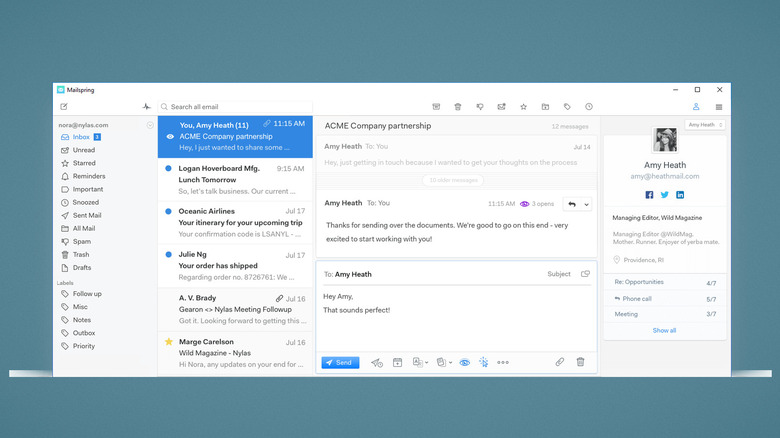
The local search indexing in Mailspring is significantly faster than Outlook’s, allowing you to find old attachments or threads in milliseconds rather than seconds. For professionals who manage high volumes of communication, this responsiveness is a major productivity booster.
3. LibreOffice: The Definitive Open Source Office Suite
While Microsoft 365 is a powerful tool, not every user needs a monthly subscription to write a document or manage a spreadsheet. LibreOffice remains the best of the free open source office suites compatible with windows 11. It provides a full suite of applications—Writer, Calc, and Impress—that match the functionality of Word, Excel, and PowerPoint without the "software-as-a-service" baggage.
LibreOffice excels in multi-format compatibility. It handles .docx and .xlsx files natively, ensuring you can collaborate with colleagues still trapped in the Microsoft ecosystem. More importantly, it prioritizes data sovereignty. Your files are stored locally by default, avoiding the forced OneDrive syncing that can lead to file version conflicts and privacy concerns.
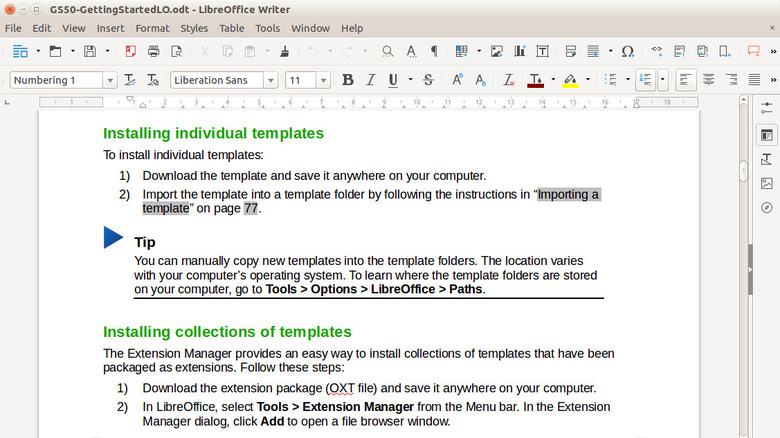
For those tired of the "ribbon" interface and the constant prompts to upgrade to premium AI features, LibreOffice’s classic, customizable toolbar offers a distraction-free environment that respects your hardware’s resource efficiency.
4. Sumatra PDF & Files: Minimalist Utilities for Power Users
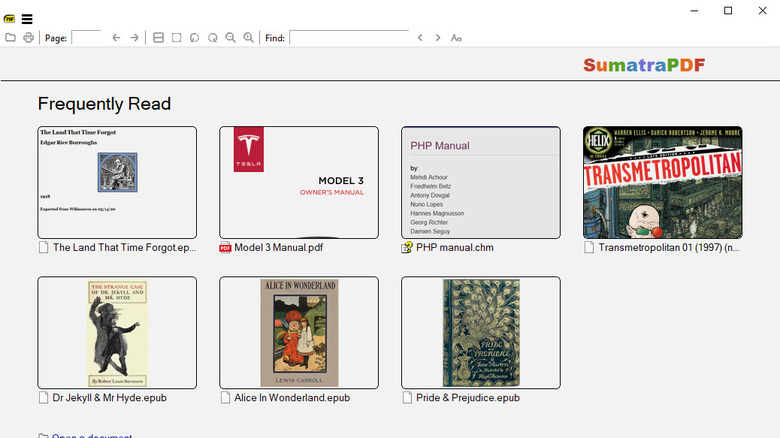
Modern Windows 11 uses Edge as the default PDF viewer, which is a heavy-handed approach for a simple task. Sumatra PDF is the antidote. It is one of the fastest minimalist pdf readers for windows 11, opening instantly even with massive technical manuals. It supports EPUB, Mobi, and CBR formats, making it a versatile tool for both work documents and digital reading.
Complementing this is the "Files" app, available on the Microsoft Store or via GitHub. While the native File Explorer has improved, Files offers a much more modern experience with dual pane file manager alternatives for windows 11 power users. It features a tabbed interface that feels like a natural part of the OS, but adds powerful tags, Git integration, and a significantly cleaner UI.
By combining these utilities with a tool like UniGetUI for centralized package management, you can create a Windows environment that is fast, secure, and entirely tailored to your specific workflow.
FAQ
What are the best free alternatives to Windows 11?
If you are looking to replace the operating system entirely, Linux distributions like Linux Mint or Fedora are excellent choices for privacy and performance. However, if you want to stay on Windows but remove the bloat, the best approach is to replace default Windows 11 software with FOSS tools like those mentioned in this guide.
What is the most lightweight alternative to Windows 11?
In terms of software, Sumatra PDF and Vivaldi are significantly lighter on system resources than Edge. For those on older hardware, using these Windows 11 software alternatives can make an aging PC feel new again by reducing background RAM usage and CPU cycles dedicated to telemetry.
Which Windows 11 alternative is best for privacy?
Vivaldi is the best browser for privacy, while LibreOffice is the best for document privacy. By moving away from cloud-dependent apps like Outlook and OneDrive, you retain control over your data on your local drive, which is the most effective way to ensure your information isn't being used for AI training or ad profiling.
Can I replace Windows 11 on an older computer?
Yes, you can install lightweight Linux distributions (like Xfce-based versions of Manjaro) on older computers that don't meet the official Windows 11 hardware requirements. Alternatively, you can use "de-bloating" scripts alongside lightweight software to make Windows 11 more viable on older hardware.
Is it difficult to switch from Windows 11 to a new operating system?
Switching to a new OS requires a learning curve and backing up your data, but switching individual apps is very easy. Most of the Windows 11 software alternatives listed here allow you to import your data (bookmarks, emails, and documents) in just a few clicks, making the transition seamless for most users.





