Our Top Picks
Looking for the best way to upgrade your wearable? Here are the leading apple watch face apps for 2026:
- Clockology: The ultimate choice for total customization and user-generated layouts.
- Facer: The best library for licensed apple watch faces including NASA and Star Trek.
- Buddywatch: Ideal for those who want AI-powered suggestions and sleek aesthetic apple watch face designs for a fresh look.
- MobyFox: The top pick for officially licensed apple watch faces for movie fans like Harry Potter.
- Watch Faces Gallery: Best for animated and dynamic apple watch faces from third parties.
Looking for a fresh look? The best apple watch face apps in 2026 offer more than just aesthetics; they provide deep HealthKit synchronization and officially licensed apple watch faces that transform your wearable into a truly personalized hub.
| App Name | Best For | Price Tier | watchOS Requirement |
|---|---|---|---|
| Clockology | High-End Personalization | Free / Premium | watchOS 11 or later |
| Facer | Licensed Brands | Free / Subscription | watchOS 10 or later |
| Buddywatch | AI Recommendations | Free / Premium | watchOS 11 or later |
| MobyFox | Movie & Pop Culture | One-time / Bundles | watchOS 10 or later |
| Watch Faces Gallery | Dynamic Animations | Free / Premium | watchOS 10 or later |
The Apple Watch has evolved from a simple notification center into a powerful health and productivity tool, yet the built-in face options can sometimes feel restrictive. In 2026, the landscape of wearable personalization has shifted toward functional independence. Whether you are rocking the latest Apple Watch Ultra or a reliable Series model, the right third-party apple watch faces can unlock a level of utility that Apple’s stock software simply does not provide.
Clockology: The Designer's Choice for 2026
If you have ever looked at your wrist and wished for a layout that Apple does not officially support, Clockology is your solution. In 2026, it remains the gold standard for enthusiasts who want to build their own interfaces from scratch. Unlike standard options, Clockology provides a robust design editor that allows you to layer images, videos, and custom apple watch widgets in a way that feels like professional graphic design software.
The power of Clockology lies in its community. Thousands of creators share user-generated layouts daily, ranging from retro digital aesthetics to high-density Infograph designs that display more data than ever before. With full compatibility for the newest watchOS versions, you can now integrate high-refresh-rate animations that look stunning on the Apple Watch Ultra display.
Quick Specs
- Key Feature: Advanced design editor with multi-layer support.
- Community: Access to millions of shared user-generated layouts.
- Best For: Tech-savvy users who want a one-of-a-kind look.
- Integration: Full HealthKit synchronization for custom health rings.
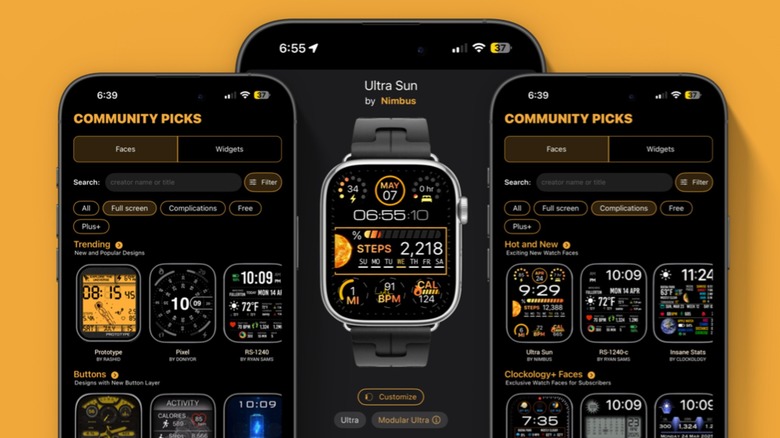
The 2026 version of Clockology has improved its background refresh logic, solving one of the long-standing hurdles of third-party software. Now, your custom layouts stay active without significant battery drain, and the inclusion of custom apple watch widgets for weather and activity tracking makes these faces as functional as they are beautiful.
Facer: Best for Licensed Pop Culture Faces
Facer has long been the titan of the industry, and for good reason. As of late 2025, Facer held a 4.6-star rating with over 54,000 reviews in the App Store, cementing its status as a reliable choice for millions. Its library is staggering, boasting over 500,000 watch faces that cater to every possible niche.
What sets Facer apart in 2026 is its massive roster of brand collaborations. This is the place to go for officially licensed apple watch faces from names like NASA, Tetris, and Star Trek. These are not just low-resolution images; they are professionally crafted interfaces with custom watchOS complications and dynamic animations that react to your movements.
Quick Specs
- Library Size: Over 500,000 options.
- Specialty: Licensed apple watch faces and big-brand partnerships.
- Pricing: Robust free tier with a premium subscription for high-end brands.
- Compatibility: Works seamlessly across all modern Apple Watch models.
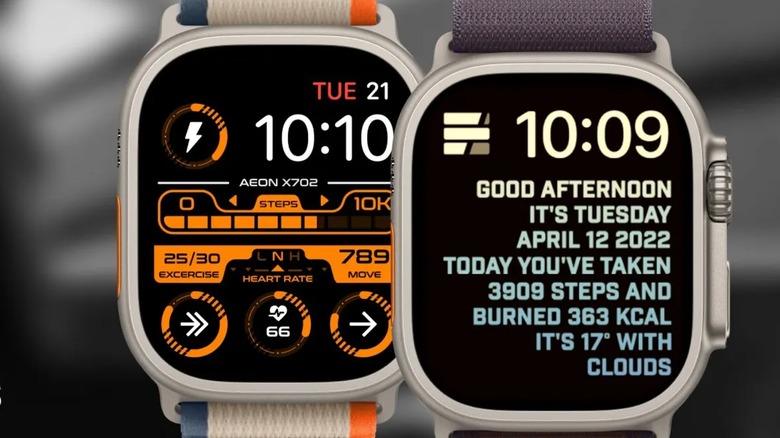
Navigating Facer is incredibly intuitive. The app uses a smart tagging system that helps you find aesthetic apple watch face designs for a fresh look based on color, theme, or functionality. If you want a face that looks like a vintage dive watch or one that features a real-time feed of NASA satellite imagery, Facer makes the synchronization process a one-tap affair.
Buddywatch: AI-Powered Styling and Health Integration
As we move through 2026, artificial intelligence has found its way into our style choices. Buddywatch has pivoted to become the premier AI-driven platform for wearable personalization. The app analyzes your daily habits—such as your typical workout times or your most-used apps—and suggests custom apple watch widgets to improve productivity.
Buddywatch excels at creating a cohesive visual aesthetics experience. If you buy a new watch band, you can snap a photo of it, and the AI will generate a selection of third-party apple watch faces that perfectly match the color and texture of your strap. Beyond style, it is a powerhouse for data. It leverages HealthKit synchronization to curate modular interfaces that prioritize your most important metrics, whether that is blood oxygen levels, heart rate variability, or daily step counts.
Quick Specs
- AI Feature: Personalized face suggestions based on activity and style.
- Focus: HealthKit synchronization and productivity.
- Interface: Clean, minimalist, and very user-friendly.
- Social: Easy sharing of face configurations with friends.
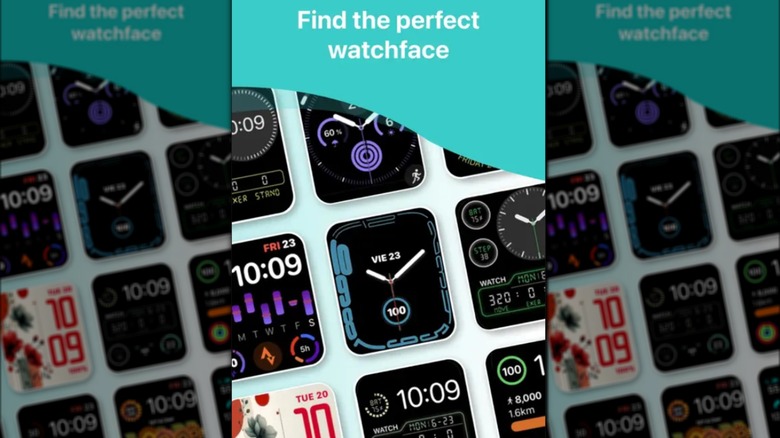
For users who find the sheer volume of options in other apple watch face apps overwhelming, Buddywatch is a breath of fresh air. It does the heavy lifting for you, presenting a curated feed of best free apple watch face apps 2026 options that feel premium and polished. It is the best choice for someone who wants their watch to look great without spending hours in a design editor.
MobyFox & Watch Faces Gallery: Functionality and Dynamic Animation
While some apps focus on a broad library, MobyFox has carved out a specific niche: high-quality pop culture IP. This app is the destination for officially licensed apple watch faces for movie fans. From the Wizarding World of Harry Potter to the gritty aesthetic of the DC Universe, MobyFox faces often come as part of a bundle that includes a physical watch strap, creating a fully immersive theme for your device.
On the other hand, Watch Faces Gallery n Widgets focuses on the visual flair of the hardware itself. If you own an Apple Watch Ultra, you want faces that take advantage of that expansive, bright screen. This app specializes in animated and dynamic apple watch faces from third parties that use every pixel. Think 3D renders of planets that rotate as you turn your wrist, or seasonal landscapes that change from day to night in real-time.
Quick Specs
- MobyFox Specialty: High-end pop culture and movie tie-ins.
- Watch Faces Gallery Specialty: Dynamic animations and specialized widgets.
- Ultra Optimization: Specific layouts for the Apple Watch Ultra 3 satellite synergy.
- Content Updates: Frequent new releases based on trending movies and holidays.
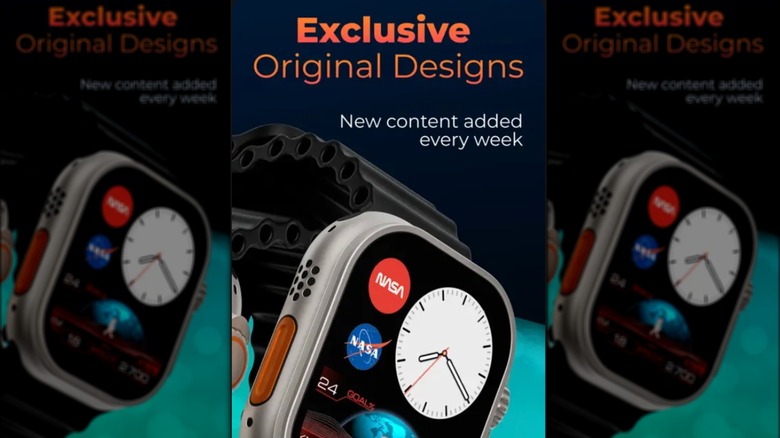
Both of these apps provide third-party apple watch face software for latest watchos that feels deeply integrated into the system. They make extensive use of watchOS complications, allowing you to launch navigation shortcuts or check real-time weather with a single tap. The level of detail in the dynamic animations is particularly impressive, providing a premium feel that often exceeds Apple's own motion faces.
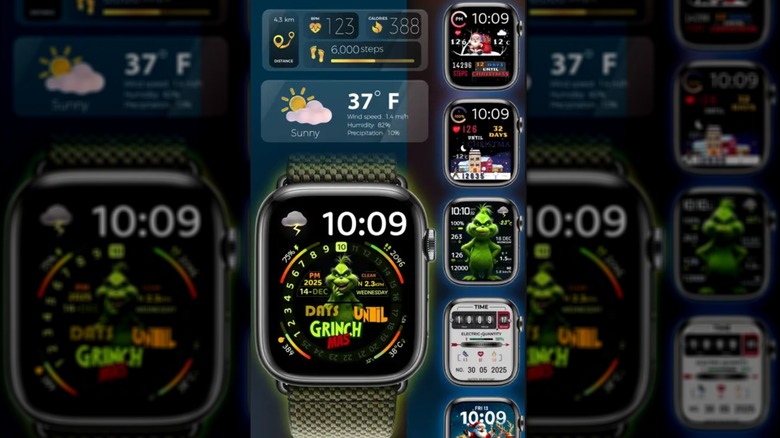
When choosing between these, consider your lifestyle. If you are a collector who loves big franchises, MobyFox is essential. If you want your watch to be a conversation starter with beautiful, moving art, Watch Faces Gallery is the way to go. Both platforms have moved toward subscription tiers in 2026, but they offer enough free content to get a taste of their high-quality designs before committing.
How to Choose the Right App for Your Lifestyle
Selecting the best apple watch face apps depends on your balance of form versus function. If you are a power user, prioritize apps that offer custom apple watch widgets to improve productivity. These allow you to see your next calendar event, the current temperature, and your activity rings all at a glance. For those using their watch as a fashion statement, look for apps that offer aesthetic apple watch face designs for a fresh look with high-density colors and unique typography.
In 2026, the best third-party apple watch faces are those that do not compromise the device's performance. Always look for software that is regularly updated to support the latest watchOS complications. This ensures that your heart rate monitor, GPS data, and notification pings all work in harmony with your chosen design.
Whether you choose the community-driven creativity of Clockology or the polished, branded experience of Facer, the ability to customize your Apple Watch is greater now than it has ever been. By stepping away from the standard faces, you turn your smartwatch into a tool that truly reflects your personality and your daily needs.
FAQ
What are the best free Apple Watch face apps?
Buddywatch and Facer offer some of the most comprehensive free libraries available in 2026. While both have premium subscription tiers for exclusive branded content, their free sections include thousands of high-quality, community-made designs. Clockology also has a strong free tier, though some advanced features for its design editor require a subscription.
Do third-party watch face apps drain the battery?
In the past, third-party apple watch faces were known for being power-hungry, but improvements in watchOS 11 and later have optimized how these apps run in the background. While animated and dynamic apple watch faces from third parties might use slightly more power than a static face, the difference is negligible for most modern models like the Apple Watch Ultra.
Can I create my own Apple Watch face using an app?
Yes, Clockology is the leading choice for creating a face from scratch. It features a comprehensive design editor where you can add your own images, set custom fonts, and choose exactly which watchOS complications to display. It allows for user-generated layouts that can be shared with a global community of designers.
How do I add complications to my watch face?
Most third-party apple watch face software for latest watchos allows you to customize complications directly within the app before syncing the face to your watch. Once the face is on your watch, you can long-press the screen, tap edit, and swipe to the complications menu to swap out data points like weather, battery life, or HealthKit synchronization rings.





