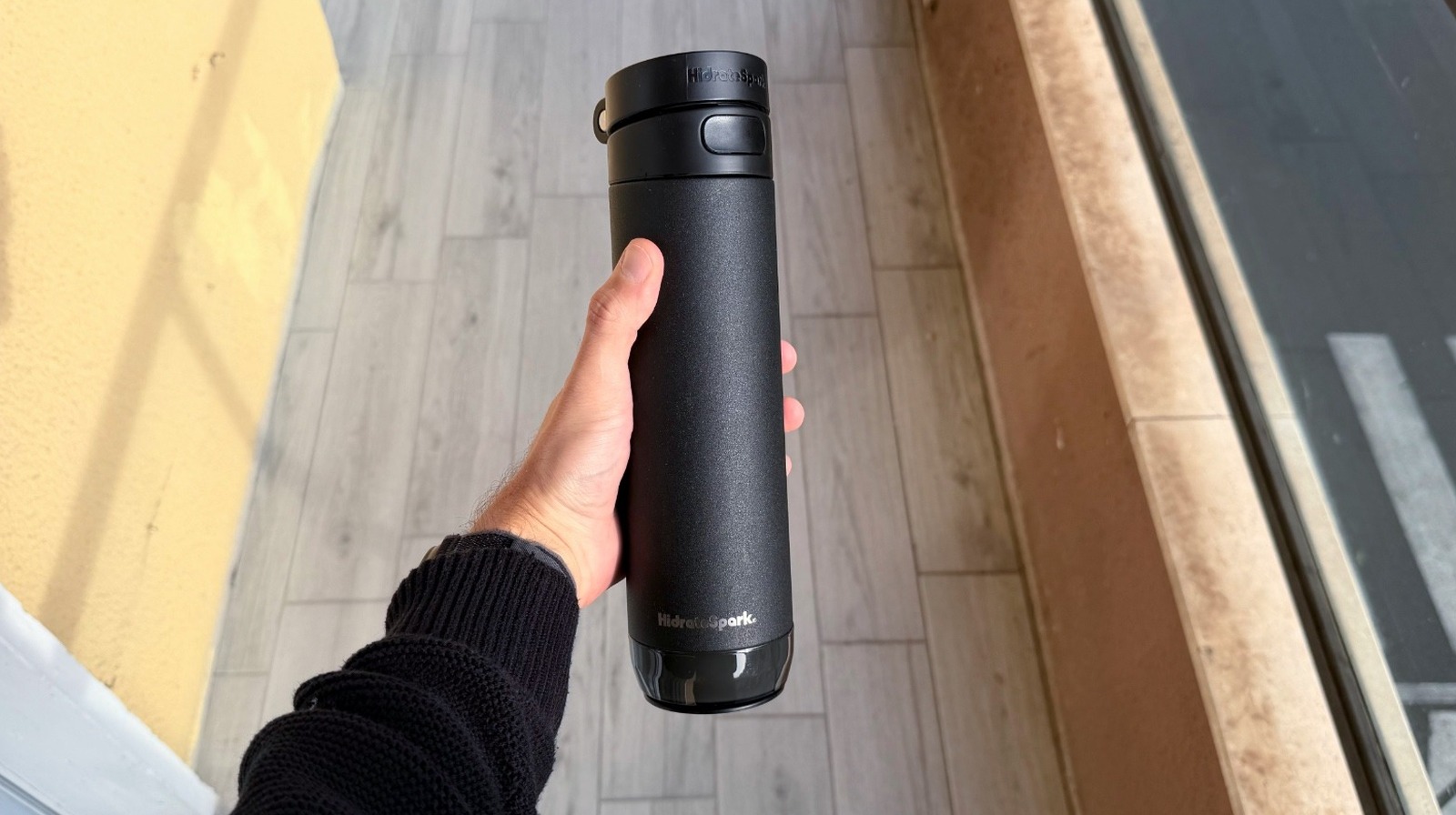
Our Top Picks
- The Upgrade: Moving from a proprietary magnetic puck to a universal USB-C charging system eliminates the "dead bottle" syndrome common with lost cables.
- The Hook: Integration with the Apple Find My network turns a premium bottle into a trackable asset, perfect for the commuter lifestyle.
- The Flaw: Persistent software hurdles mean that while the hardware is nearly perfect, the background data refresh often requires manual app intervention.
The HidrateSpark Pro 2 is a significant hardware step forward, offering universal charging and Apple Find My support that justifies the upgrade for most power users, despite lingering software syncing friction. If you have been waiting for a reason to trade in your original model, the transition to HidrateSpark Pro 2 USB-C charging vs custom puck is likely the tipping point you have been looking for.
Hardware Evolution: USB-C and Rugged Design
When we look at the HidrateSpark Pro 2 vs original Pro, the most immediate physical change is one that sounds mundane but feels revolutionary in daily practice: the charging port. For years, HidrateSpark users have been tethered to a proprietary magnetic charging cable. If you lost it, your smart bottle became a very expensive, "dumb" steel container. The HidrateSpark Pro 2 features a smart sensor with an improved battery life of 21 to 30 days that supports universal USB-C charging, allowing you to use the same cable that powers your iPad or MacBook.
Beyond the power source, the build quality and durability have seen a notable uptick. The bottle is constructed from vacuum insulated steel, capable of keeping beverages cold for up to 24 hours. During my testing, the 21oz model fit perfectly in standard car cup holders, while the larger 32oz version felt built for those long office sessions where frequent refills are a distraction.
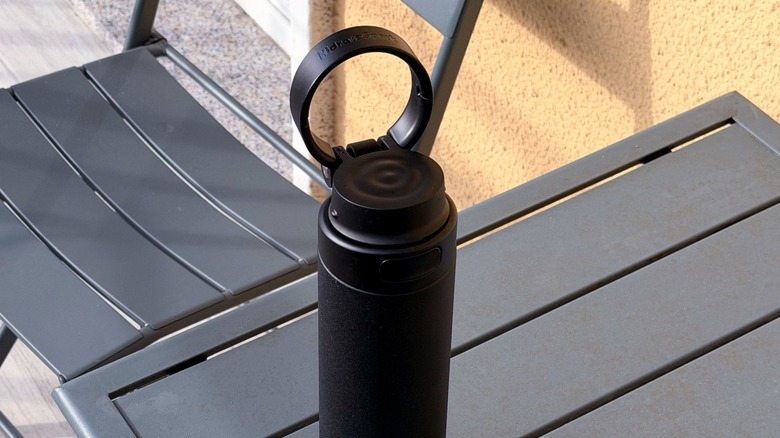
The lid design has also evolved. While previous iterations felt a bit clinical, the new HidrateSpark Pro 2 rugged design and lid features include a more robust integrated handle. This small addition makes the bottle significantly more portable, especially when your hands are full with a laptop and a phone. You still have the choice between straw and chug lids, both of which feel more secure than the first-generation Pro lids.
Pro vs. Pro 2 Comparison
| Feature | HidrateSpark Pro | HidrateSpark Pro 2 |
|---|---|---|
| Charging Type | Proprietary Magnetic Puck | Universal USB-C |
| Battery Life | 10-14 Days | 21-30 Days |
| Tracking | Bluetooth Only | Bluetooth + Apple Find My |
| Material | Stainless Steel / Tritan | Vacuum Insulated Steel |
| Standard Lid | Carrying Loop (Separate) | Integrated Rugged Handle |
Pro Tip: The sensor puck is the "brain" of the bottle. While the steel body and lid are top-rack dishwasher safe, the sensor puck is NOT waterproof. Always remove it from the base before cleaning your bottle to avoid permanent damage to the rechargeable internal battery.
The Apple Advantage: Find My & Health Integration
For those deep in the Apple ecosystem, the standout feature is undoubtedly the inclusion of Apple Find My smart water bottle features. The HidrateSpark Pro 2 is officially compatible with Apple's Find My network, which allows you to track the location of your bottle just as you would a pair of AirPods or an AirTag.
The setup process for Apple Find My smart water bottle features worth having is straightforward but requires a specific workflow:
- Open the Find My app on your iPhone.
- Navigate to the Items tab and select Add Other Item.
- While the HidrateSpark Pro 2 is in pairing mode, the app will detect it as a trackable device.
- Once added, you can see its last known location on a map and receive "Left Behind" notifications if you walk away from it at a cafe or the gym.
This integration extends into your wellness data as well. The HidrateSpark app for the Pro 2 integrates with Apple Health to dynamically adjust daily hydration goals based on your personal biometrics, step count, and activity data. If you finish a high-intensity workout recorded on your Apple Watch, the bottle's LED glow alerts will trigger sooner, reminding you that your body needs more water to compensate for the sweat loss. This creates a personalized hydration metrics system that feels proactive rather than reactive. Is the HidrateSpark Pro 2 worth it for Apple Health? If you rely on the Health app to aggregate your fitness data, the two-way data sharing makes it a powerful tool for maintaining physiological balance.
The Catch: Software Stability & Syncing
Despite the hardware brilliance, our testing revealed that the "smart" part of the bottle still hits some bumps. The most common frustration involves why HidrateSpark Pro 2 does not sync in background as reliably as one might expect. Apple's iOS has strict power-management protocols, and sometimes the HidrateSpark app is put to sleep, preventing it from pulling data from the sensor puck automatically.
We specifically looked into fixing HidrateSpark Pro 2 syncing errors on iOS 26, and the results were a mixed bag. While the Bluetooth connectivity is generally strong, users often find they have to manually open the app to trigger a data refresh. This "syncing tax" can be annoying when you look at your iPhone widget and see an outdated hydration percentage.
If you find yourself struggling with HidrateSpark app syncing troubleshooting, here is the standard protocol we recommend:
- Check the Firmware: Ensure you have the latest firmware updates installed via the settings menu in the HidrateSpark app.
- Manual Calibration: If the bottle is recording ghost sips or missing drinks, place it on a flat surface and use the "Recalibrate" tool in the app.
- Force Sync: If background data refresh fails, simply wake the sensor by taking a sip and opening the app simultaneously.
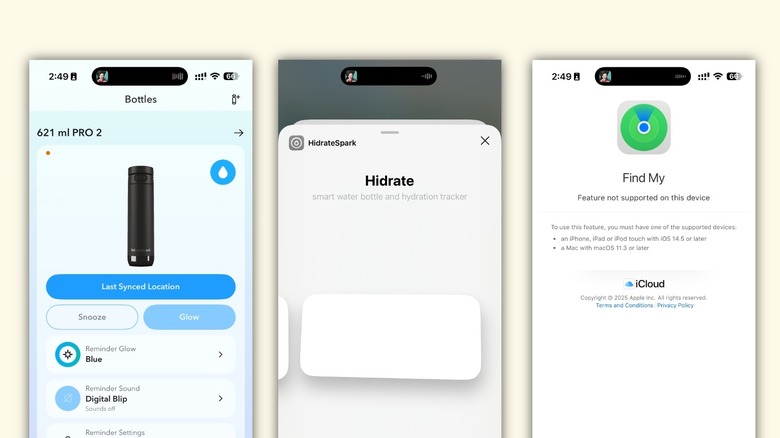
The liquid intake monitoring relies heavily on the sensor being on a flat surface to accurately weigh the water level. If you are constantly drinking on the move without ever setting the bottle down, the smart sensor technology might struggle to provide real-time accuracy.
Maintenance & Care: Protecting the Sensor
As a tech editor, I've seen many smart devices fail due to poor maintenance. With the HidrateSpark Pro 2, longevity is tied directly to how you handle the sensor puck. Since the puck is situated at the bottom of the bottle, it is prone to collecting moisture if you are not careful during refills.
Always ensure the base is dry before re-attaching the sensor. If you notice the LED glow alerts are becoming dim or erratic, it is often a sign that the sensor needs a reboot or a full charge via the USB-C port. Following a HidrateSpark Pro 2 vs original Pro upgrade guide will tell you that the new model is more durable, but it isn't indestructible. Treating the sensor with the same care you would give a smartphone is the key to getting your money's worth.
FAQ
What is the difference between HidrateSpark Pro and Pro 2?
The primary differences are the charging method and tracking capabilities. The Pro 2 uses universal USB-C charging instead of a proprietary magnetic cable and includes native support for the Apple Find My network. It also features a more rugged lid with an integrated handle.
How long does the battery last on the HidrateSpark Pro 2?
The rechargeable internal battery typically lasts between 21 and 30 days on a single charge, depending on how frequently the LED glow alerts are triggered.
Does the HidrateSpark Pro 2 sync with Apple Health and Fitbit?
Yes, the HidrateSpark app offers seamless fitness data sharing with Apple Health, Fitbit, and other major fitness platforms, allowing your hydration goals to adjust based on your activity levels.
Is the HidrateSpark Pro 2 worth it?
For Apple users who value the Find My ecosystem and want to move away from proprietary charging cables, the Pro 2 is the definitive choice. However, if you already own the original Pro and don't mind the magnetic charger, the hydration tracking itself remains largely the same.
How do you calibrate the HidrateSpark Pro 2 sensor?
To calibrate, empty the bottle and place it on a flat surface. Open the app, go to the bottle settings, and select "Calibrate." Follow the prompts to weigh the bottle empty, then full, to ensure accurate liquid intake monitoring.
Final Verdict
The HidrateSpark Pro 2 is a polished piece of hardware that finally addresses the two biggest complaints of its predecessor: the charging cable and the fear of losing an expensive bottle. While the software still requires the occasional nudge to sync properly on newer versions of iOS, the ecosystem benefits for Apple users are undeniable.
If you are looking for a way to turn a basic biological necessity into a data-driven habit, this is the most advanced tool on the market. Just remember to keep that sensor puck dry and keep your app updated to minimize the friction of the digital-to-physical handoff.