Our Top Picks
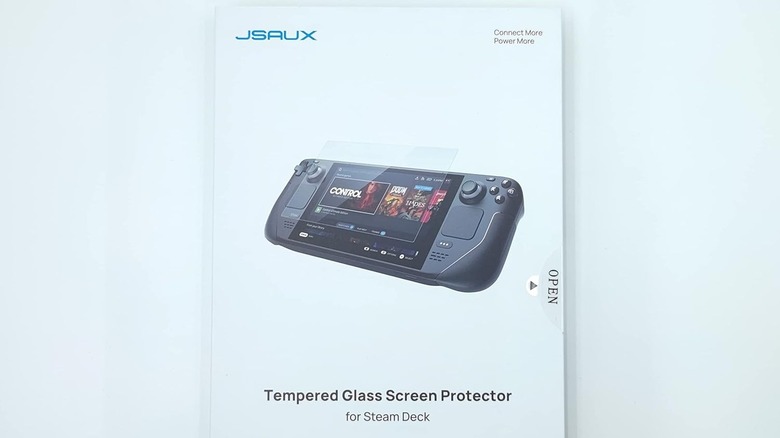
- Best Overall (Jsaux): The gold standard for handheld gaming console protection, offering a perfect balance of durability, clarity, and value.
- Best Premium (Spigen GLAS.tR EZ Fit): Features a revolutionary auto-alignment kit that makes a bubble-free application foolproof for the Steam Deck OLED.
- Best Budget (amFilm): High-quality 9H tempered glass that comes in multi-packs, making it the most cost-effective way to shield your Valve 7-inch display.
- Best Anti-Glare (Ivoler): Specifically engineered to diffuse light and eliminate reflections for those who frequently play in bright or outdoor environments.
The best Steam Deck screen protectors are typically made from tempered glass with a 9H hardness rating to prevent scratches and impact damage. Brands like Jsaux and amFilm are top-rated for providing edge-to-edge coverage and maintaining touch sensitivity. For the Steam Deck OLED, the Spigen GLAS.tR EZ Fit is highly recommended due to its high transparency and easy-to-use alignment kit.
Most premium Steam Deck screen protectors are between 0.3mm and 0.33mm thick, ensuring they do not interfere with touch response or the console's fit in a docking station. These protectors often feature an oleophobic coating to resist fingerprint smudges and sweat, while anti-glare variants are specifically designed to reduce reflections for gamers who play outdoors or in bright environments.
| Product | Hardness | Alignment Kit | Best For |
|---|---|---|---|
| Jsaux Tempered Glass | 9H | Yes | Overall Value |
| Spigen GLAS.tR EZ Fit | 9H | Yes (Tray) | Precise Alignment |
| amFilm 2-Pack | 9H | No | Budget Conscious |
| Ivoler Matte | 9H | Yes | Outdoor Gaming |
| Dbrand Tempered Glass | 9H | No | Premium Feel |
Why Your Steam Deck Needs 9H Protection
As someone who has disassembled dozens of handhelds, let me tell you: you do not want to replace a Steam Deck screen. Replacing the Valve 7-inch display involves heat guns, specialized prying tools, and the removal of several sensitive internal components. It is a high-risk procedure that can cost upwards of $200 if you are out of warranty. In contrast, a tempered glass screen protector for Steam Deck usually costs less than $15 and takes five minutes to install.
The industry standard for handheld protection is 9H hardness. This refers to the Mohs scale of mineral hardness, meaning only a diamond or a very hardened steel file could theoretically scratch the surface. This impact resistance is vital for a mobile device that likely spends its life in a backpack or being passed around during a commute. Even the best scratch resistant 9H hardness Steam Deck screen protectors are thin enough to maintain full compatibility with Valve SteamOS touch gestures. By adding a shatter-proof glass layer, you create a sacrificial barrier that absorbs the energy of a drop, leaving the expensive panel underneath pristine.
The Best Steam Deck Screen Protectors of 2026
When we look at the current market, a few names consistently rise to the top. The JSAUX tempered glass screen protector is among the highest-rated accessories for the Steam Deck, maintaining an average rating of 4.6 out of 5 stars from over 8,800 user reviews on Amazon. What makes the Jsaux option so popular is the inclusion of a plastic guide frame. It snaps over the console and ensures the glass lands perfectly centered every time.
If you are looking for the absolute easiest installation experience, the Spigen GLAS.tR EZ Fit is the winner. Spigen uses a proprietary tray system where the protector is pre-installed in a plastic housing. You simply clean your screen, peel the backing, and drop the whole tray onto the console. This Steam Deck screen protector with auto-alignment kit eliminates the "shaky hand" anxiety that many gamers feel when applying glass. These top-rated screen protectors from brands like Spigen and amFilm feature a 9H hardness rating, providing a layer of protection that resists scratches and impacts while maintaining a 99.9% transparency level.
In a Jsaux vs amFilm Steam Deck screen protector comparison, the choice often comes down to price-per-unit. The amFilm tempered glass protector for the Steam Deck is noted for its affordability and popularity, frequently ranking as a top choice with an average rating of 4.5 out of 5 stars from more than 2,300 buyers. While it might lack the fancy alignment tray of the Spigen, it often comes in a pack of two or three for a lower price, giving you multiple attempts at a bubble-free application.
Anti-Glare vs. Clear: Choosing for LCD and OLED
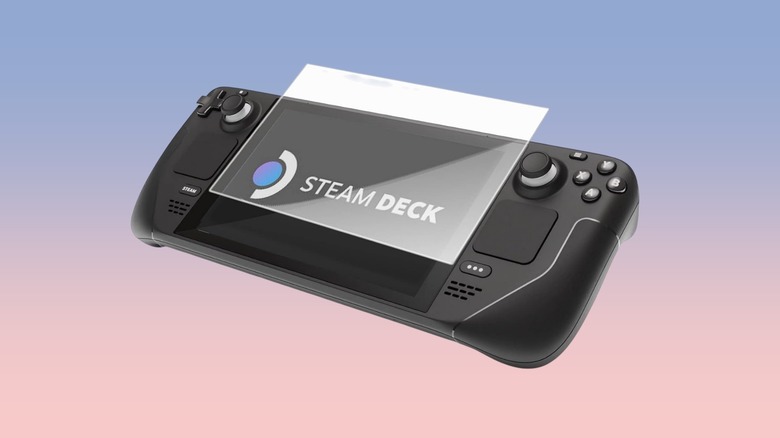
One of the most debated topics in the community is whether to go with a clear or a matte finish. When choosing between a clear and a matte screen protector, consider your primary gaming environment. Clear tempered glass preserves the maximum vibrance and sharpness of the Valve 7-inch display, which is ideal for indoor use. These protectors offer over 99% light transmission, meaning you won't even notice they are there.
However, if you are a commuter or enjoy playing on your patio, a Steam Deck anti-glare screen protector for outdoor gaming is a game-changer. These protectors use a matte finish to diffuse light, effectively killing the "mirror effect" of overhead lights or the sun. The trade-off is that matte finishes typically have a light transmission of around 86% to 90%. This can cause a slight reduction in overall color saturation and display crispness, making the image look a bit "softer."
There is a specific nuance for those choosing a screen protector for Steam Deck OLED or the 512GB LCD model. These high-end versions already come with etched anti-glare glass. Adding a matte protector on top of etched glass can lead to a "double-diffusion" effect, making the screen look blurry. If you own the 512GB LCD or the 1TB OLED, I generally recommend sticking with a high-transparency clear glass protector to maintain the premium look of the factory finish.
Installation Guide: Achieving a Bubble-Free Finish
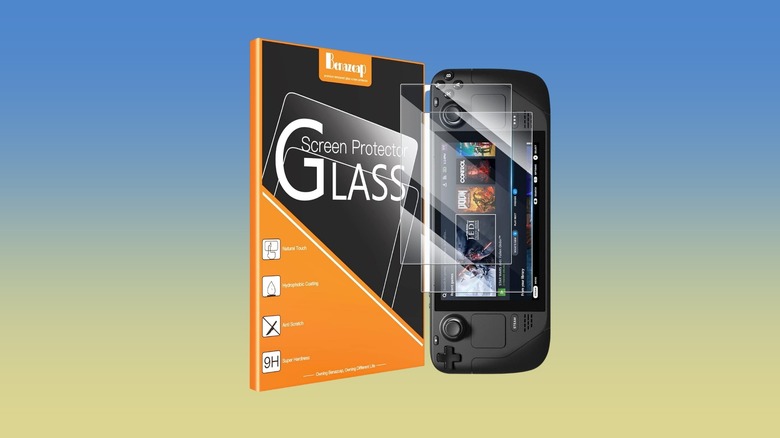
Even the most expensive Steam Deck screen protector will look terrible if it is covered in dust and bubbles. The key to a successful install is preparation and environment.
- Find a clean environment: The bathroom is actually the best place for this. Run the hot shower for a few minutes to let the steam pull the dust out of the air.
- Clean the screen: Use the provided microfiber cloth to remove all oil and fingerprints. Follow up with the wet wipe provided in most kits to ensure no residue remains.
- Use the dust sticker: This is the most important step. Lightly dab the entire surface of the screen with the dust removal sticker to pick up microscopic particles that you can't see.
- Align and drop: If you have a Steam Deck screen protector with auto-alignment kit, this part is easy. If not, align the bottom edge first and slowly let the glass fall onto the display.
- Remove bubbles: Use a credit card or the provided squeegee to push any remaining air toward the edges.
A common concern is the Steam Deck screen protector impact on touch sensitivity. Modern 0.33mm thickness glass is thin enough that the capacitive touch layer has no trouble registering your fingers. If you feel any lag, you can recalibrate the touch interface within the SteamOS settings, though this is rarely necessary with premium brands like Spigen or Jsaux.
FAQ
Does the Steam Deck need a screen protector?
While the Steam Deck is a durable device, the screen is made of glass and is susceptible to scratches from dust, keys, or accidental drops. A screen protector provides a cheap, replaceable layer of security that prevents permanent damage to the expensive internal panel. It also helps resist fingerprint smudges through oleophobic coatings.
Which is better: tempered glass or matte screen protectors for Steam Deck?
This depends on where you play. Clear tempered glass is better for indoor gamers who want the most vibrant colors and sharpest image. A matte or anti-glare protector is better for people who play in bright environments or outdoors, as it reduces distracting reflections, though it may slightly reduce the crispness of the display.
Can you put a screen protector on the 512GB anti-glare screen?
Yes, you can, but it requires some consideration. If you put a clear protector on the 512GB (LCD) or 1TB (OLED) etched glass, the screen will look slightly more glossy. If you put a matte protector on it, the image may become noticeably blurry due to the double diffusion of light. For these models, a high-quality clear glass protector is usually the safest choice.
Does a screen protector affect Steam Deck touch sensitivity?
High-quality protectors that are 0.33mm thick or thinner do not interfere with touch response. Because the Steam Deck uses a capacitive touch screen, the electrical signal from your finger passes easily through the thin glass layer. Most users find no difference in touch performance after installation.
Will a screen protector fit the Steam Deck OLED model?
Yes, most protectors designed for the original Steam Deck will fit the OLED model because the physical dimensions of the front glass are nearly identical. However, the OLED has slightly smaller bezels and a larger active display area. For the best result, look for protectors specifically labeled as compatible with the Steam Deck OLED to ensure full edge-to-edge coverage.