Quick Facts
- Best Overall: Acer Aspire 16 AI (120Hz display, 21-hour battery life)
- Best for Gaming: HP Victus 15.6 (Discrete NVIDIA RTX 2050 GPU, 144Hz refresh rate)
- Best for Productivity: Lenovo IdeaPad Slim (1TB NVMe SSD, 16GB RAM)
- Best Portability: Samsung Galaxy Book4 (Premium thin-and-light chassis, ecosystem integration)
- Best for AI: Snapdragon X Plus models (Dedicated 45 TOPS NPU for local AI processing)
| Feature | MacBook Neo (2026) | Acer Aspire 16 AI | HP Victus 15.6 | Lenovo IdeaPad Slim |
|---|---|---|---|---|
| Starting Price | $599 | Under $600 | Under $600 | Under $600 |
| RAM | 8GB (Non-upgradable) | 16GB | 8GB/16GB | 16GB |
| Storage | 256GB | 512GB | 512GB | 1TB |
| Display | 13-inch, 60Hz | 16-inch, 120Hz | 15.6-inch, 144Hz | 15-inch, 60Hz/Touch |
| GPU | Integrated A18 Pro | Integrated Graphics | NVIDIA RTX 2050 | Integrated Graphics |
While the 2026 MacBook Neo is a tempting entry point at $599, it often falls short on hardware versatility compared to Windows and ChromeOS alternatives. If you are looking for laptops under $600 that offer more than 8GB of RAM or 60Hz screens, you've come to the right place. The best laptops under $600 include the Acer Aspire 16 AI, Samsung Galaxy Book4, and HP Victus, which offer superior value through 16GB RAM and dedicated GPUs.
Why the MacBook Neo Isn't Your Only Option in 2026
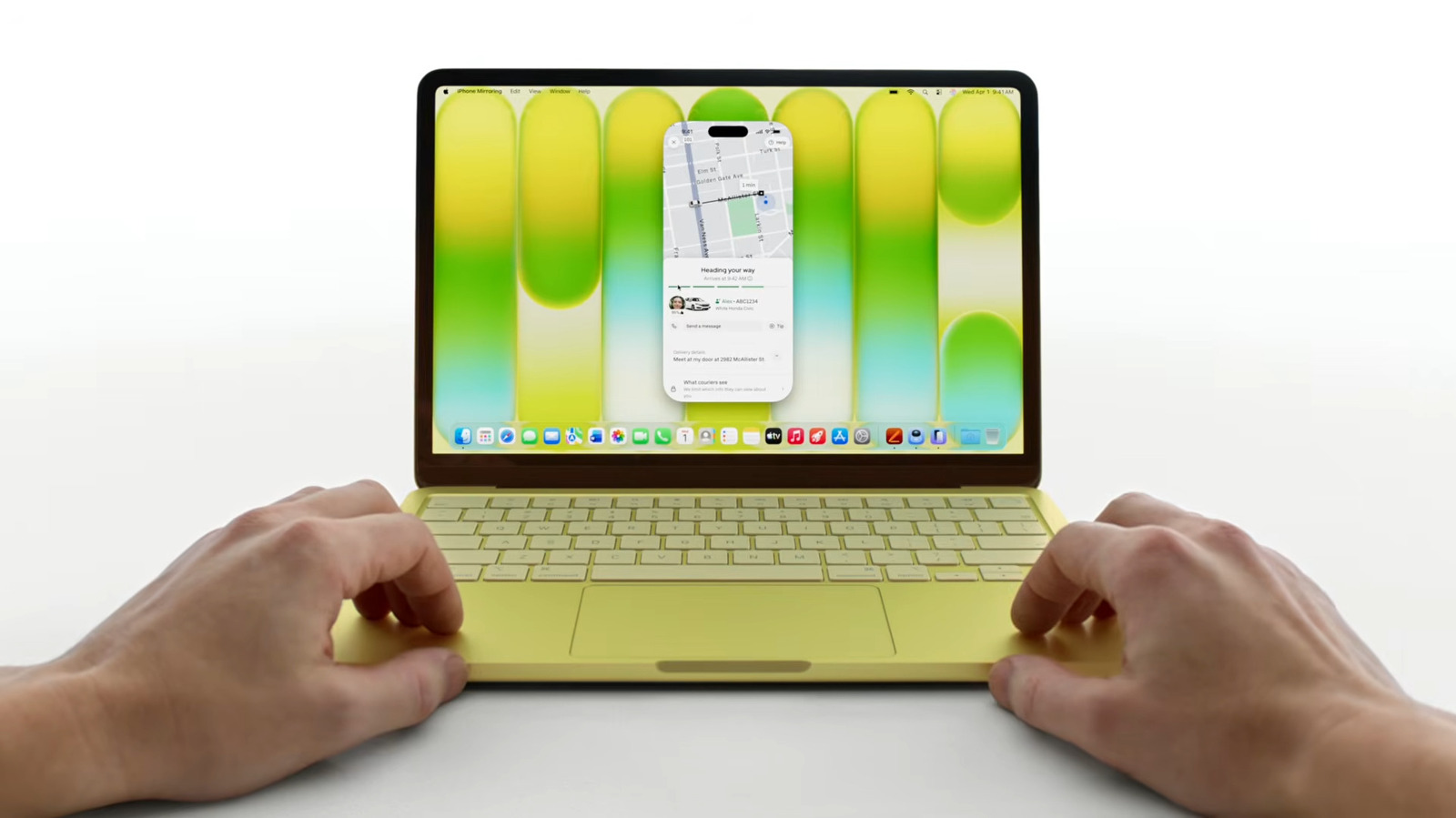
The release of the Apple MacBook Neo in March 2026 marked a significant shift for the tech giant. By utilizing the A18 Pro chip—the first A-series processor in a Mac—Apple managed to hit a starting price of $599, targeting the massive mid-range laptop segment. This segment is no small slice of the pie; laptops priced between $500 and $1,000 accounted for 46.5% of the global market share in 2025. However, being the "most affordable notebook" in the Apple lineup comes with compromises that hardware enthusiasts and professionals might find hard to swallow.
When you look at the spec sheet, the MacBook Neo is essentially a high-end tablet in a laptop's clothing. While the A18 Pro chip provides excellent efficiency, its multi-core performance is roughly equivalent to the aging M1 chip. More importantly, the base model still ships with 8GB of RAM and a 256GB SSD. In 2026, those numbers are barely sufficient for modern web browsing, let alone professional multitasking. Furthermore, the 13-inch display is locked at a 60Hz refresh rate, which feels sluggish compared to the high-refresh panels now common in the budget Windows space.
Choosing between ARM vs x86 architecture is also a factor. While Apple's transition to ARM is mature, the Windows ecosystem has responded with its own ARM-based Snapdragon X chips and highly efficient x86 processors that offer better software compatibility for legacy applications. When we conduct a budget laptop comparison MacBook Neo vs Windows, the Windows side almost always offers better hardware versatility, including expandable storage and more ports.
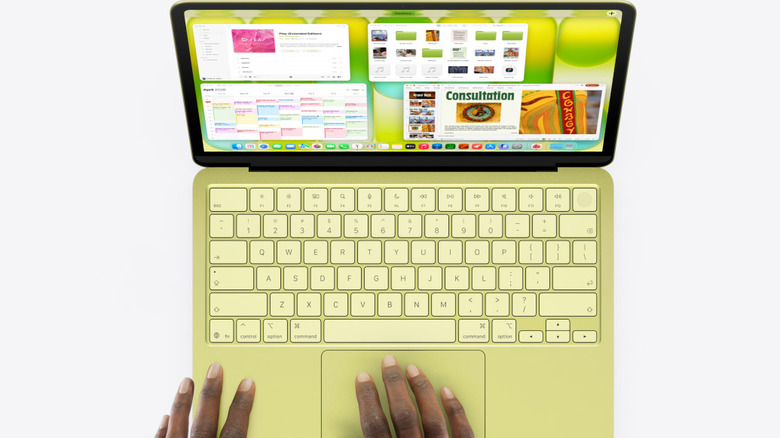
1. Acer Aspire 16 AI: The Battery King (Editor's Choice)
If you want the best price-to-performance ratio in the sub-$600 market, the Acer Aspire 16 AI is the current gold standard. While Apple promotes the efficiency of its A18 Pro chip, Acer has optimized this machine to deliver a staggering 21 hours of use on a single charge. This makes it one of the few Windows laptops with better battery life than MacBook Neo, especially during sustained productivity tasks.
The standout feature here is the 16-inch IPS touch display with a 120Hz refresh rate. Once you experience the fluid motion of a 120Hz screen, going back to the MacBook Neo's 60Hz panel feels like a step backward. The larger screen real estate also allows for better side-by-side multitasking, which is a major win for students and office workers. Under the hood, you typically find 16GB of RAM, ensuring that Windows 11 remains snappy even with dozens of Chrome tabs open.
Pros
- Exceptional battery capacity (Wh) providing all-day endurance.
- Smooth 120Hz refresh rate is rare at this price point.
- Includes a modern Neural Processing Unit (NPU) for local AI processing.
Cons
- 16-inch footprint is less portable than a 13-inch MacBook.
- The plastic chassis doesn't feel as "premium" as aluminum.
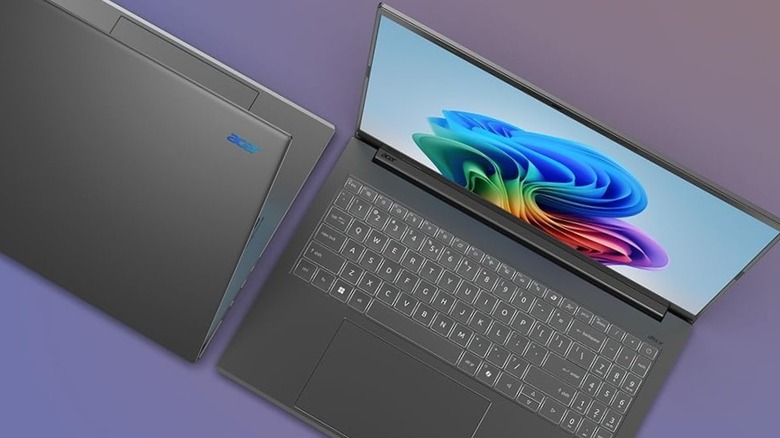
2. HP Victus 15.6: Gaming on a Budget
For those who need more than just a word processor, the HP Victus 15.6 is a game-changer. It is one of the few cheap gaming laptops with dedicated GPU under $600 currently available. While the MacBook Neo relies on integrated graphics that struggle with modern AAA titles, the Victus features a Discrete NVIDIA GPU (typically the RTX 2050 or 3050 in this price bracket).
This hardware makes it a much better choice for tasks like video editing, 3D modeling, and, of course, gaming. The 144Hz refresh rate FHD anti-glare display ensures that fast-paced action looks crisp and clear. While the battery life won't match the Acer or the MacBook, the sheer performance overhead provided by the dedicated hardware is a trade-off many users are willing to make. It also features a high-speed SD card reader, which is a blessing for photographers who don't want to carry a dongle.
Pros
- Real gaming performance with a dedicated NVIDIA RTX GPU.
- Excellent cooling system for sustained workloads.
- 144Hz refresh rate display is perfect for competitive titles.
Cons
- Bulkier design and heavier power brick.
- Battery life is significantly shorter than non-gaming alternatives.
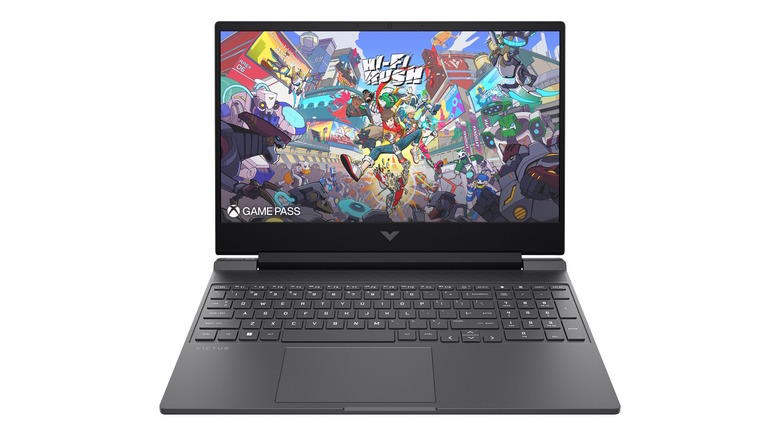
3. Lenovo IdeaPad Slim: The Storage Leader
Storage is the silent killer of the MacBook Neo's value proposition. Upgrading from 256GB to 1TB on a MacBook can cost hundreds of dollars. The Lenovo IdeaPad Slim ignores that trend by offering a 1TB NVMe SSD out of the box for under $600. For professionals handling large datasets or students with massive media libraries, this is a huge advantage.
Beyond storage, this is one of the most reliable laptops under $600 with 16GB RAM for multitasking. Most users don't realize that 8GB of RAM in 2026 is often fully consumed just by the operating system and a few background apps. Having 16GB RAM provides the "breathing room" necessary for a smooth experience. The IdeaPad also includes a full numeric keypad, which is an essential feature for anyone working in Excel or accounting.
Pros
- Massive 1TB NVMe SSD provides plenty of room for files.
- 16GB RAM ensures smooth multitasking and longevity.
- Full-sized keyboard with a dedicated numeric pad.
Cons
- The display brightness is a bit lower than the competition.
- Webcam quality is average at best.
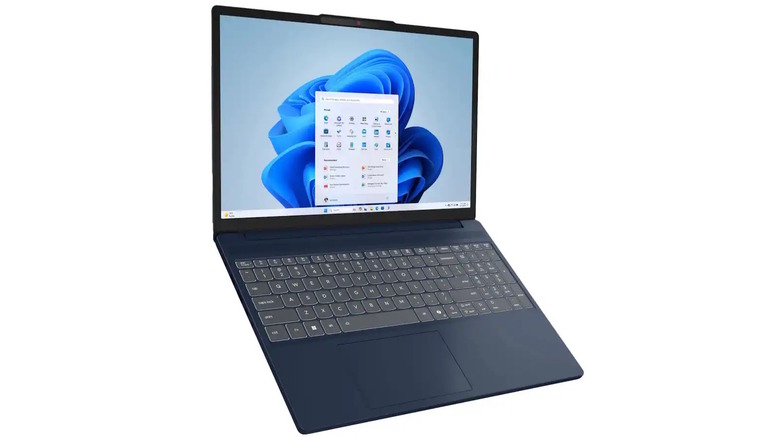
4. Samsung Galaxy Book4: The Professional's Choice
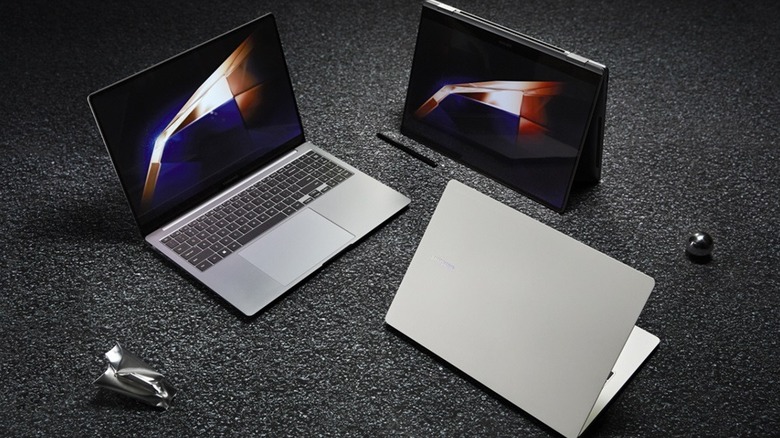
Samsung has mastered the art of creating a "Windows MacBook." The Galaxy Book4 is incredibly thin and light, making it one of the best value laptops for students who need to carry their machine between classes. While it uses integrated graphics, the optimization between the hardware and software is excellent, especially if you already own a Samsung Galaxy phone or tablet.
The Galaxy Book4 often goes on sale, and with student discounts reaching up to 20%, it frequently drops into the laptops under $600 category. You get a premium-feeling chassis, a very responsive trackpad, and a vivid IPS touch display. While it doesn't have the 120Hz speed of the Acer, the color accuracy is superior, making it a better fit for light creative work like photo editing or social media management.
Pros
- Best-in-class portability and build quality.
- Seamless integration with the Samsung Galaxy ecosystem.
- Quiet, fanless or near-silent operation during light tasks.
Cons
- Fewer ports than the Acer or HP models.
- RAM is often soldered and not upgradable.
5. Snapdragon X Budget Models: The AI Future
The year 2026 is the era of the AI PC. Many manufacturers are now releasing best Snapdragon X budget laptops for AI tools that compete directly with Apple's silicon. These laptops feature a dedicated Neural Processing Unit (NPU) capable of over 45 TOPS (Trillions of Operations Per Second). This allows for local AI processing of tasks like real-time language translation, background blur in video calls, and automated photo tagging without relying on the cloud.
These Snapdragon-powered models offer a "best of both worlds" scenario: they have the extreme battery efficiency of the MacBook's ARM architecture but run the full version of Windows 11. They are particularly effective for users who rely on web-based tools and modern Microsoft Office apps, offering a snappy, instant-on experience that mirrors the tablet-like feel of the MacBook Neo.
Pros
- Dedicated NPU for next-gen AI features.
- Incredible standby time and instant-wake functionality.
- Usually fanless, making them completely silent.
Cons
- Some older x86 software may require emulation, which can impact performance.
- Not suitable for high-end gaming.
What to Look for in a $600 Laptop in 2026
When you are navigating a budget laptop comparison guide, you need to set a "floor" for your specifications. In 2026, the minimum standard for a $600 machine has evolved. You should no longer accept 8GB of RAM as a standard. Look for 16GB RAM to ensure your laptop doesn't become obsolete in two years. Similarly, while 256GB might be okay for a cloud-centric user, a 512GB NVMe SSD is the sweet spot for most.
One of the biggest advantages of Windows laptops in this price range is the physical expandability. Unlike Apple's soldered components, many Windows laptops allow you to upgrade the storage or include an integrated microSD slot for easy expansion. When evaluating the price-to-performance ratio, consider the total cost of ownership. A $599 MacBook Neo might require an expensive external drive or a iCloud subscription within six months, whereas a $550 Lenovo IdeaPad Slim has all the room you'll ever need.
Finally, pay attention to the display. We are seeing a major push toward higher refresh rates. A 120Hz or 144Hz screen isn't just for gamers; it makes every scroll, window drag, and animation feel more premium. If you are choosing between two models, always lean toward the one with the better screen.
FAQ
Is a laptop under $600 good for gaming?
Yes, but you have to choose the right hardware. Most laptops in this price range use integrated graphics, which are fine for casual titles like Minecraft or Roblox. However, if you choose a model like the HP Victus with a discrete NVIDIA GPU, you can comfortably play modern games like Fortnite, Apex Legends, or even Cyberpunk 2077 on adjusted settings.
What is the best laptop for a student under $600?
The Samsung Galaxy Book4 is an excellent choice for students due to its lightweight design and premium build. However, if the student needs to run heavy engineering software or does a lot of video editing, the Acer Aspire 16 AI is the better choice because of its larger screen and superior battery life.
How much RAM should a $600 laptop have?
In 2026, you should aim for 16GB RAM. While 8GB is still common (especially in the MacBook Neo), it is quickly becoming the bottleneck for modern operating systems and web browsers. Having 16GB ensures that you can multitask without the system slowing down or tabs refreshing constantly.
Are Chromebooks better than Windows laptops in this price range?
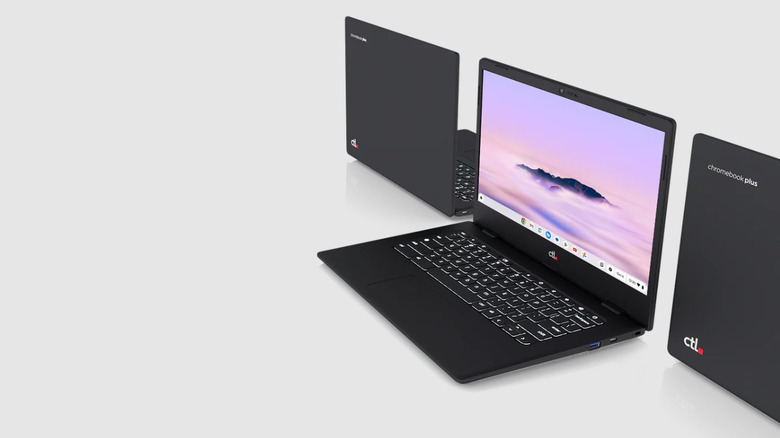
Chromebook Plus models are very competitive under $600. They often offer better build quality and screens than Windows laptops at the same price. If your work is entirely web-based (Google Workspace, Canva, web browsing), a Chromebook can be faster and simpler. However, for specialized software, Windows remains the more versatile choice.
What should I look for when buying a laptop under $600?
Prioritize a high-quality display (IPS, at least 300 nits brightness), at least 16GB RAM, and a 512GB SSD. Also, check for "quality of life" features like a backlit keyboard, a reliable fingerprint reader, and a good selection of ports (USB-C, HDMI, and a headphone jack) to avoid the need for extra adapters.
Conclusion: Choosing Your Best Value Laptop
The Apple MacBook Neo is a beautiful piece of hardware, but it is a "prestige" entry-level device that makes significant compromises in performance and storage. If you value raw specs and versatility, the Windows ecosystem offers far more for your money.
Whether you choose the Acer Aspire 16 AI for its incredible 120Hz screen, the HP Victus for its gaming prowess, or the Lenovo IdeaPad Slim for its massive storage, you are getting a machine that outclasses the base MacBook in almost every technical category. In the battle for the best value for college students under $600, the data is clear: more RAM, more storage, and better displays are waiting for you outside the Apple Store.